Chords
Chord Library
Searchable chord diagrams with strict or fuzzy matching, key filters, diatonic and borrowed chords, and favourites.
- Guitar
- Ukulele
- Banjo
- Bass
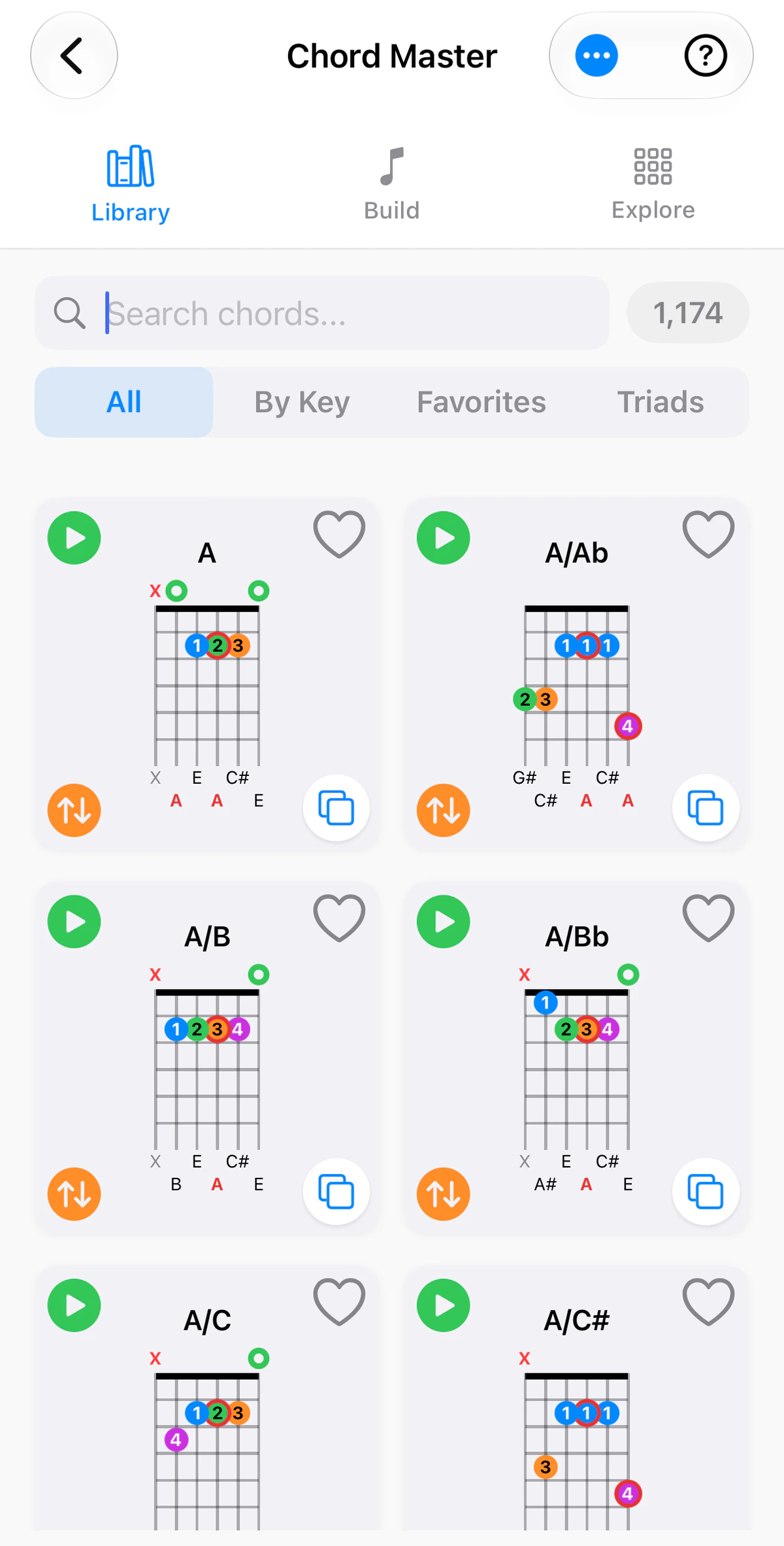
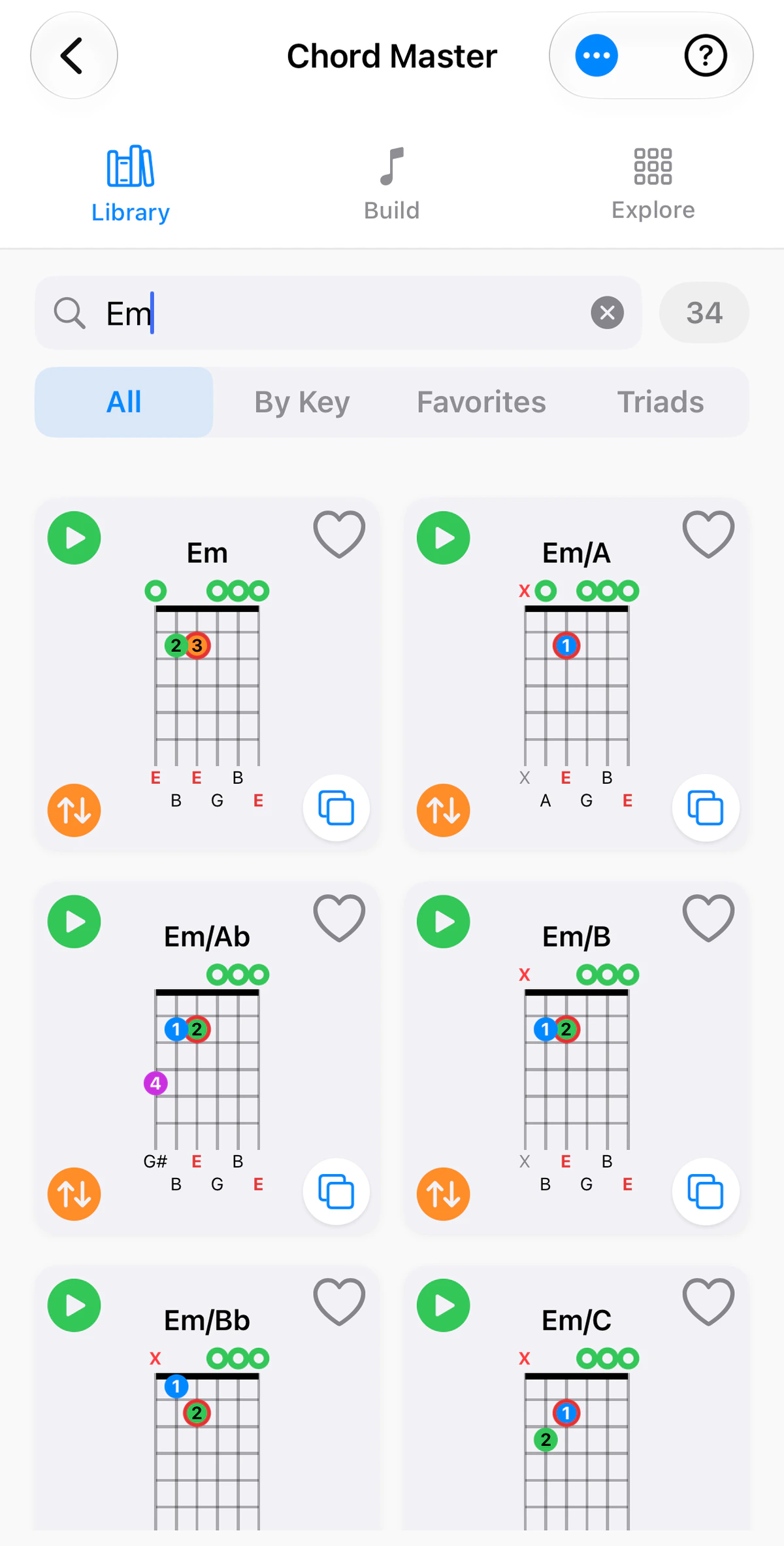
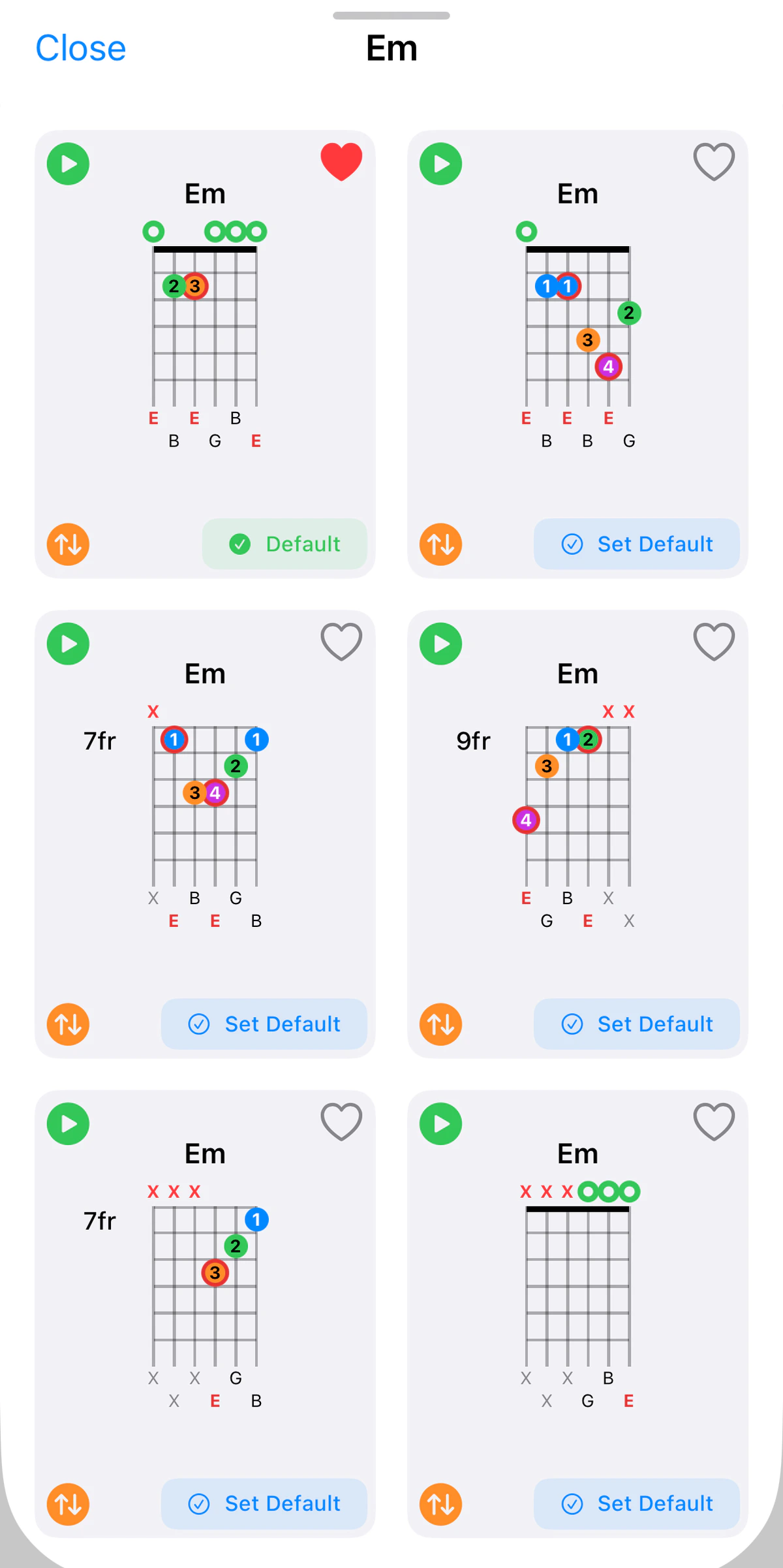
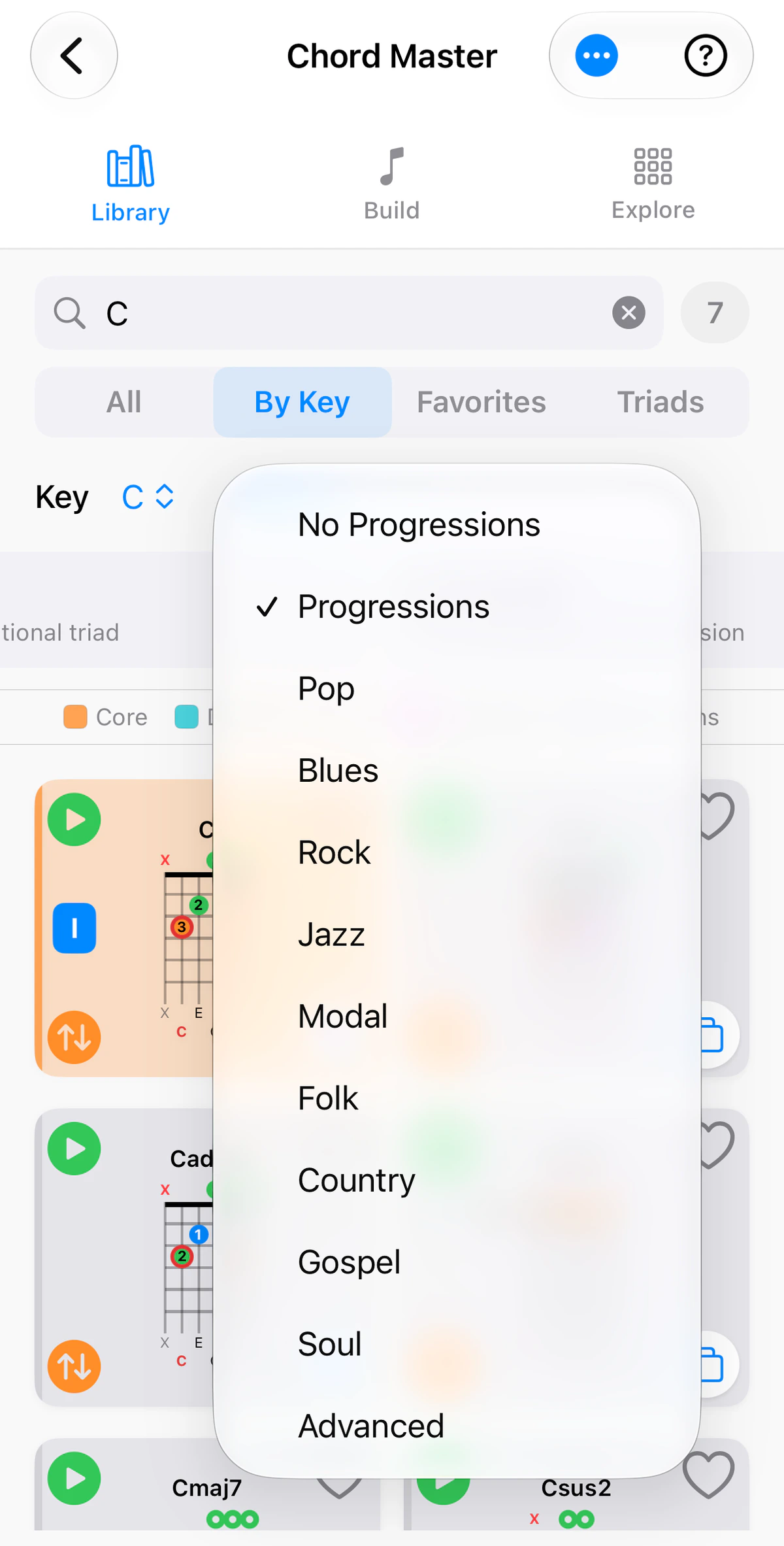
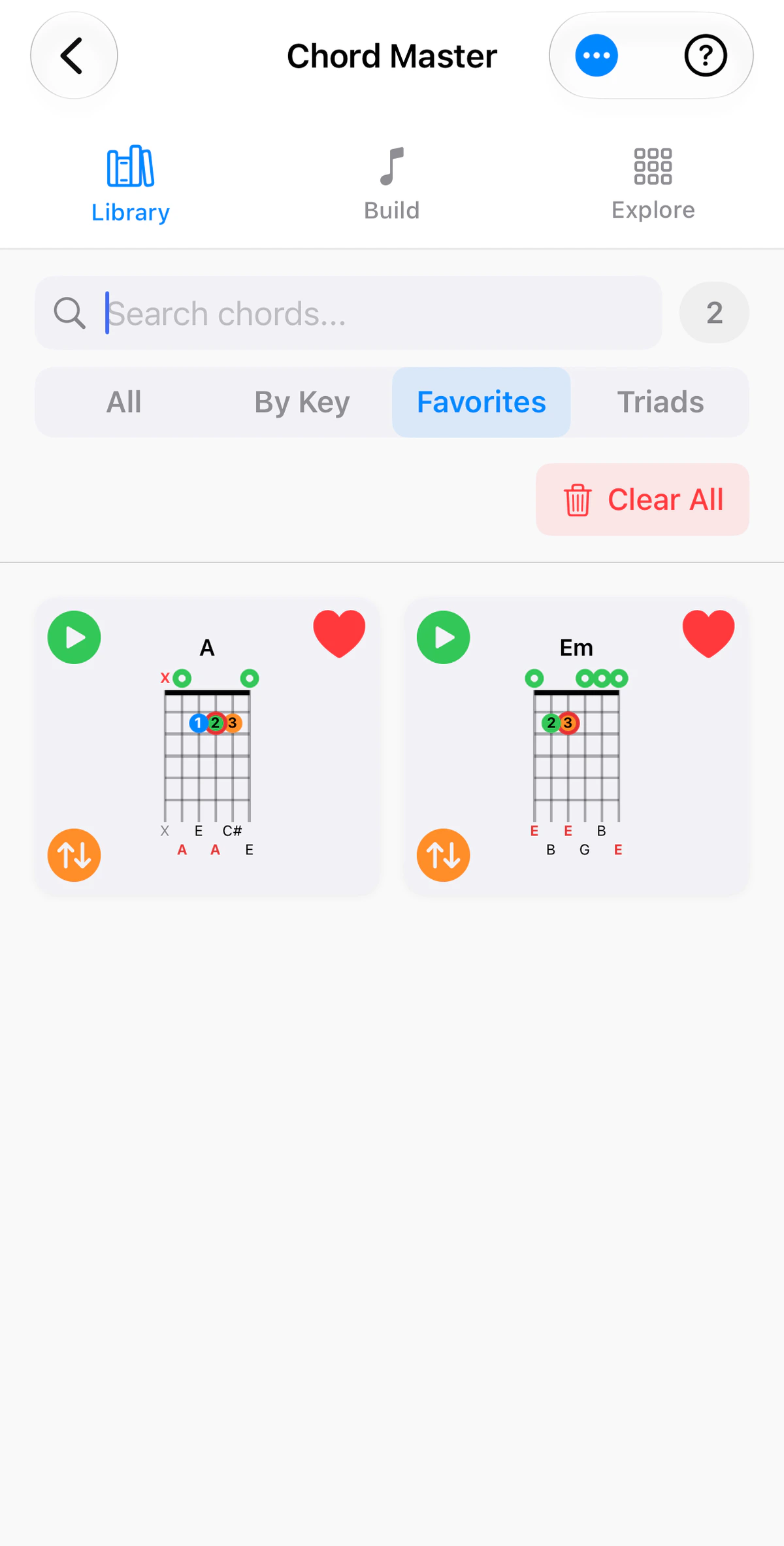
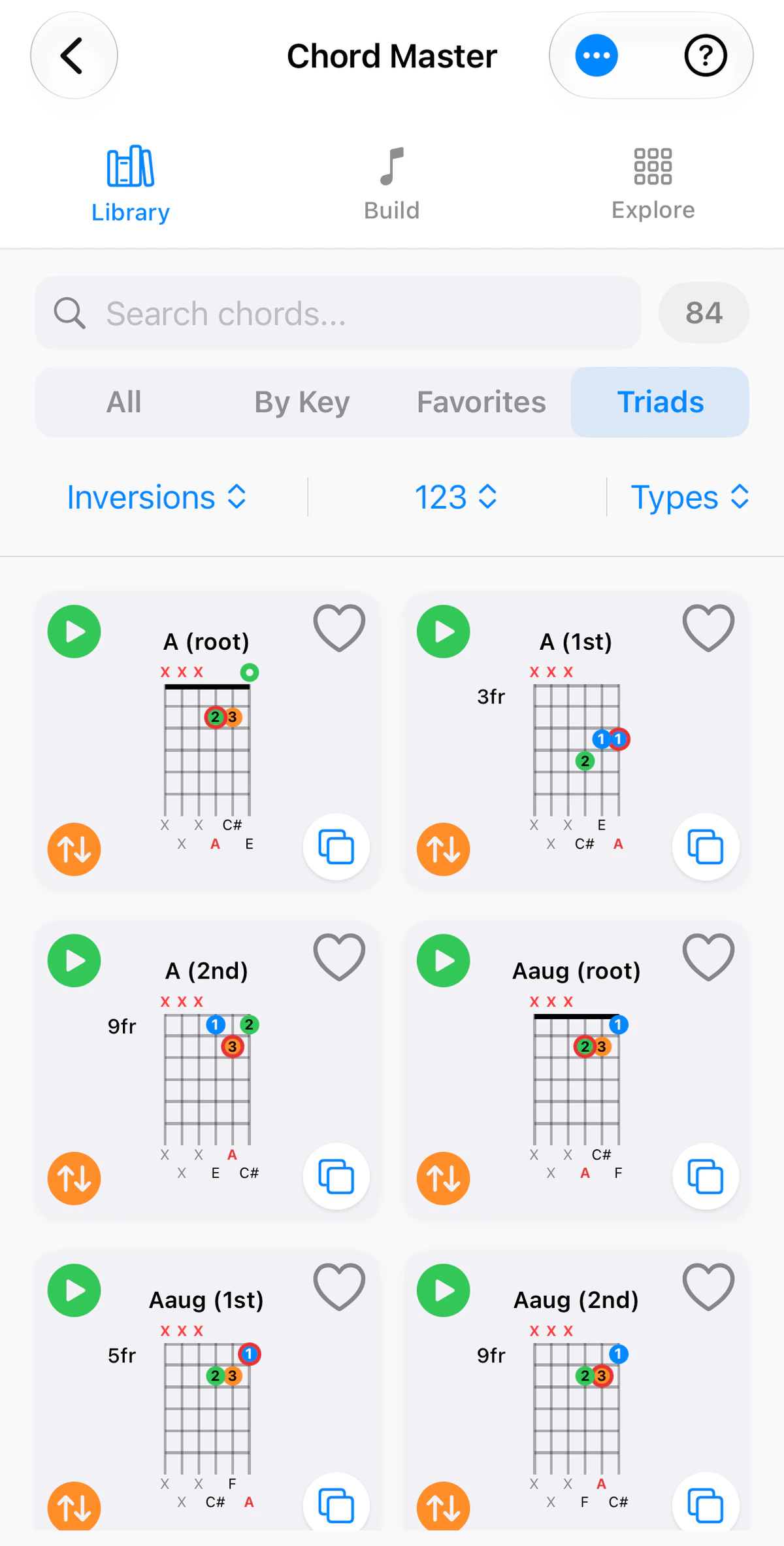
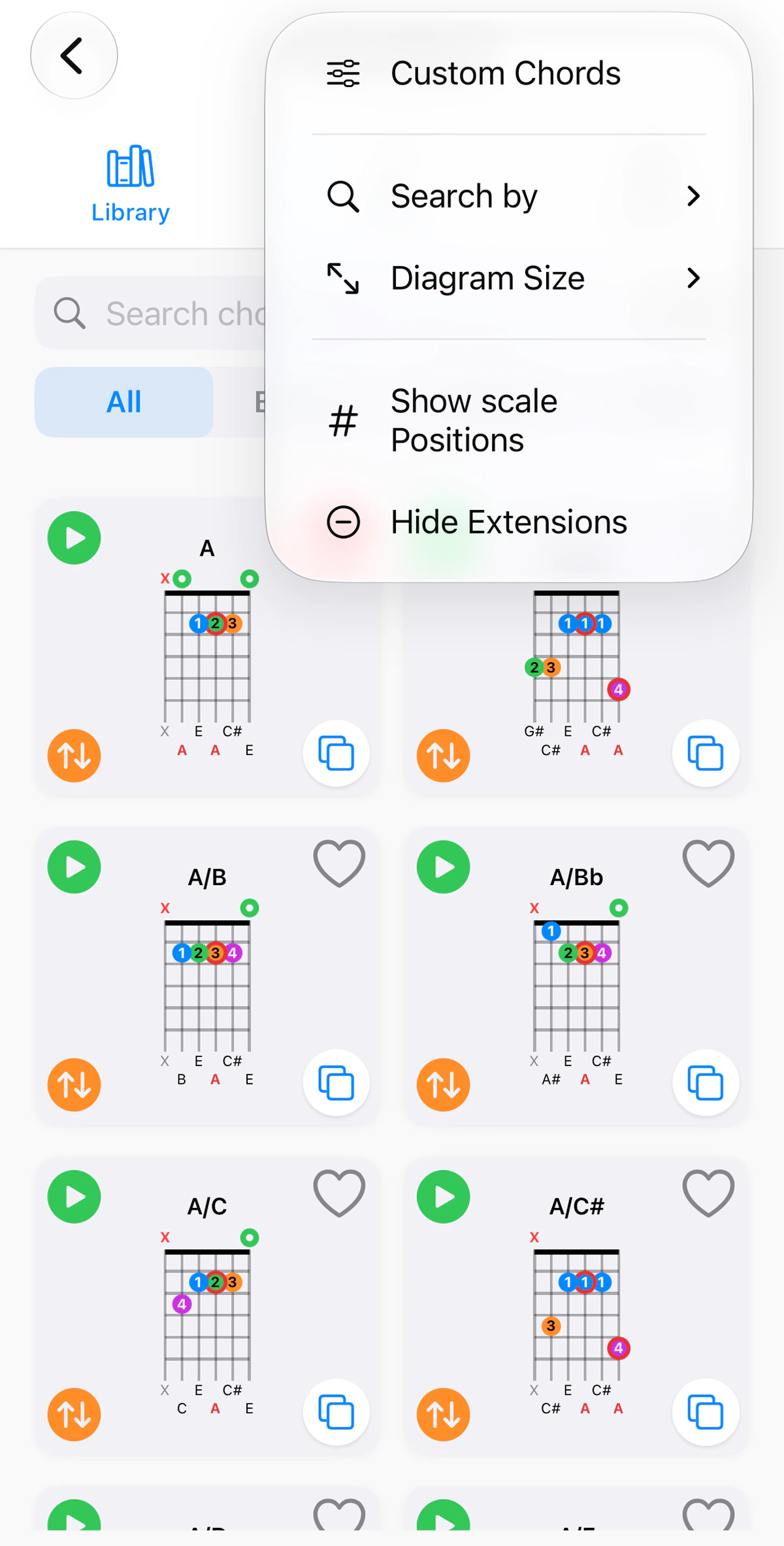
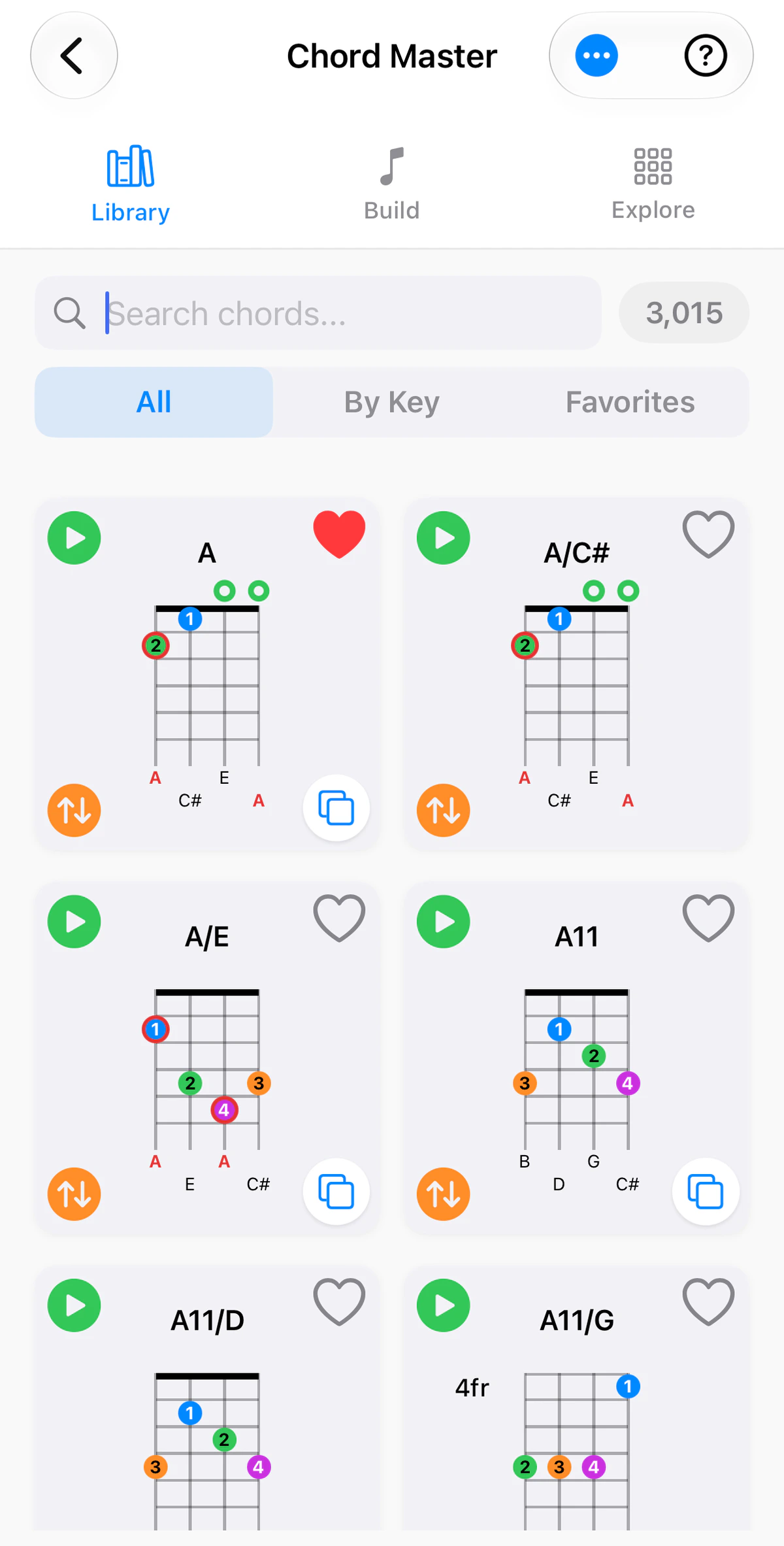
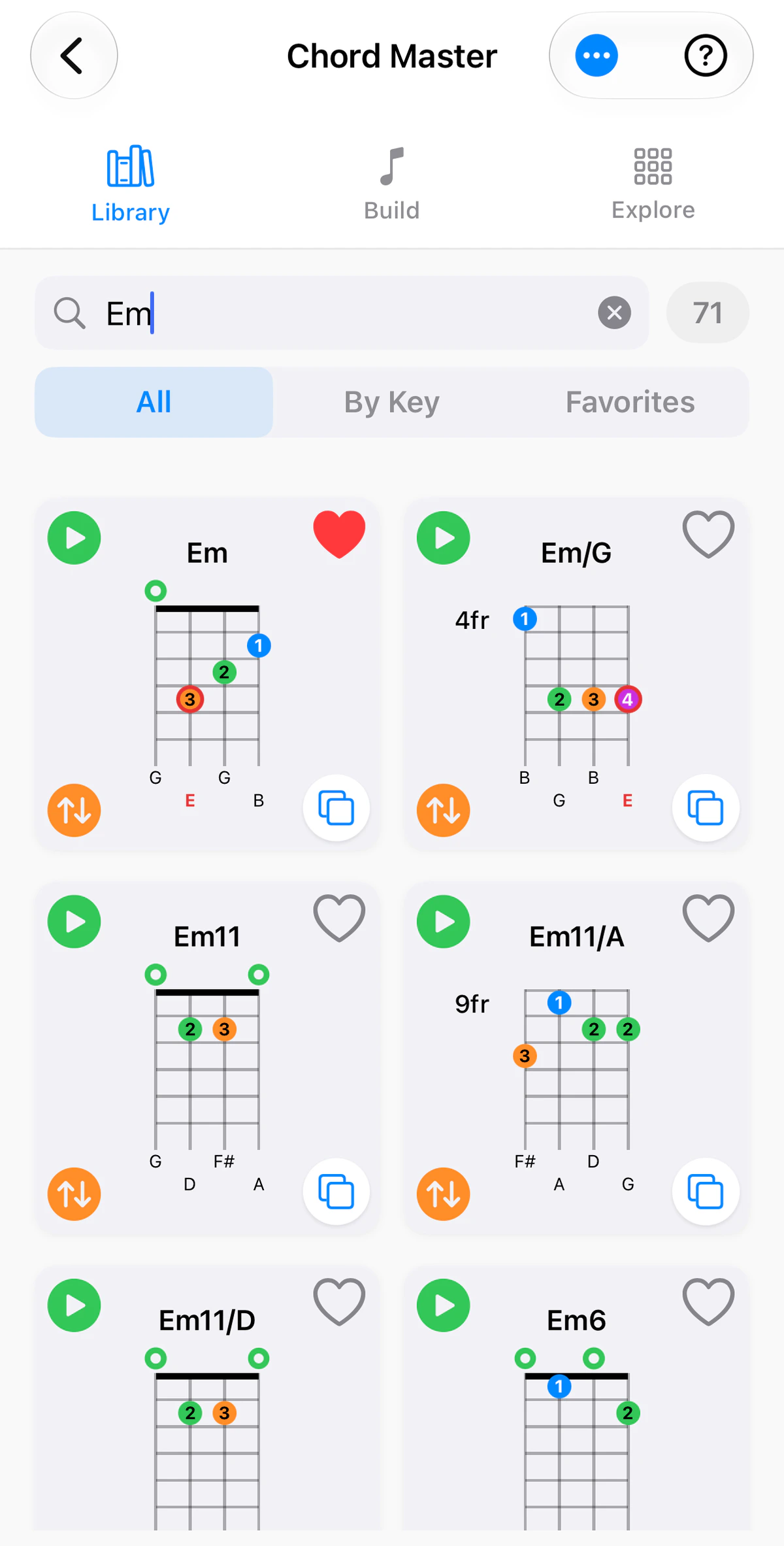
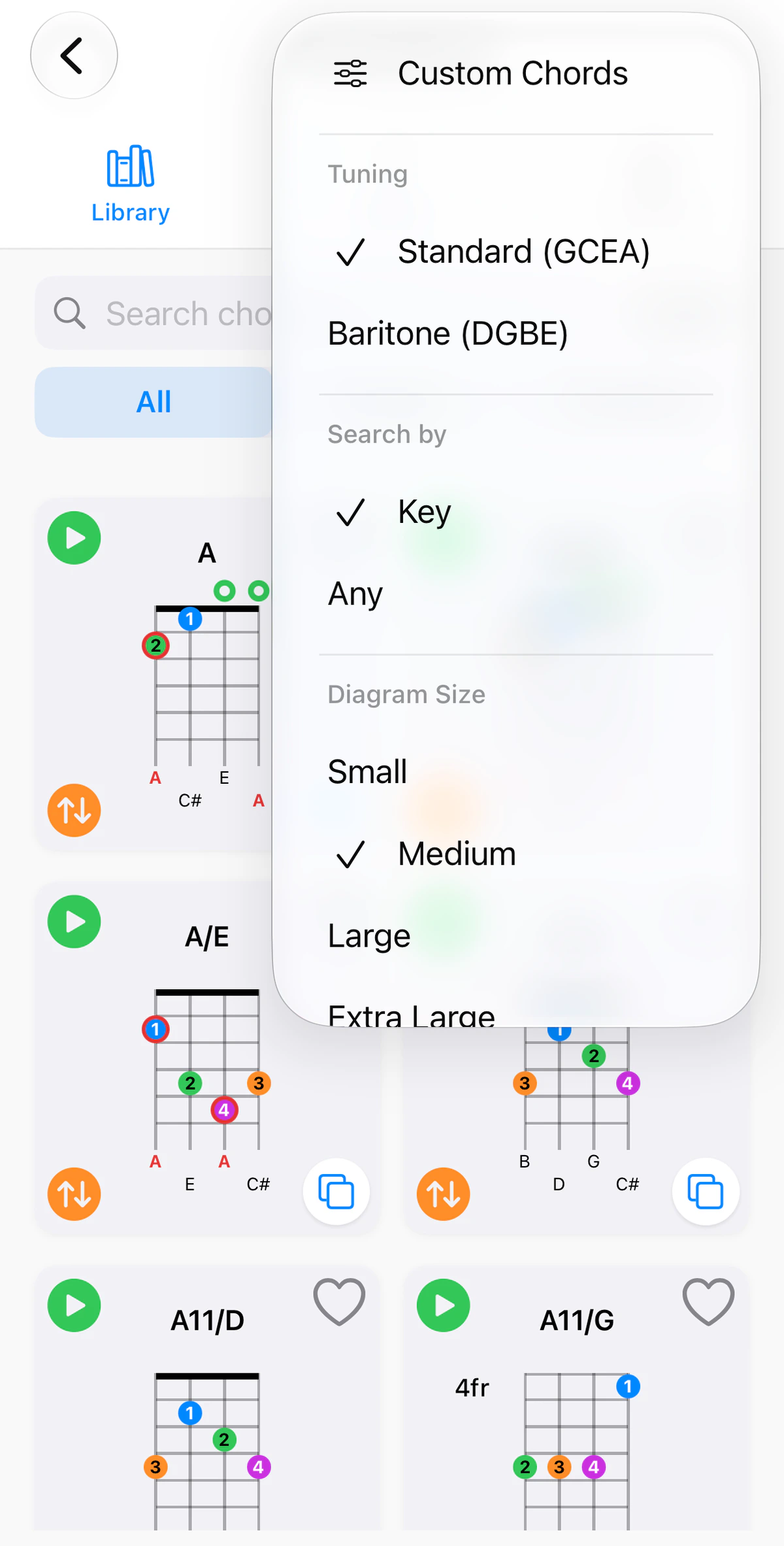
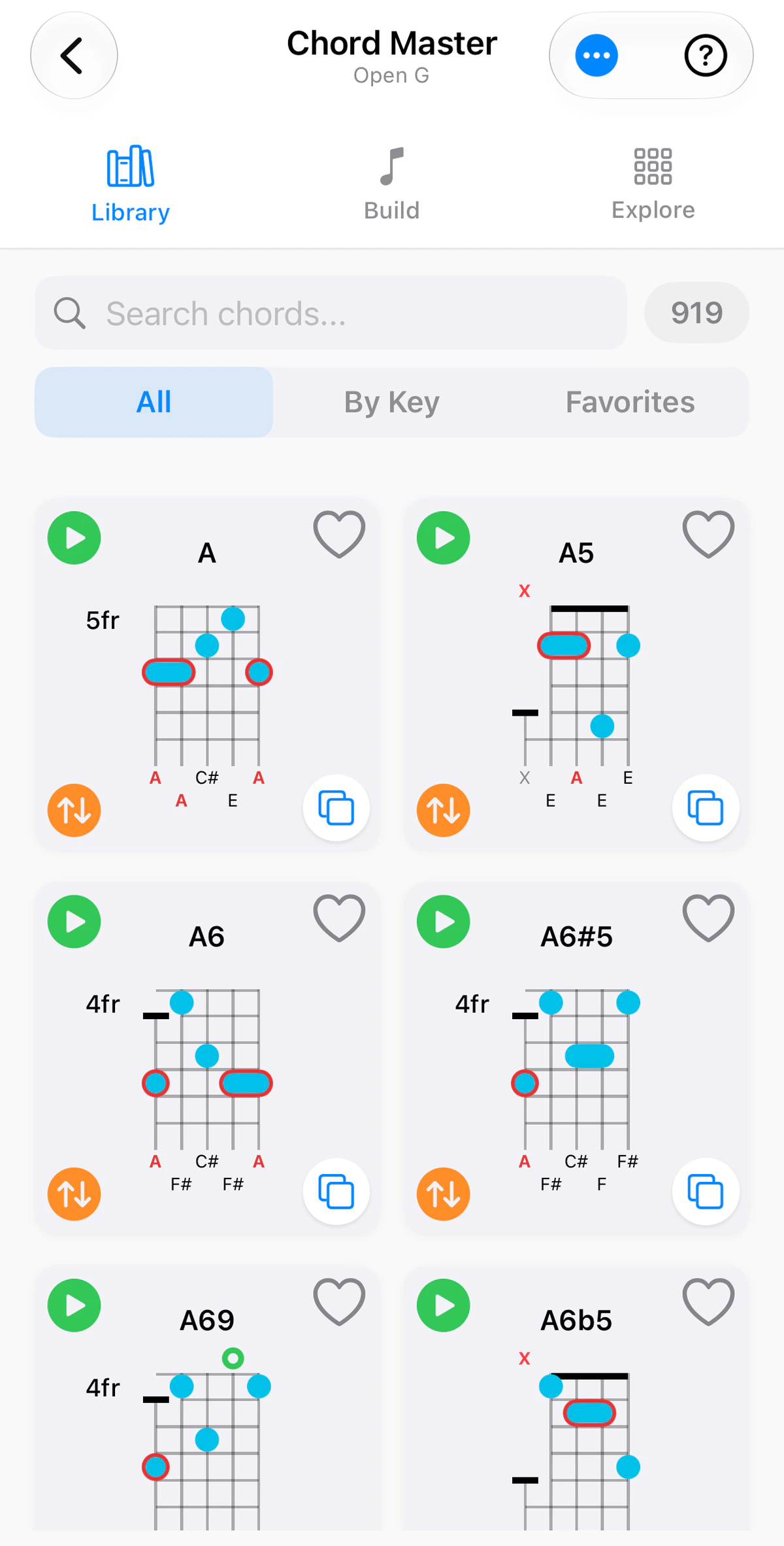
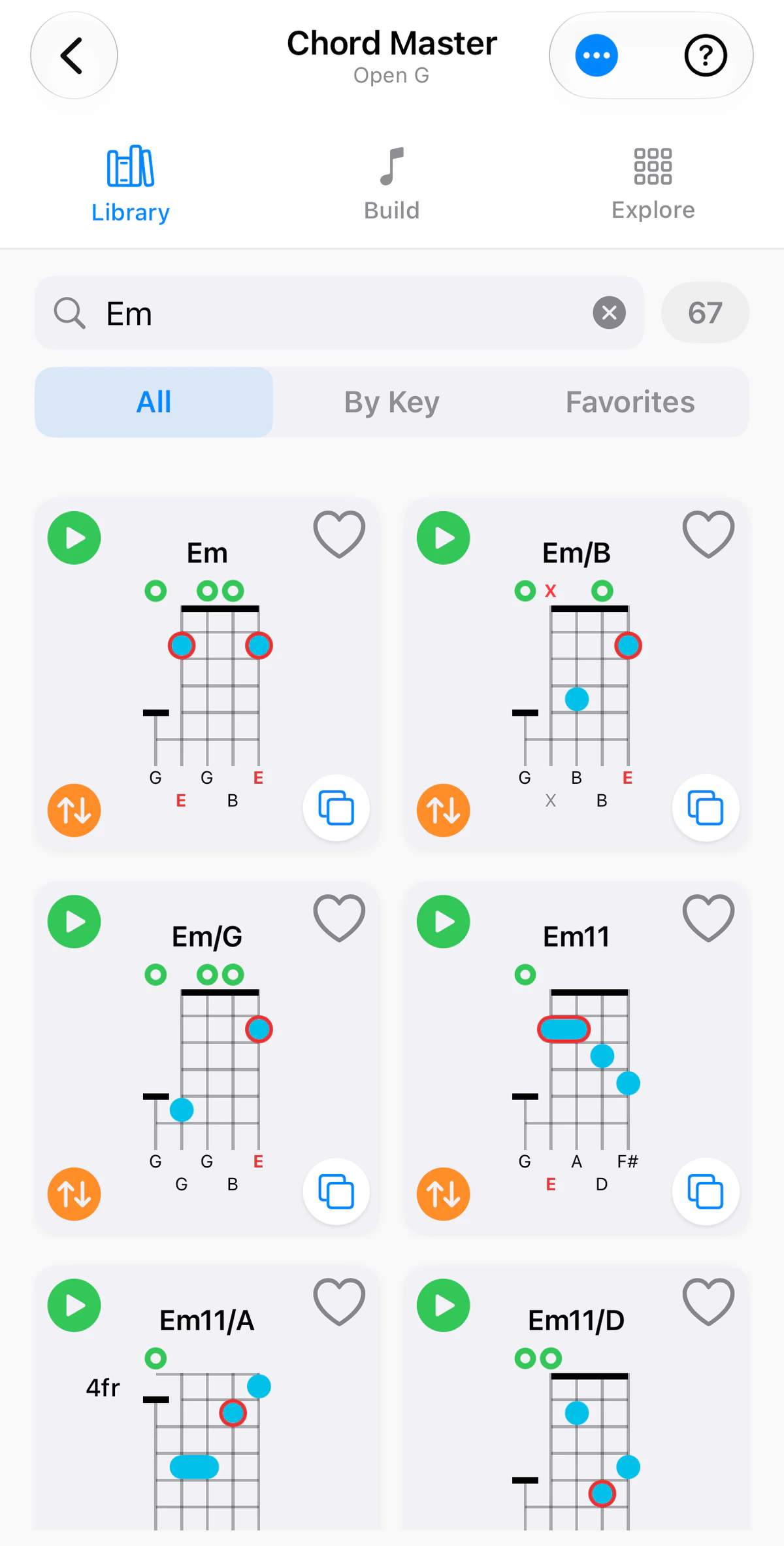
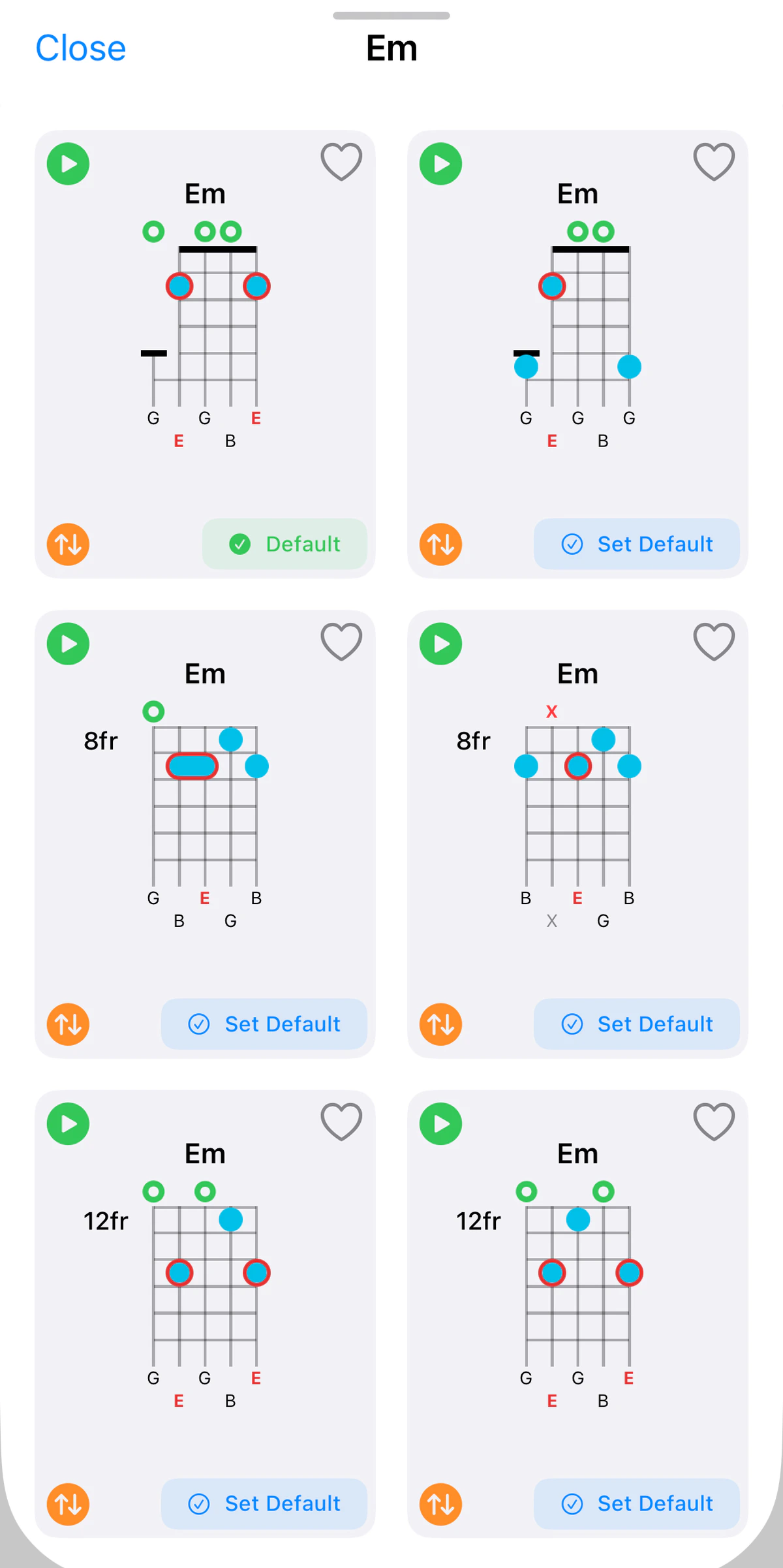
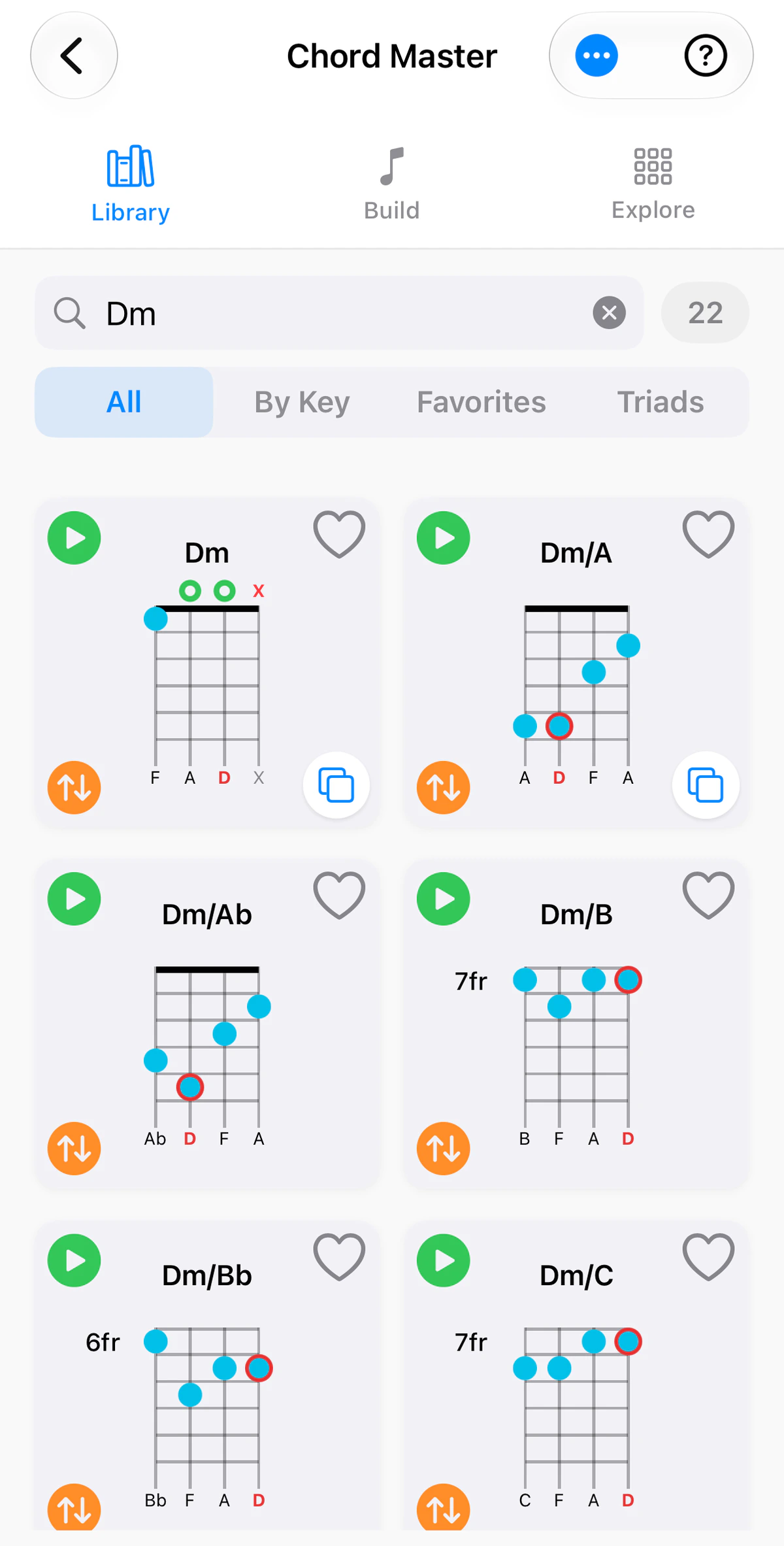
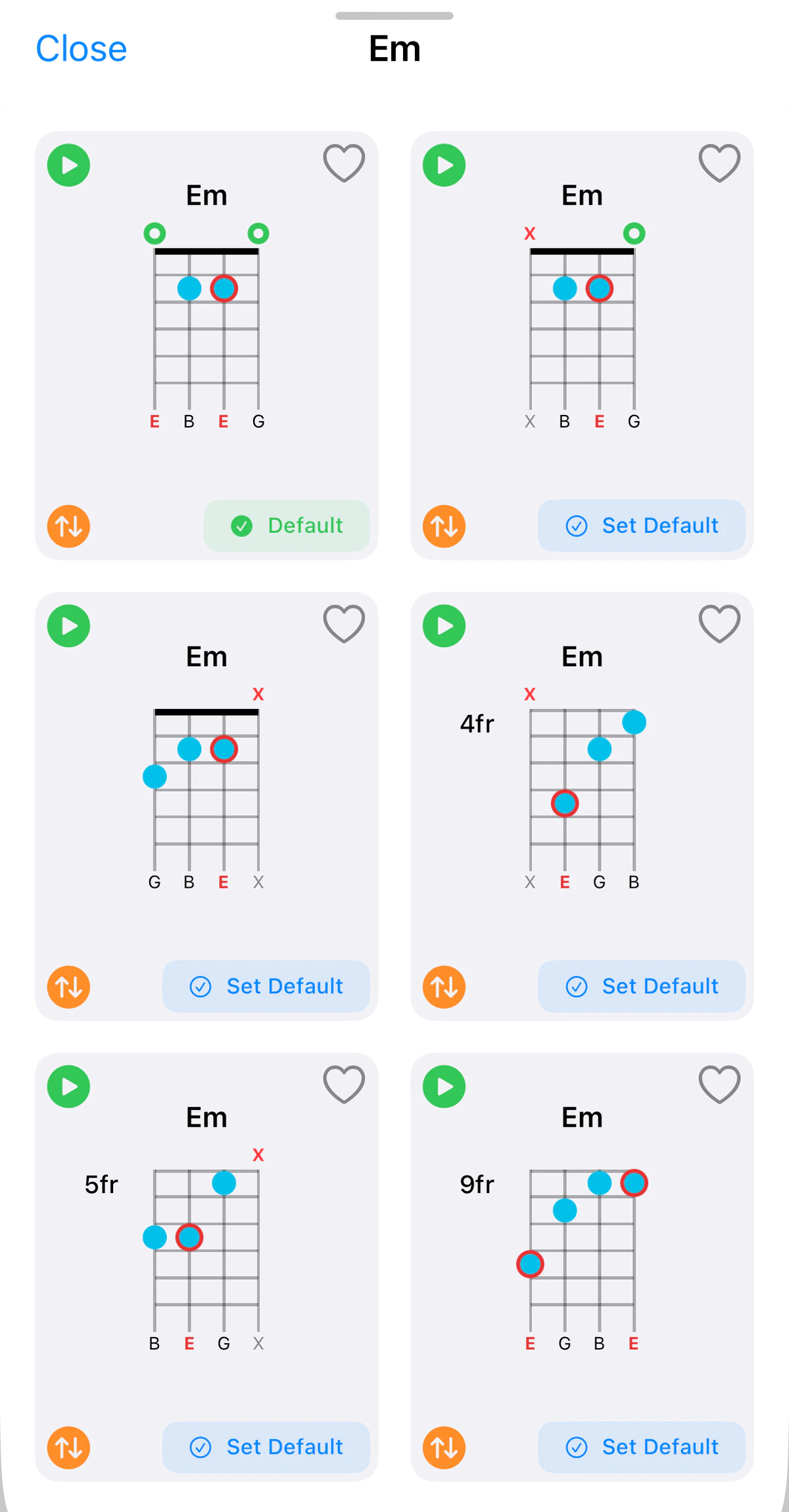
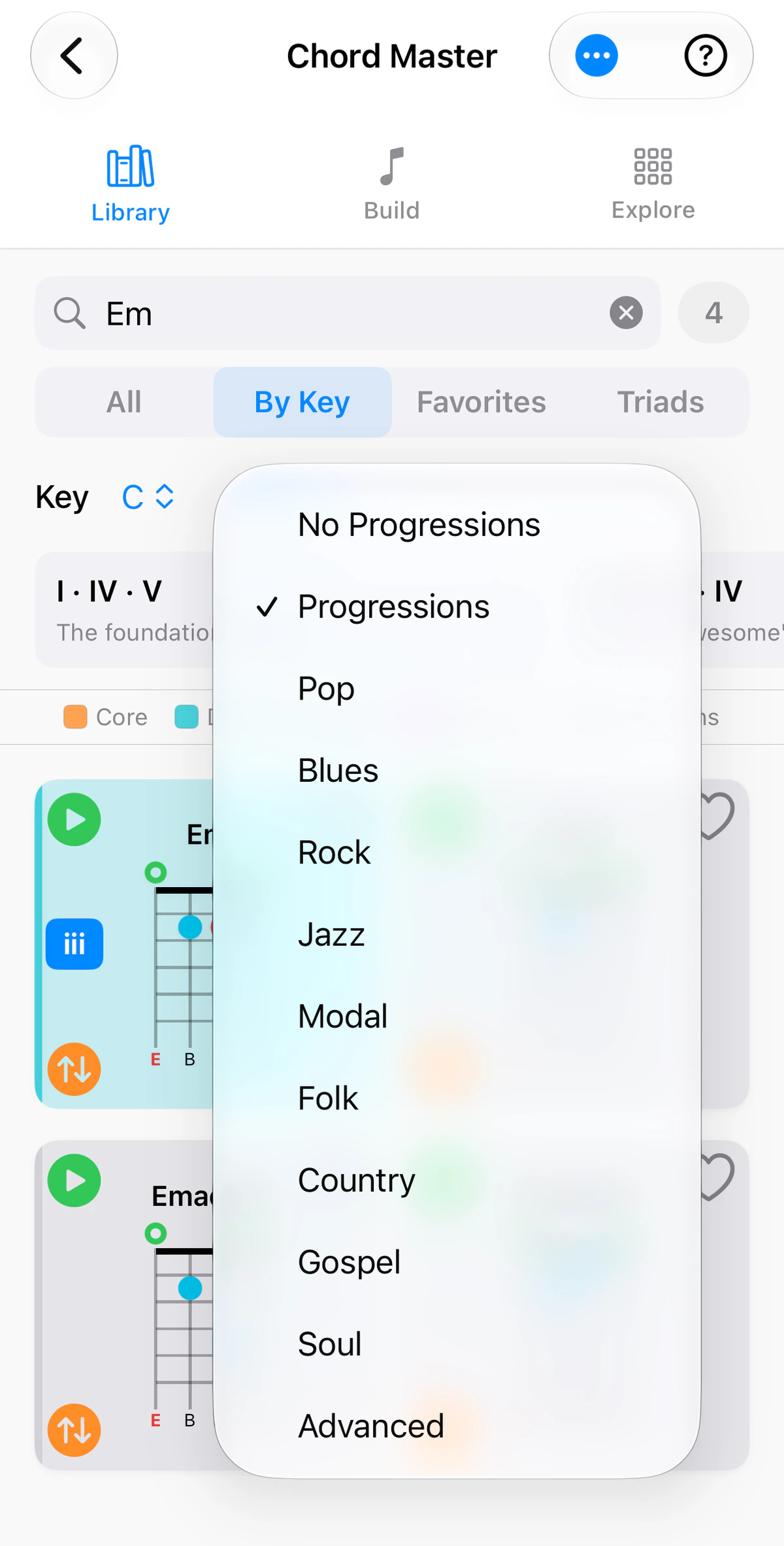
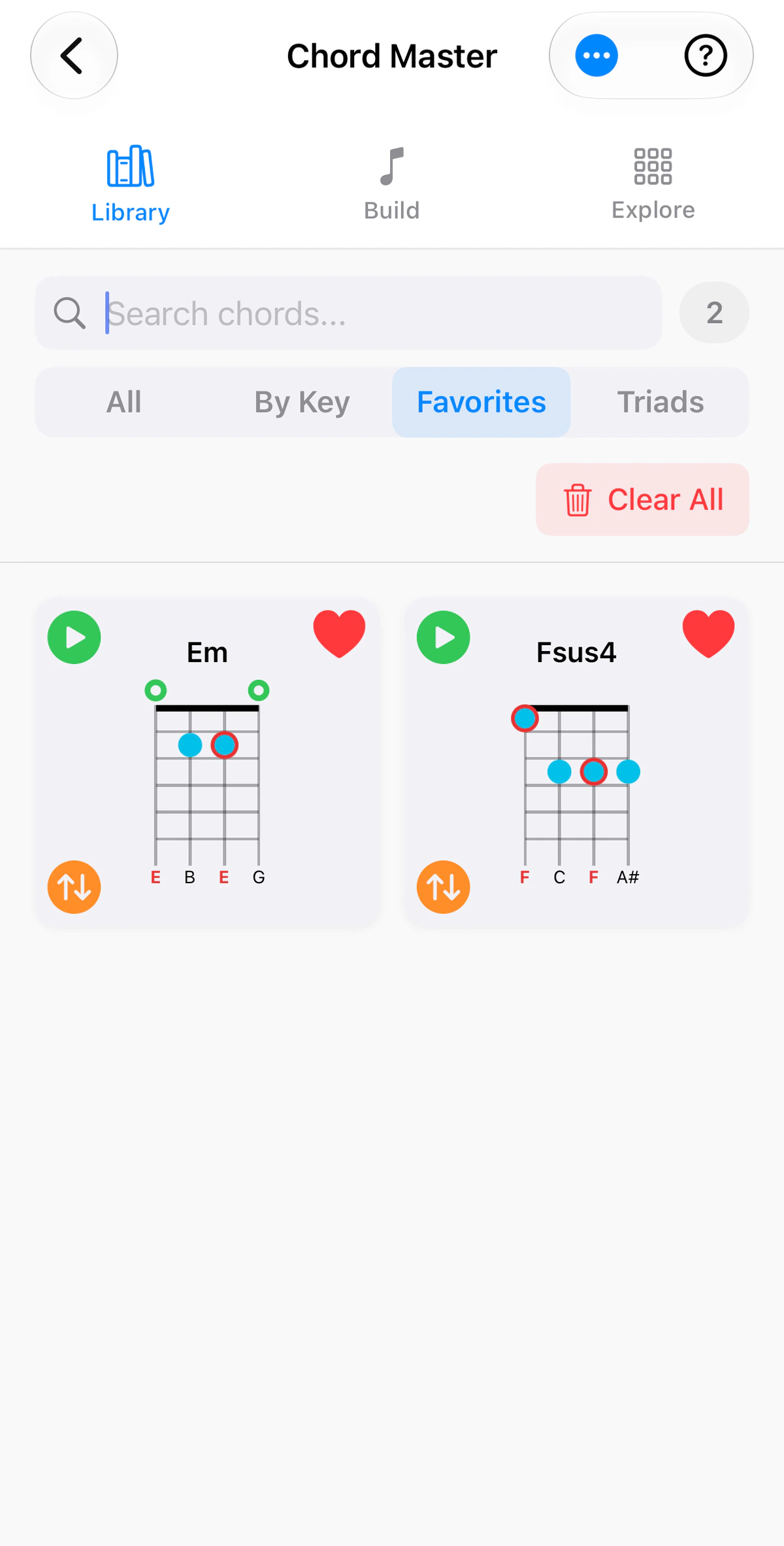
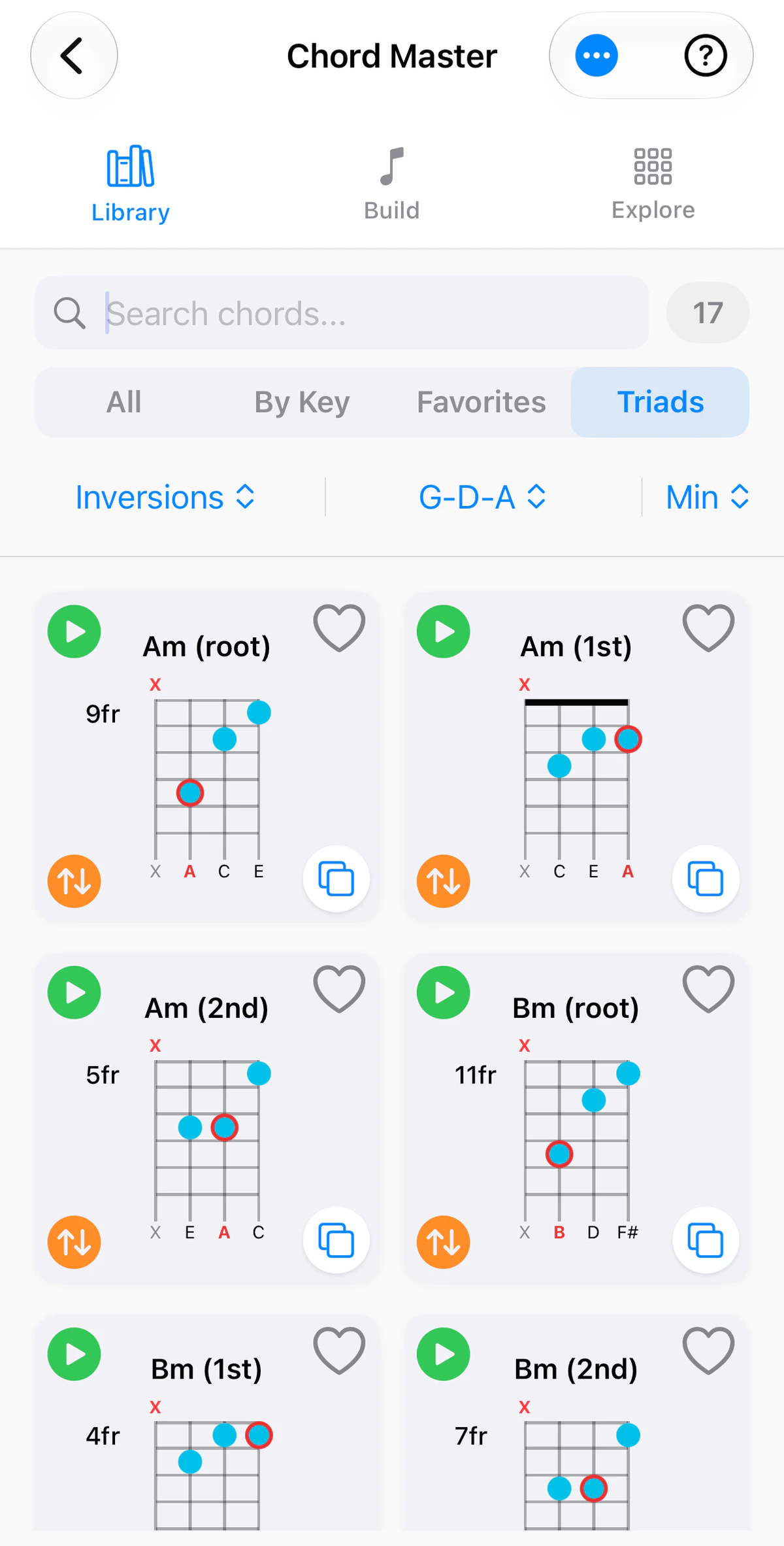
The Chord Library is a reference shelf: chord diagrams you can find and scan quickly. It is the Library tab of Chord Master.
Use the instrument tabs above the screenshots to see the Library on guitar, ukulele, banjo or bass. Ukulele and banjo have no Triads tab, and the number of chords differs by instrument.
The views
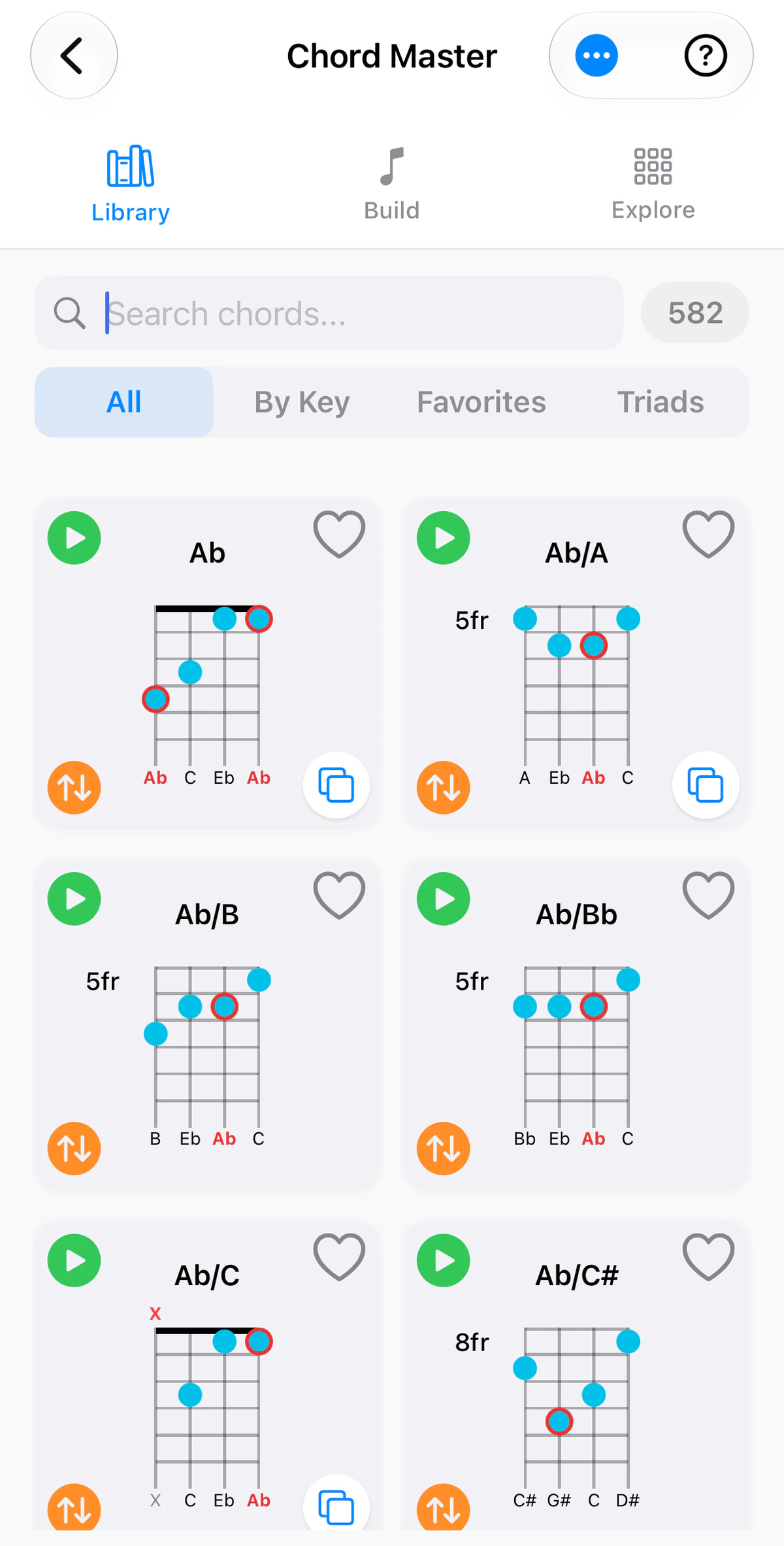
A row of tabs under the search box switches between:
- All: every chord in the library. The badge beside the search box shows how many.
- By Key: the chords that belong to a key you choose.
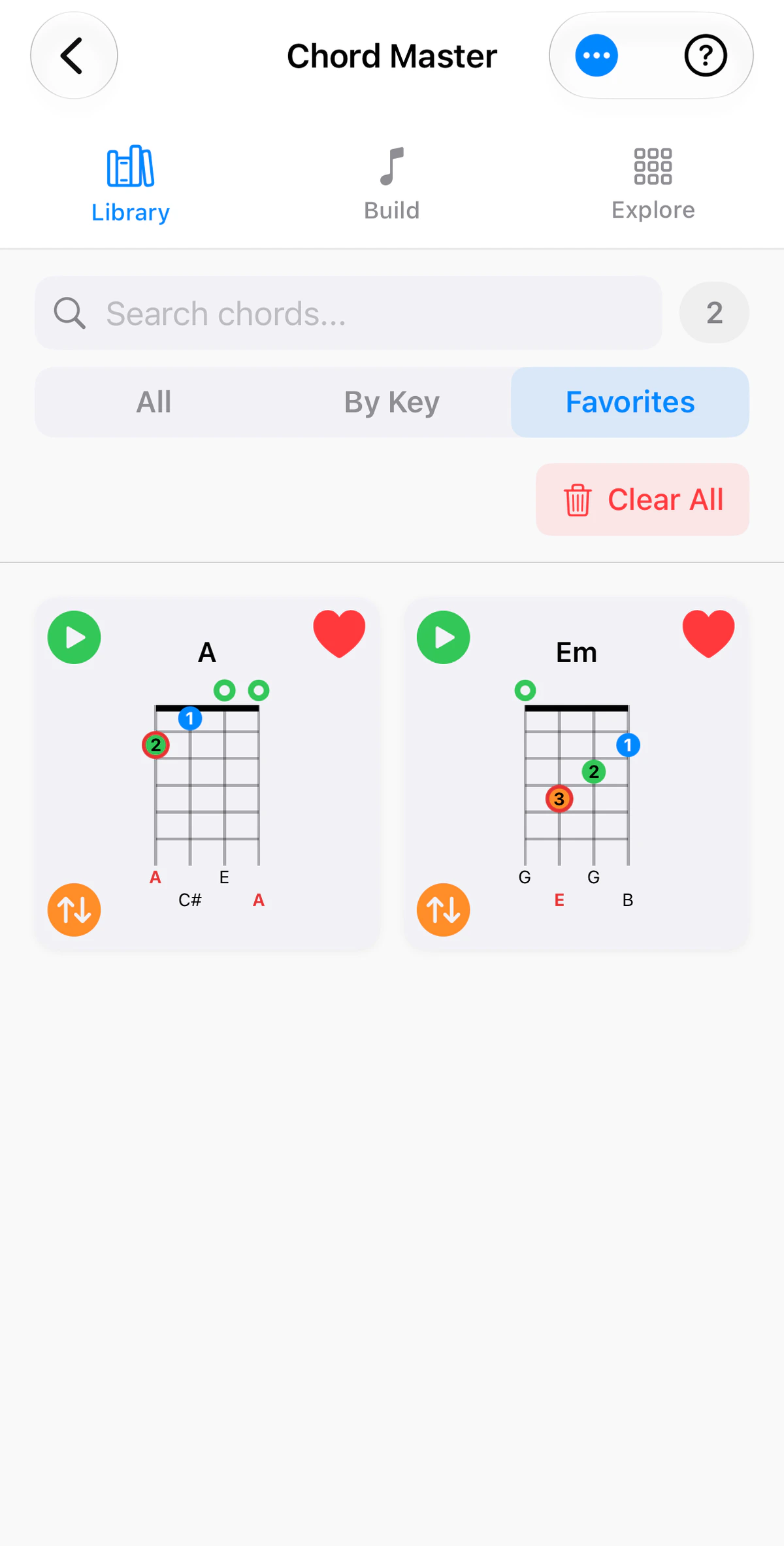
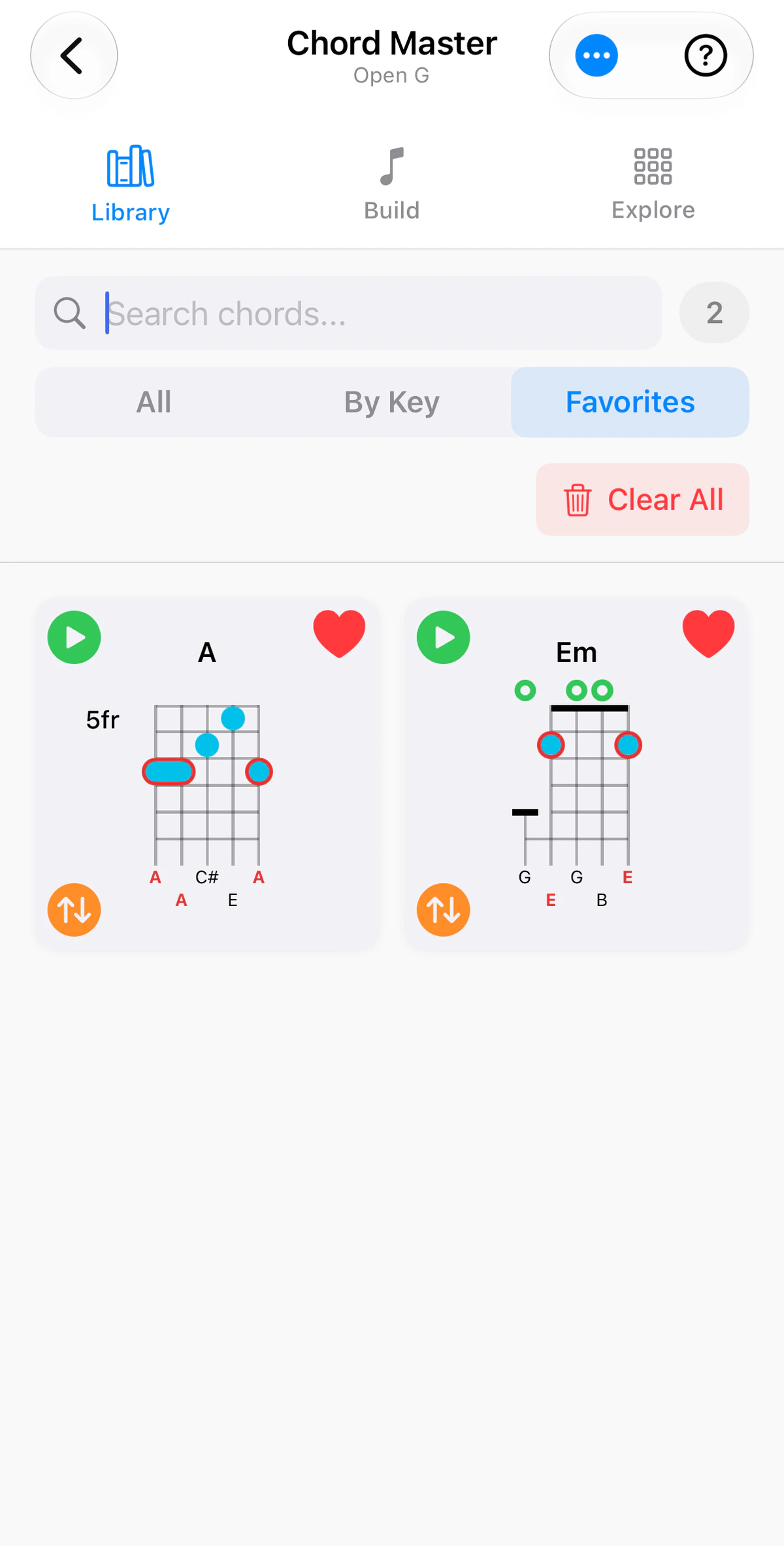
- Favorites: the chords you have saved.
- Triads (guitar and bass): three-note shapes, by inversion.
Searching
Type a chord name and the list narrows as you type. Searching for Em gives 34 results on guitar, 71 on ukulele and 67 on banjo: Em itself and its slash chords, such as Em/A and Em/B.
- Choose search by Key to matching by key prefix, or Any to find that text in any chord (e.g. any chord with a /A base).
- Type sharps and flats however you like –
F#m7,Gbm7,F♯m7all work, with or without Unicode symbols. - Search for slash chords such as
Am/CorG/D.
Reading a diagram
Each chord is a card:
- Tap the green play button to hear it.
- Tap the heart to add it to your Favorites.
- Tap the orange up/down arrows to hear the chord arpeggiated, string by string, using your arpeggiation choices in Settings.
- Numbers on the dots are finger numbers (banjo diagrams show plain dots and bars). A ring above the nut is an open string, and an X is a string you don’t play. On banjo, the short fifth string is drawn from the fifth fret.
- Red dots and letters are the root of the chord. The notes under the strings show what each one sounds.
Diagrams can show finger positions, intervals or note names. Turn finger numbers off in Settings for plain dots in your chosen marker colour.
Every voicing of a chord
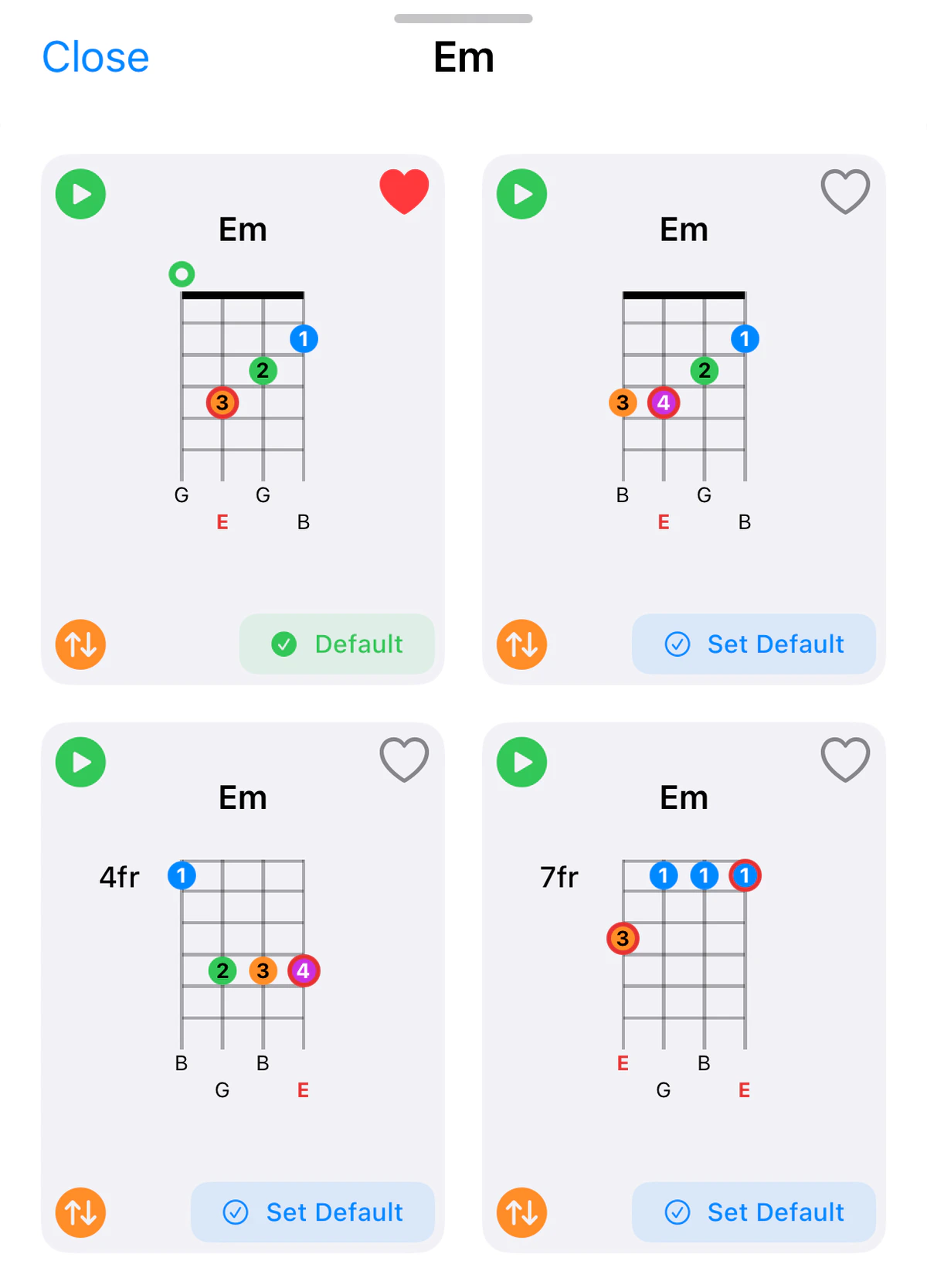
Most chords can be played in more than one place. Tap the white copy button at the bottom right of a card to see every shape for that chord, including those higher up the neck. It appears on any chord with more than one fingering, custom chords included. Tap Set Default on the one you prefer, and that is the shape the library shows first.
By Key
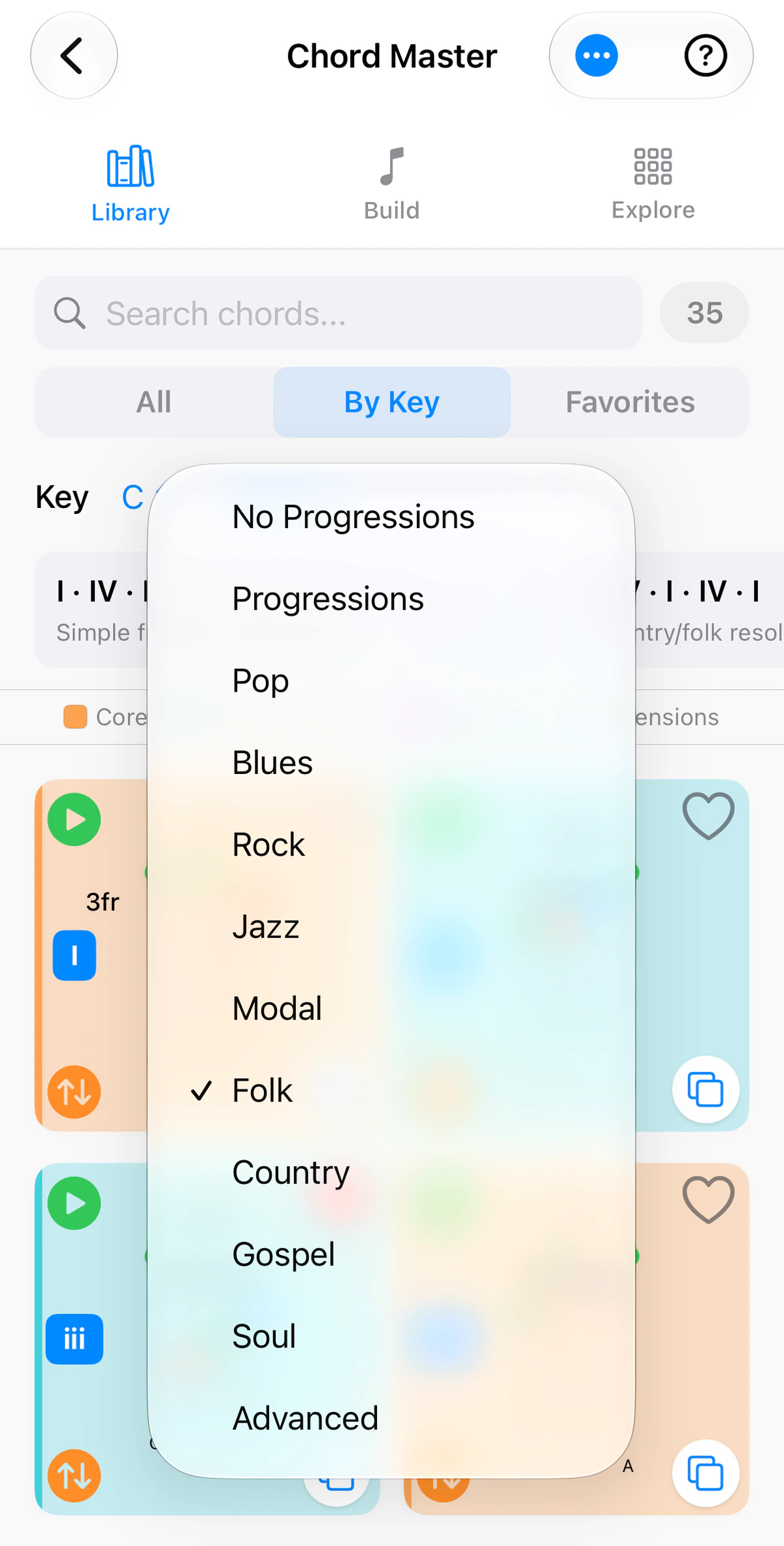
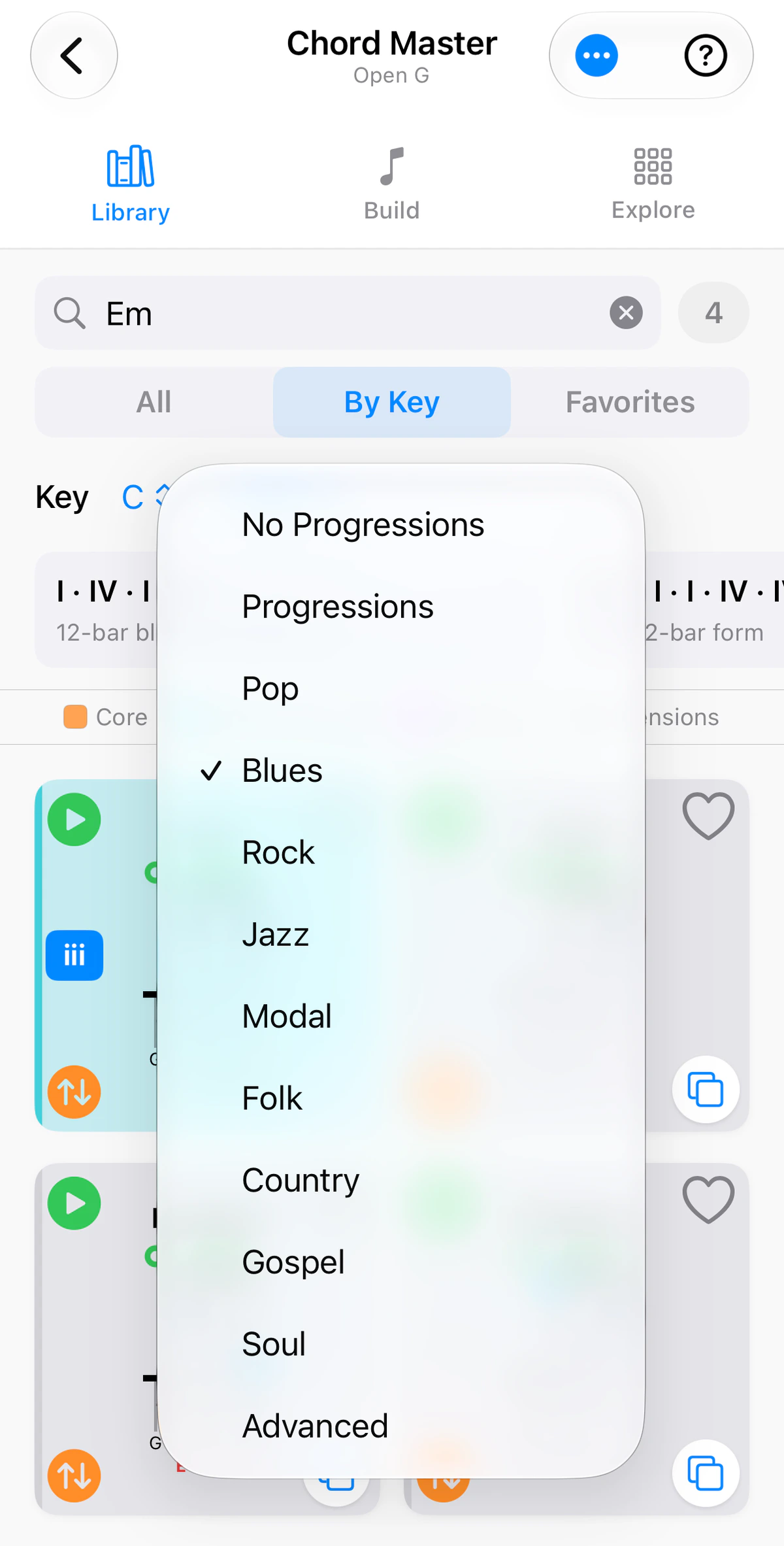
Pick a key to browse its diatonic chords, plus common borrowed chords from the parallel key – a quick way to find a chord that adds colour to a progression. A Roman numeral on a card tells you where the chord sits in the key, such as I for the first chord of C.
A menu beside the key lets you add progression suggestions for a style: Pop, Blues, Rock, Jazz, Modal, Folk, Country, Gospel, Soul or Advanced. Choose No Progressions to see only the key’s chords.
Favorites
Save any diagram to build your own quick-reference set – handy for the songs you’re learning. The Favorites tab shows them together, and Clear All empties the list.
Triads
The Triads tab is in the guitar and bass apps (not ukulele or banjo). It lists triads rather than full chords. Narrow the list with the Inversions and Types menus, so you can see, for example, only the root position or only the augmented triads. The middle menu, showing 123 here, chooses which strings the triads are played on; open it for the full list of string sets. Each card is labelled with its inversion – root, 1st or 2nd – and shows the fret it starts on.
The ••• menu
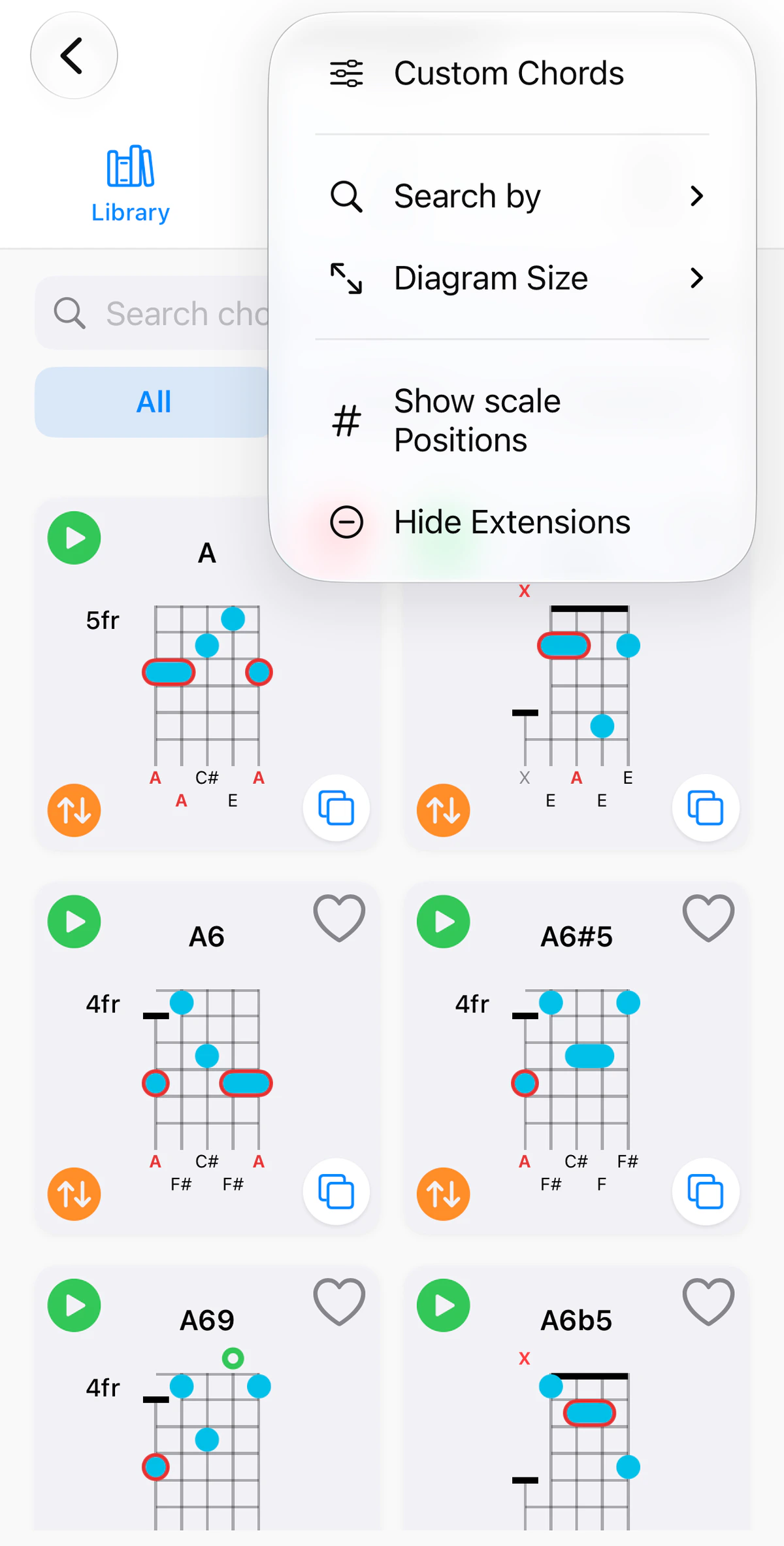
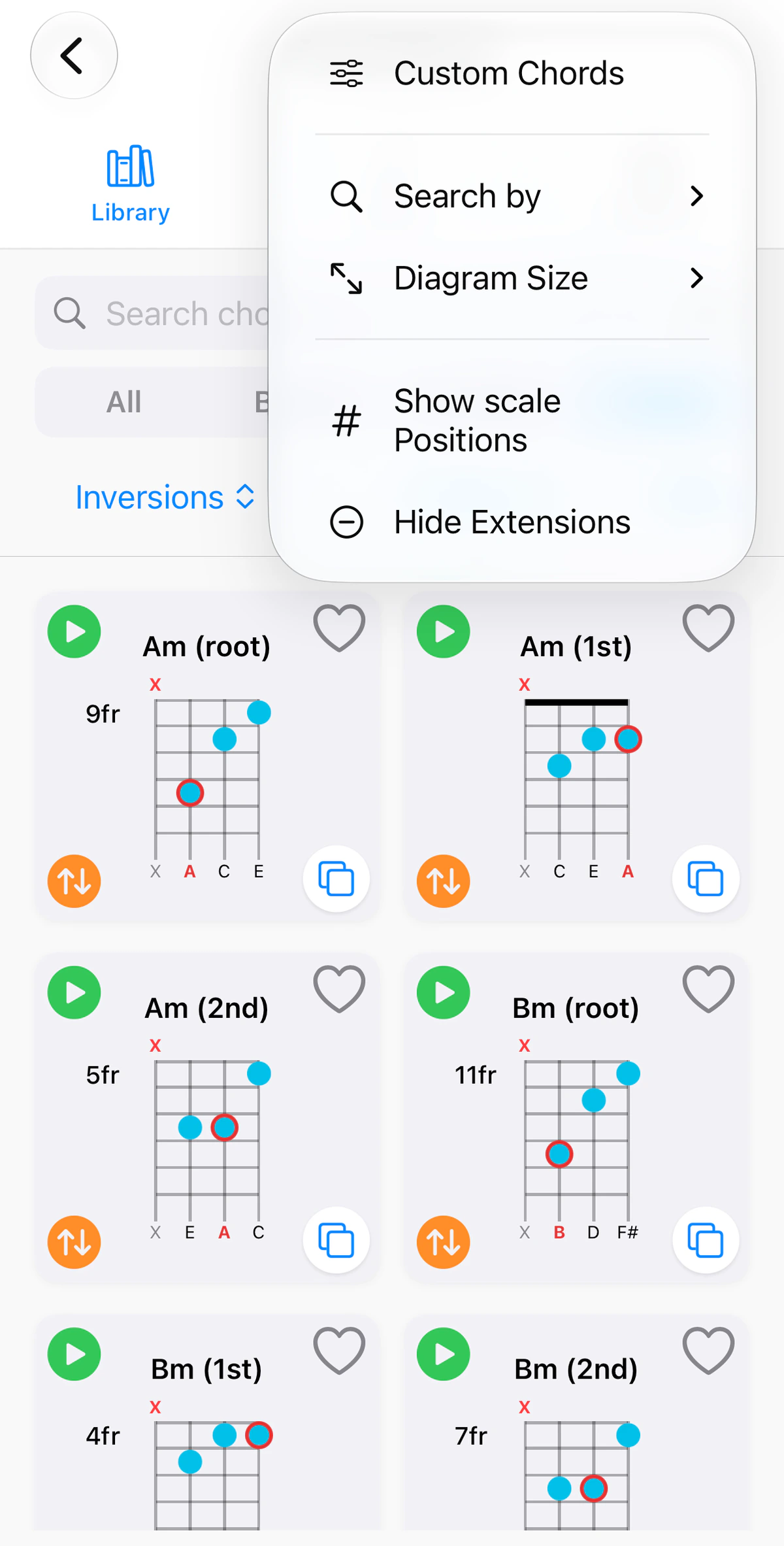
The ••• button at the top right holds:
- Custom Chords: create your own voicings. See Custom Chords.
- Tuning (ukulele): switch between Standard (GCEA) and Baritone (DGBE) voicings.
- Search by and Diagram Size: how the library matches your search, and how large the diagrams are.
- Show scale Positions: show scale positions on the diagrams (e.g. R, 3, 5, instead of the note name ‘C’, ‘E’, ‘G’).
- Hide Extensions: hide the extended chords from the By Key list to provide more focus to your set of related chords.
Library vs Build & Explore
Use the Library when you know what you want and need the shape fast. Use the other tabs of Chord Master to explore: name a shape you’ve found with Explore, or build one with Build.
Instrument notes
- Guitar: Voicings are curated for standard EADGBE tuning; a notice appears when you use an alternate tuning such as Drop D or DADGAD.
- Ukulele: Standard GCEA and Baritone DGBE voicings. Low G and D tuning show Standard voicings with a banner; switch to Baritone from the ••• menu. There is no Triads tab on ukulele.