Theory
Scales
Scales, modes, pentatonics and world scales on a colour-coded fretboard, with a Positions view that shows shapes rather than note names, plus diatonic chords and Triads and Chords tabs.
- Guitar
- Ukulele
- Banjo
- Bass
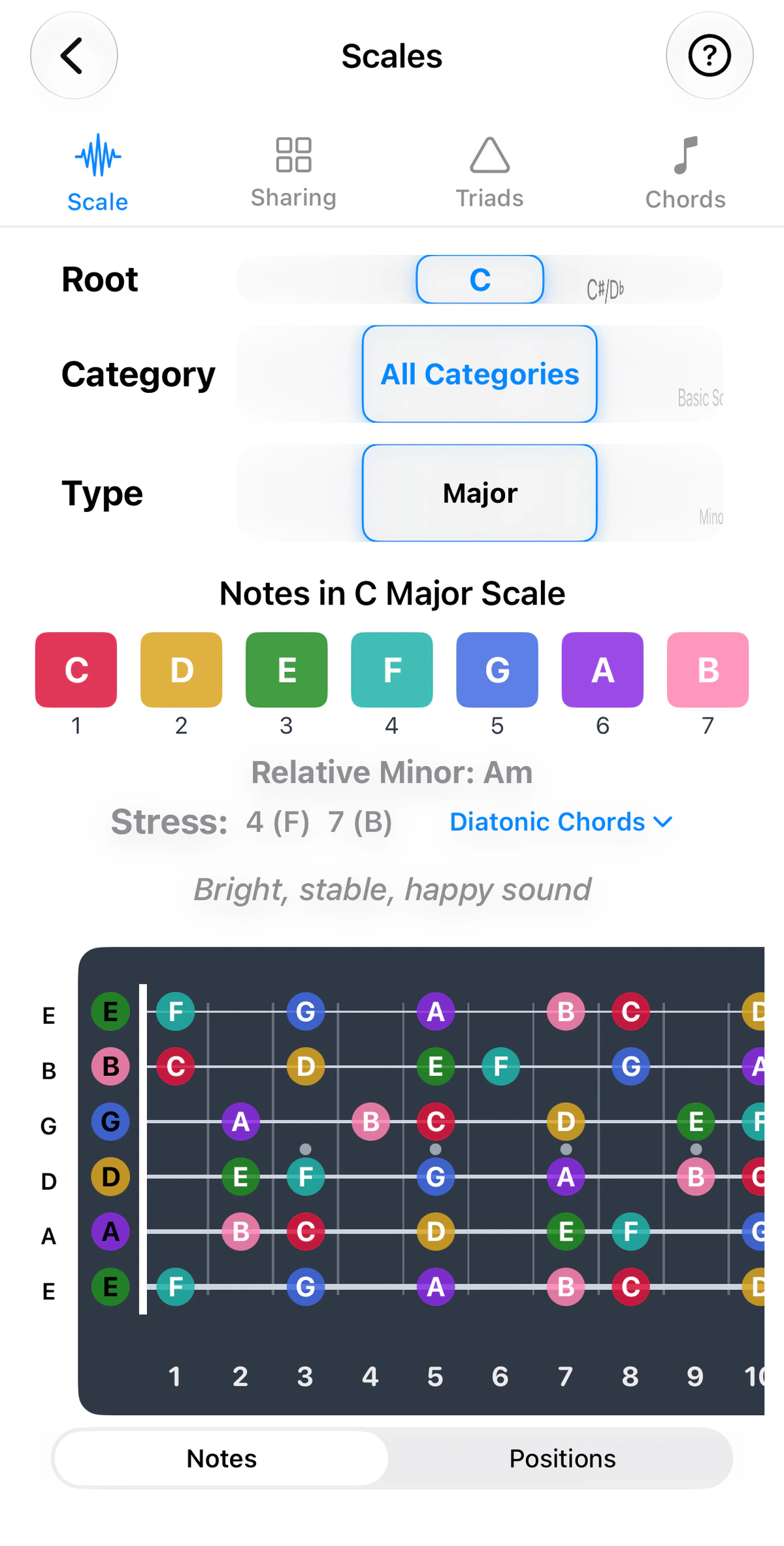
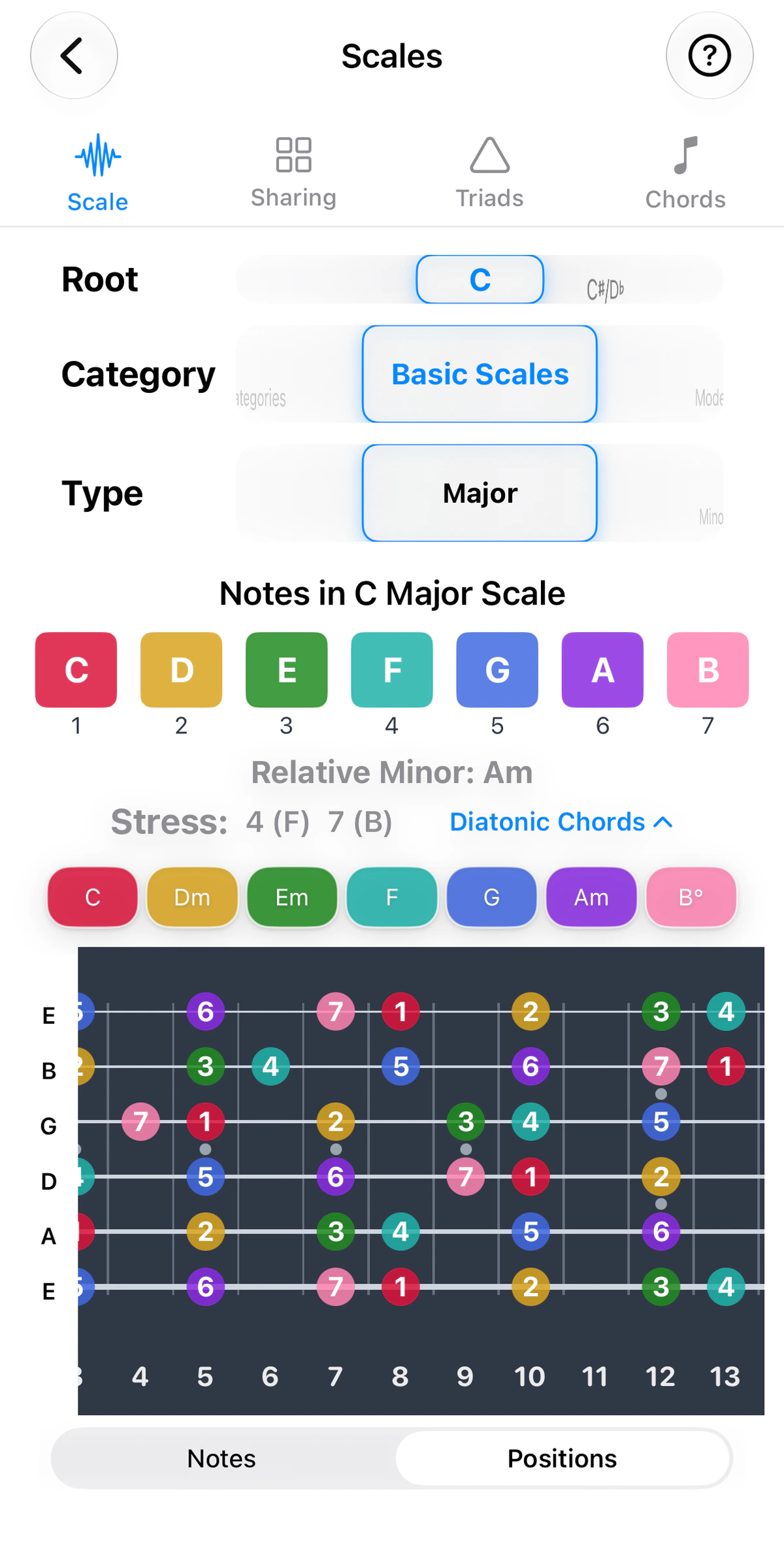
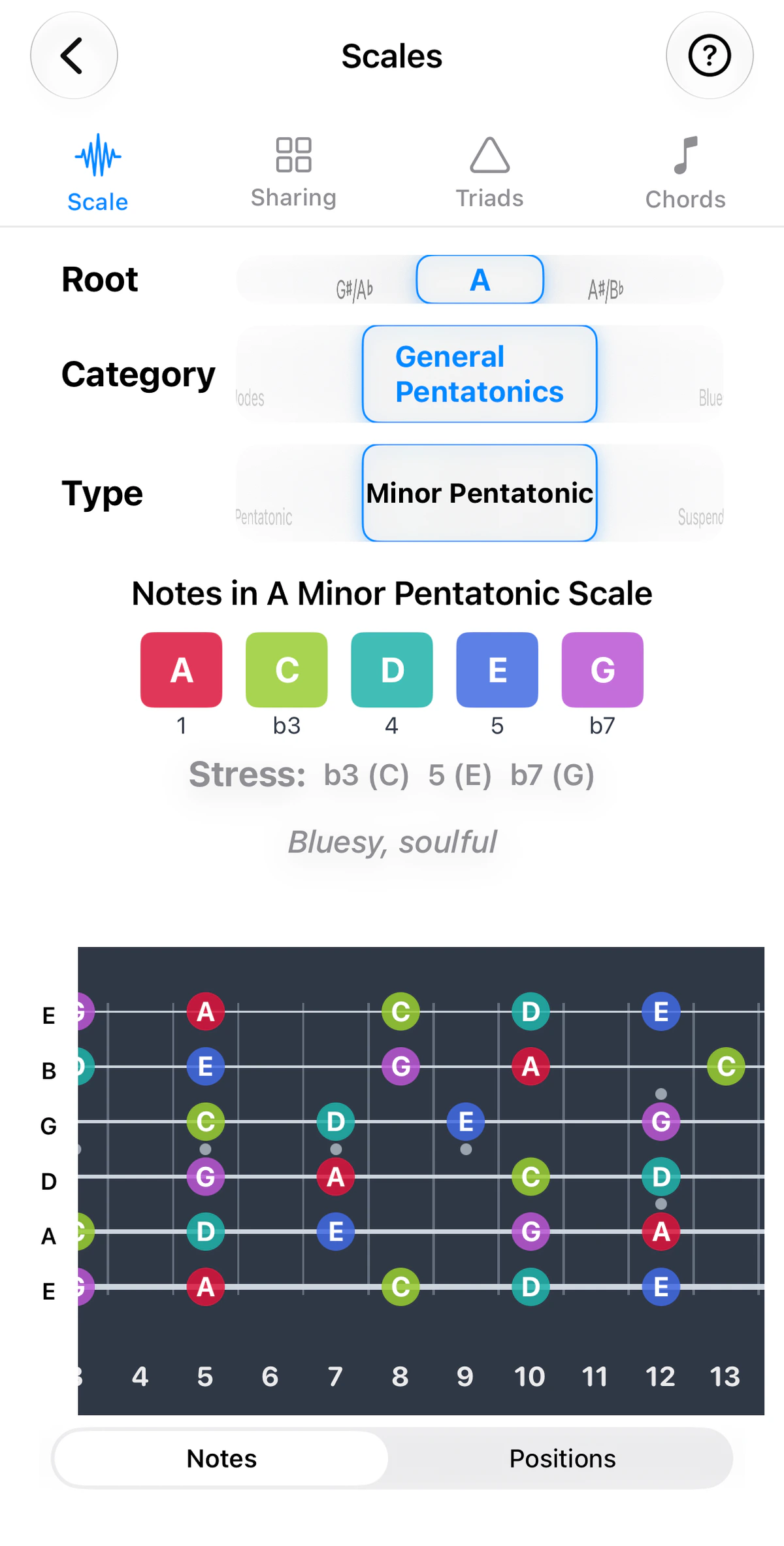
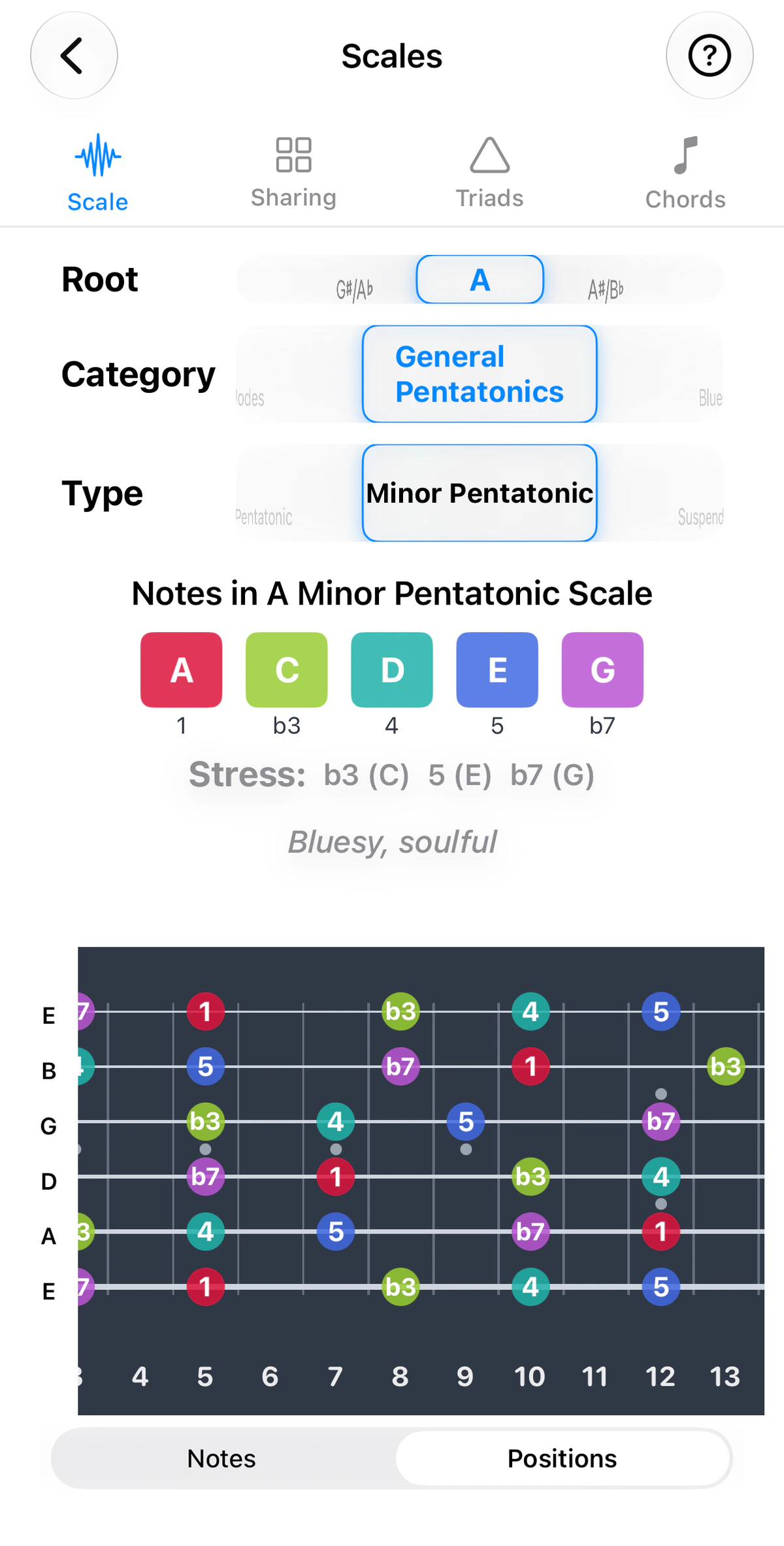
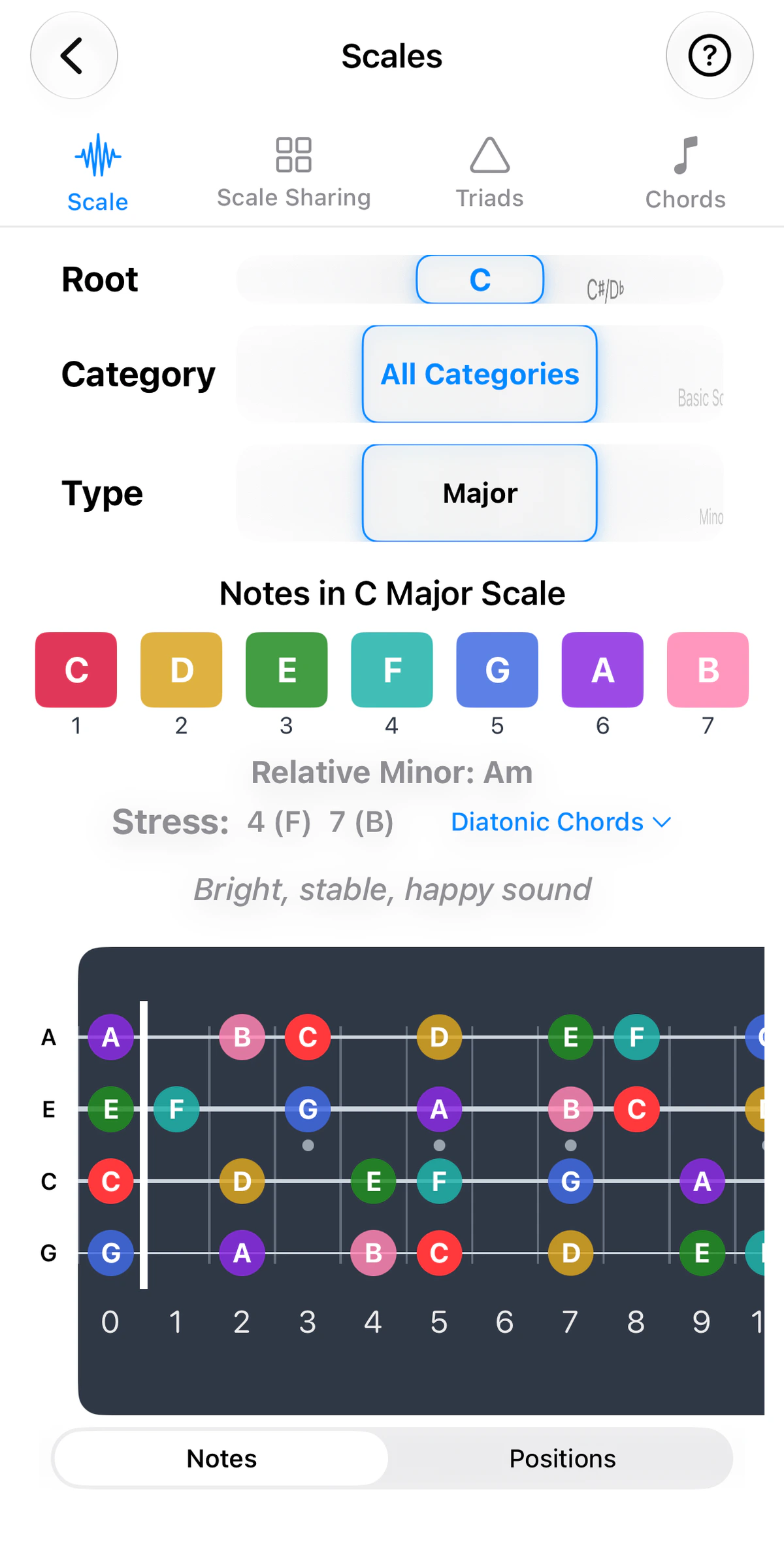
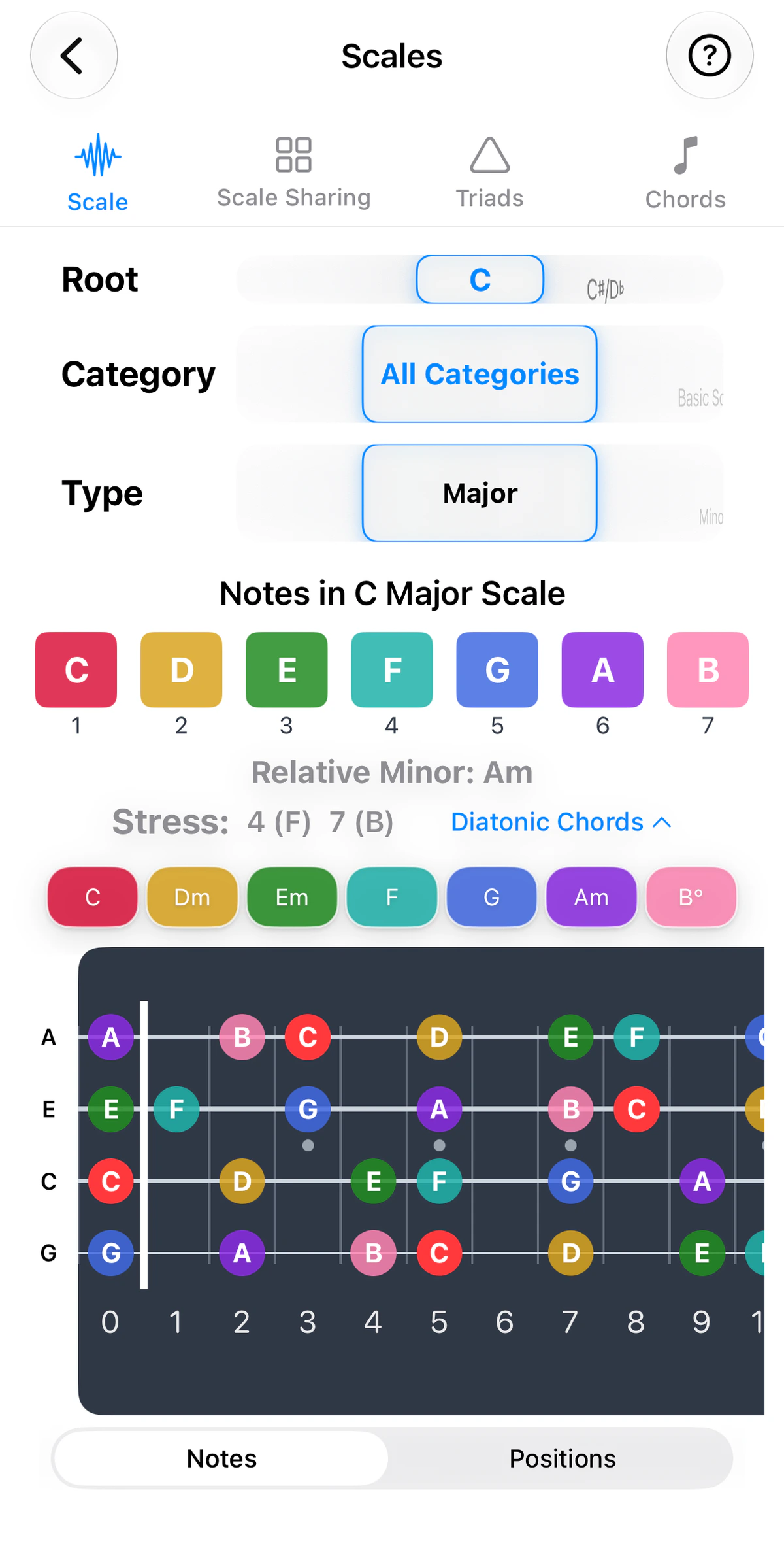
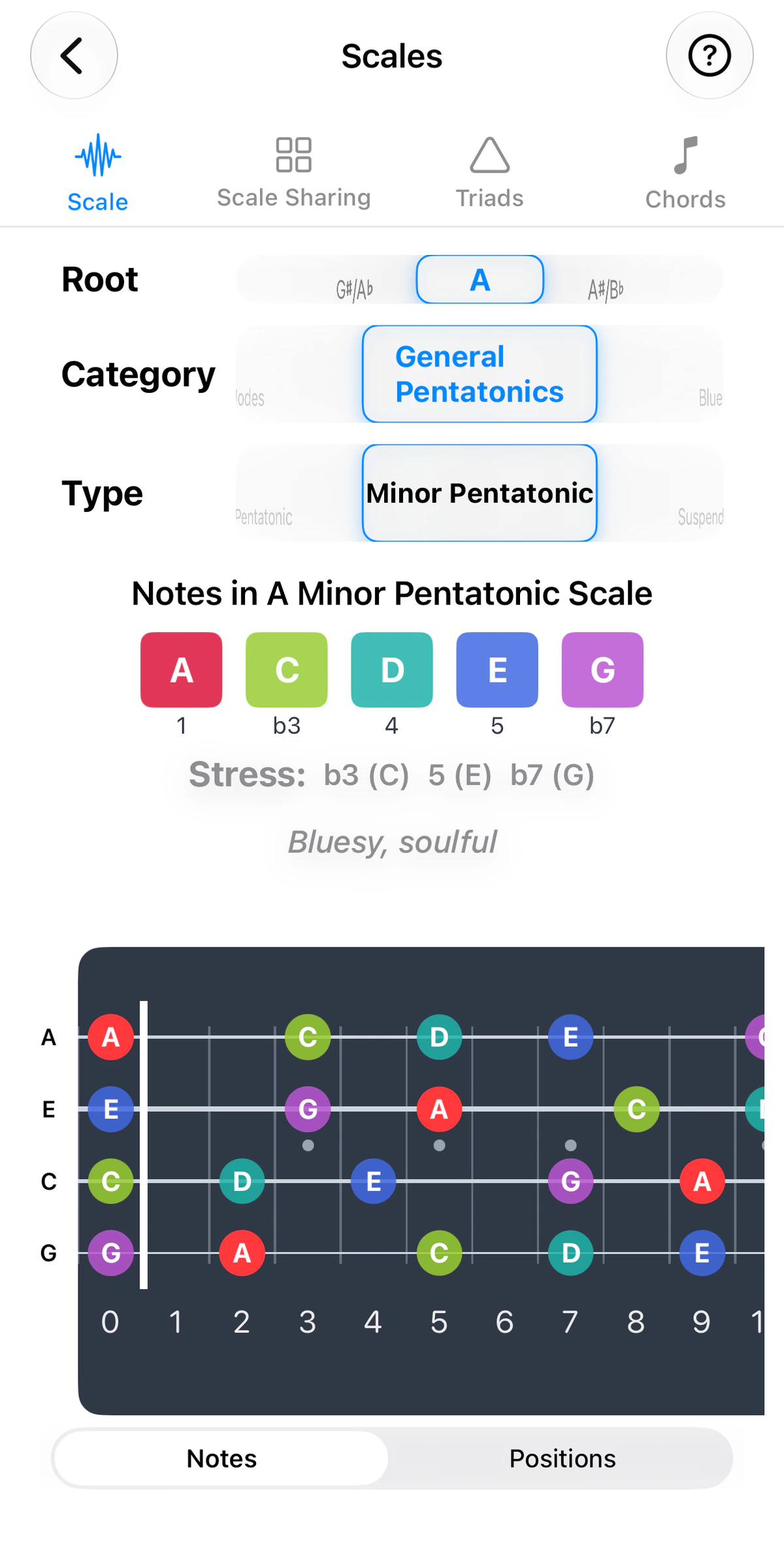
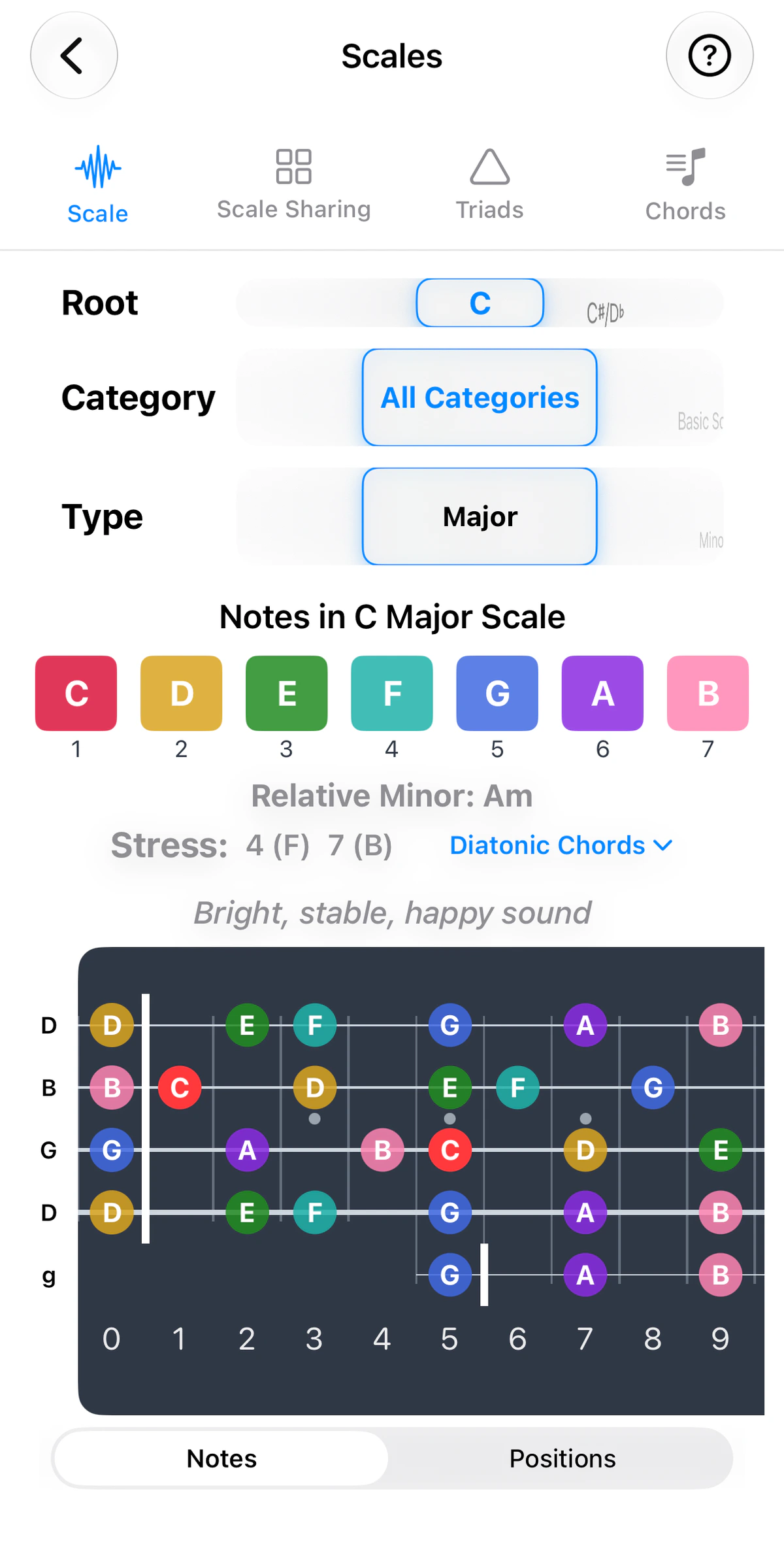
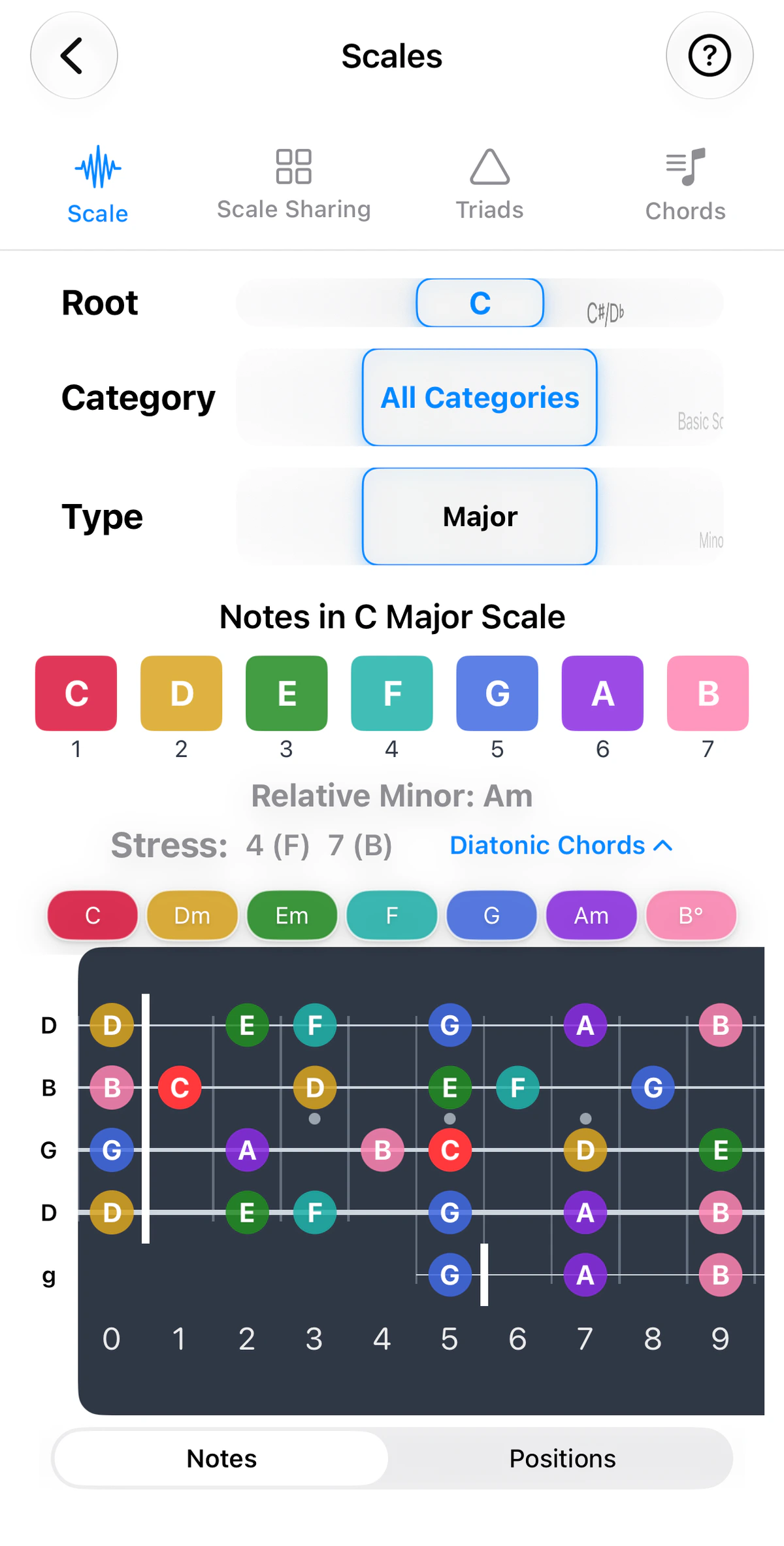
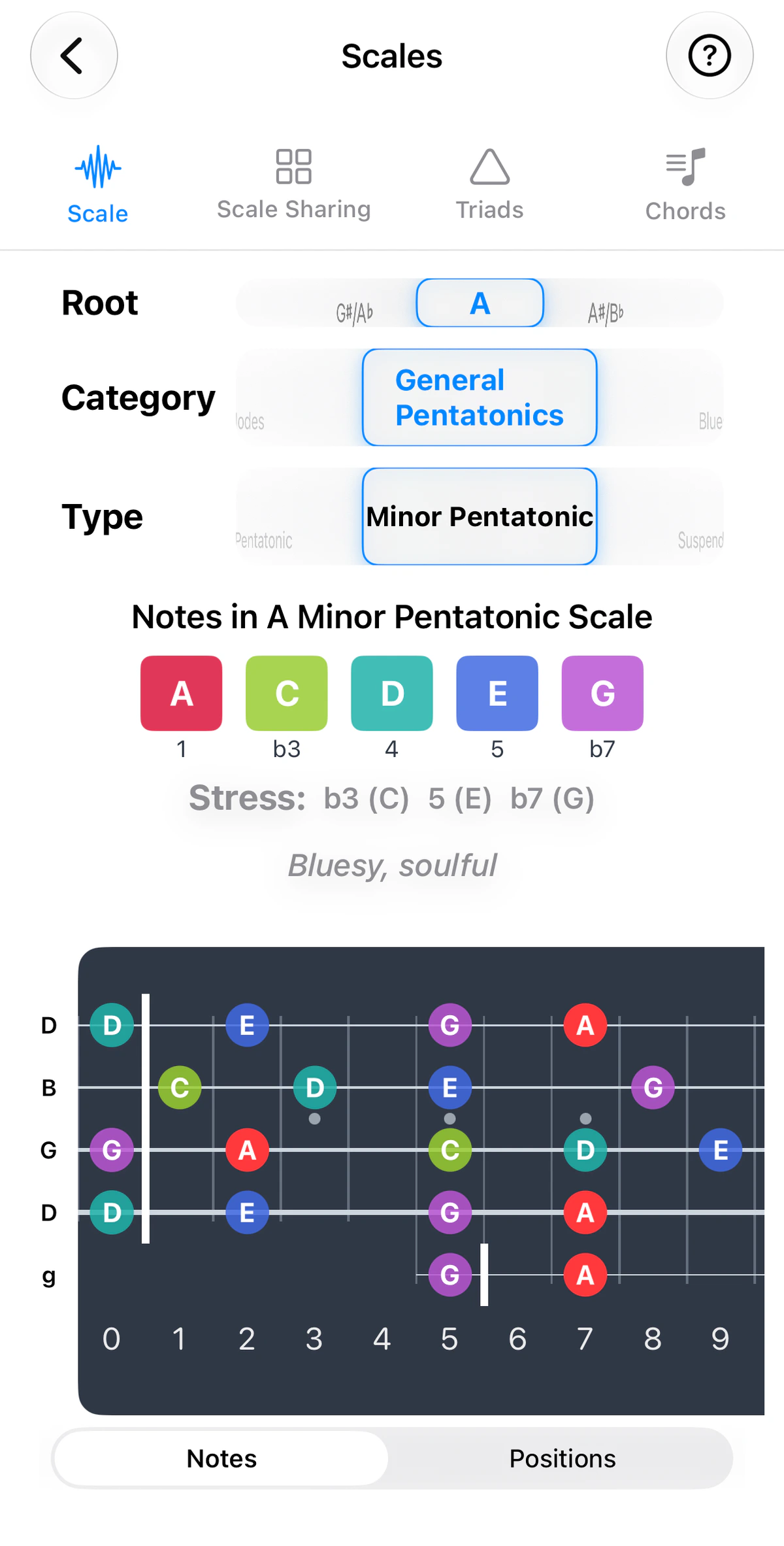
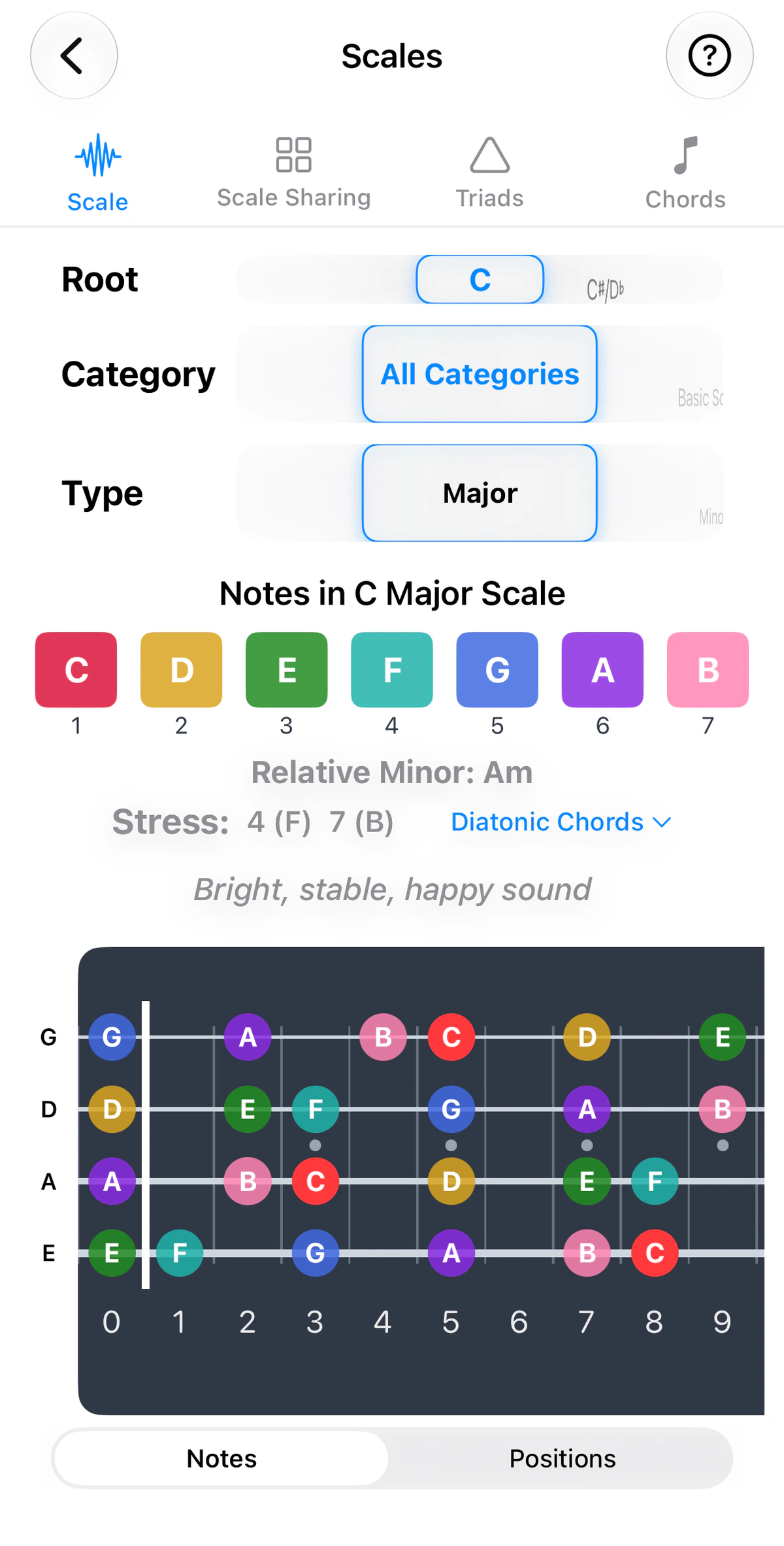
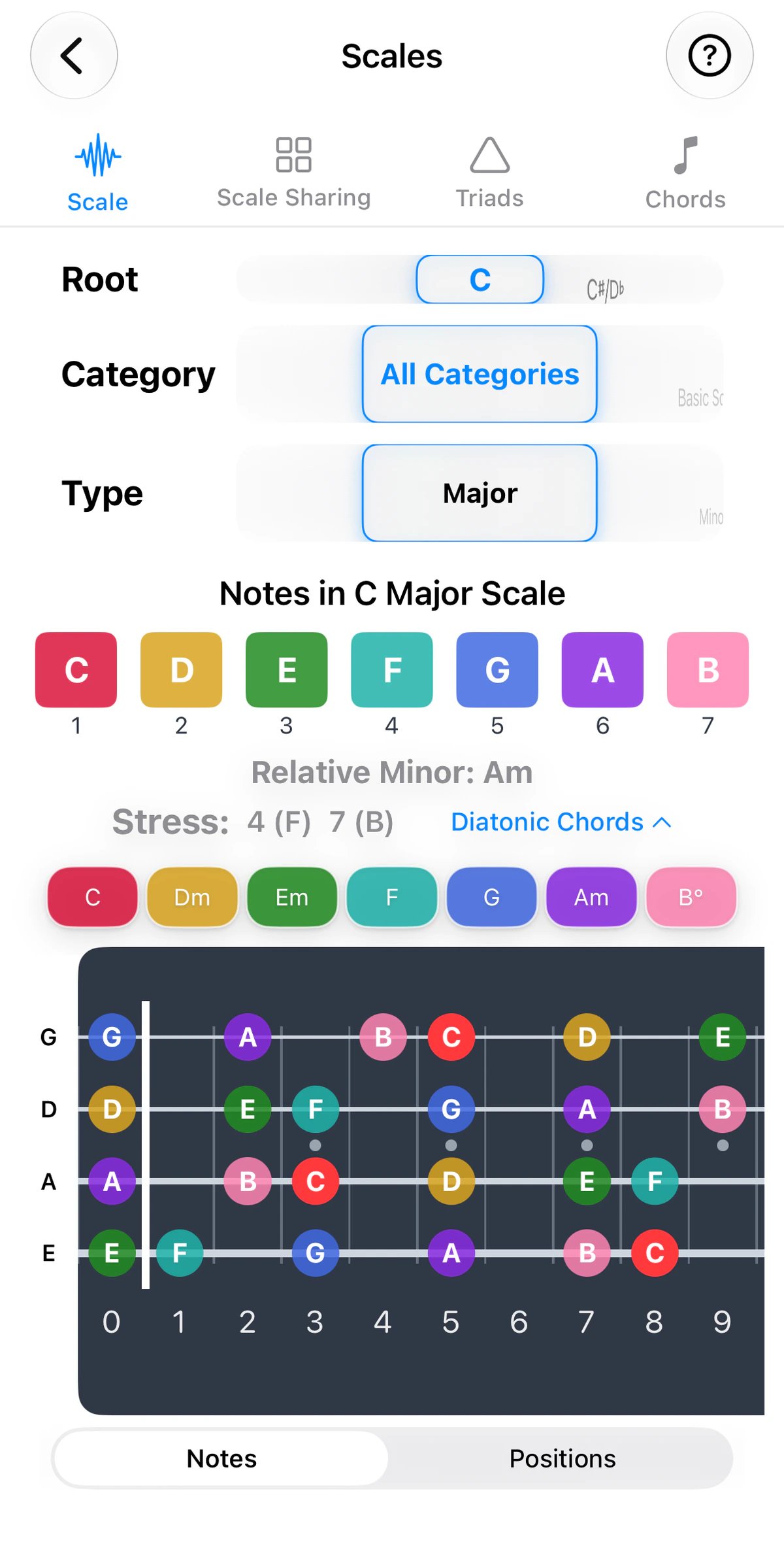
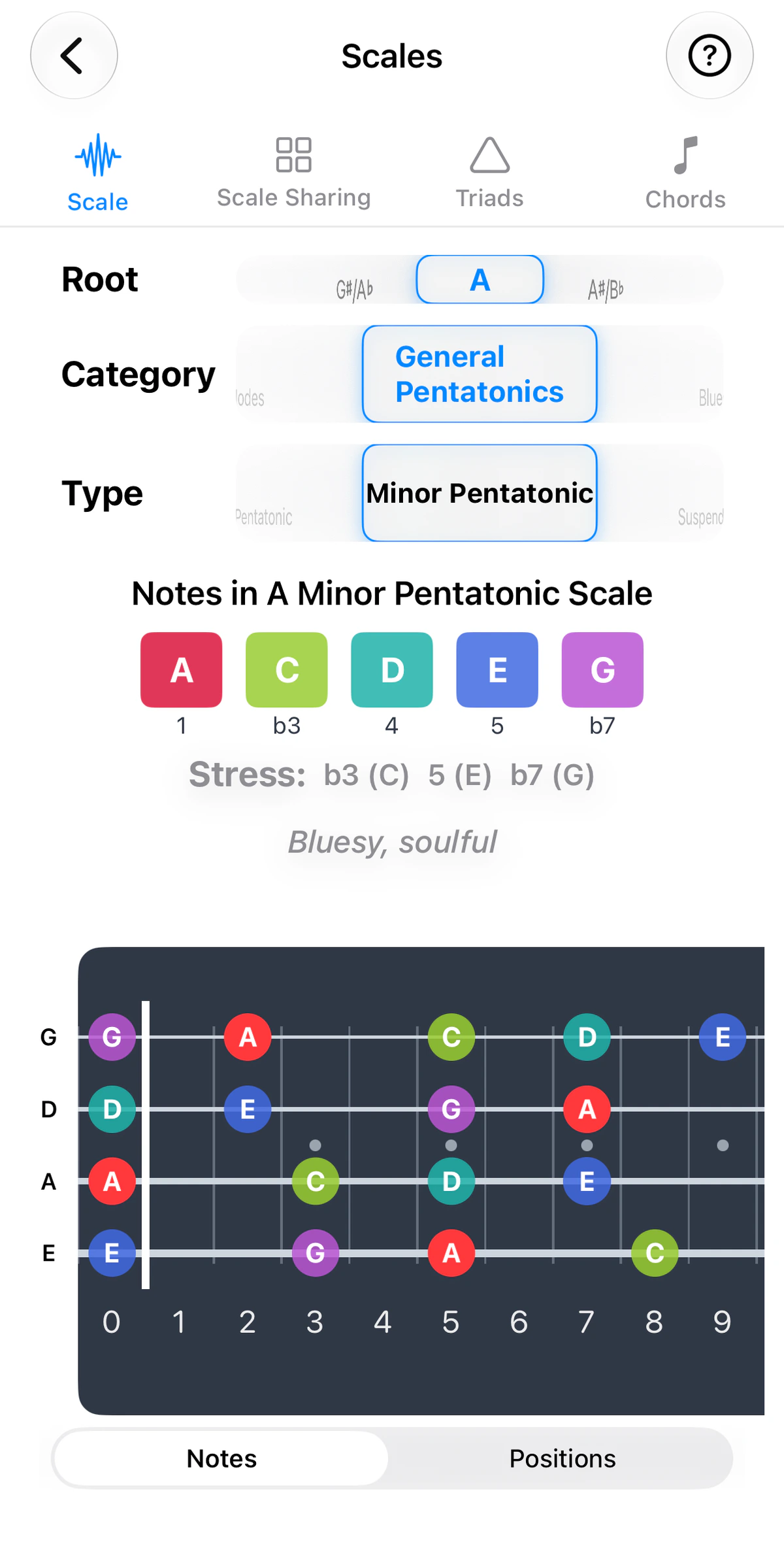
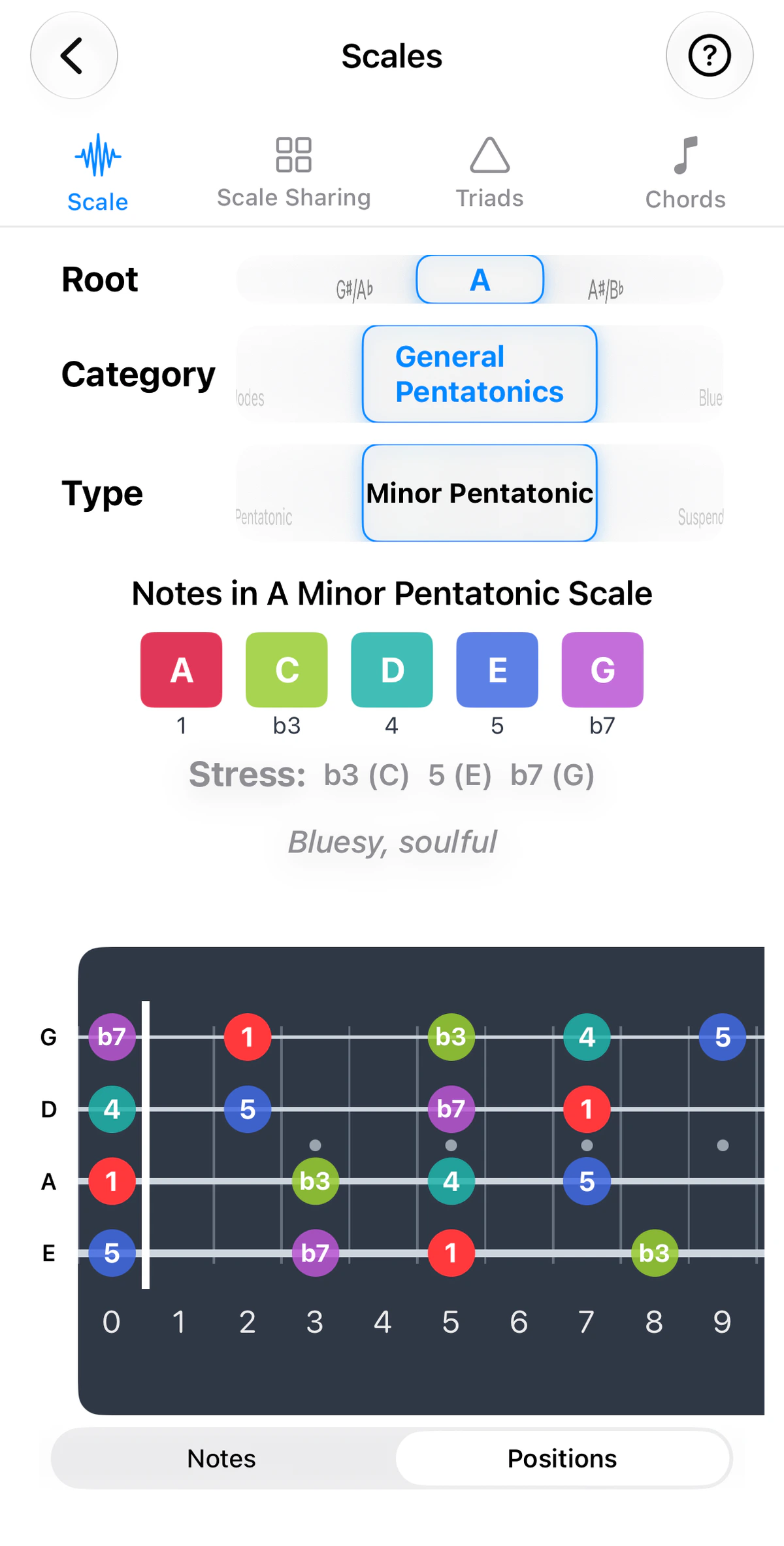
The Scales tool shows any scale across the whole neck, in any key, for your current tuning.
What’s included
Scales are grouped into categories, including major and minor, the modes, pentatonic, blues and jazz scales, the Harmonic Minor, Harmonic Major and Melodic Minor families (each with all seven modes), and world scales such as Arabic, Indian ragas, Japanese, Chinese and Korean. In total, this provides 80+ scales across 14 categories.
Reading the fretboard
Notes are colour-coded by position so the shape of the scale stands out. Fretboards scroll horizontally to the top of your instrument’s neck. Use the instrument tabs above the screenshots to see the guitar, ukulele, banjo and bass versions. The number of strings and their tuning follow the instrument: four strings on ukulele (GCEA), four on bass (EADG), and five on banjo (Open G), where the short g string starts at the 5th fret.
Notes or Positions
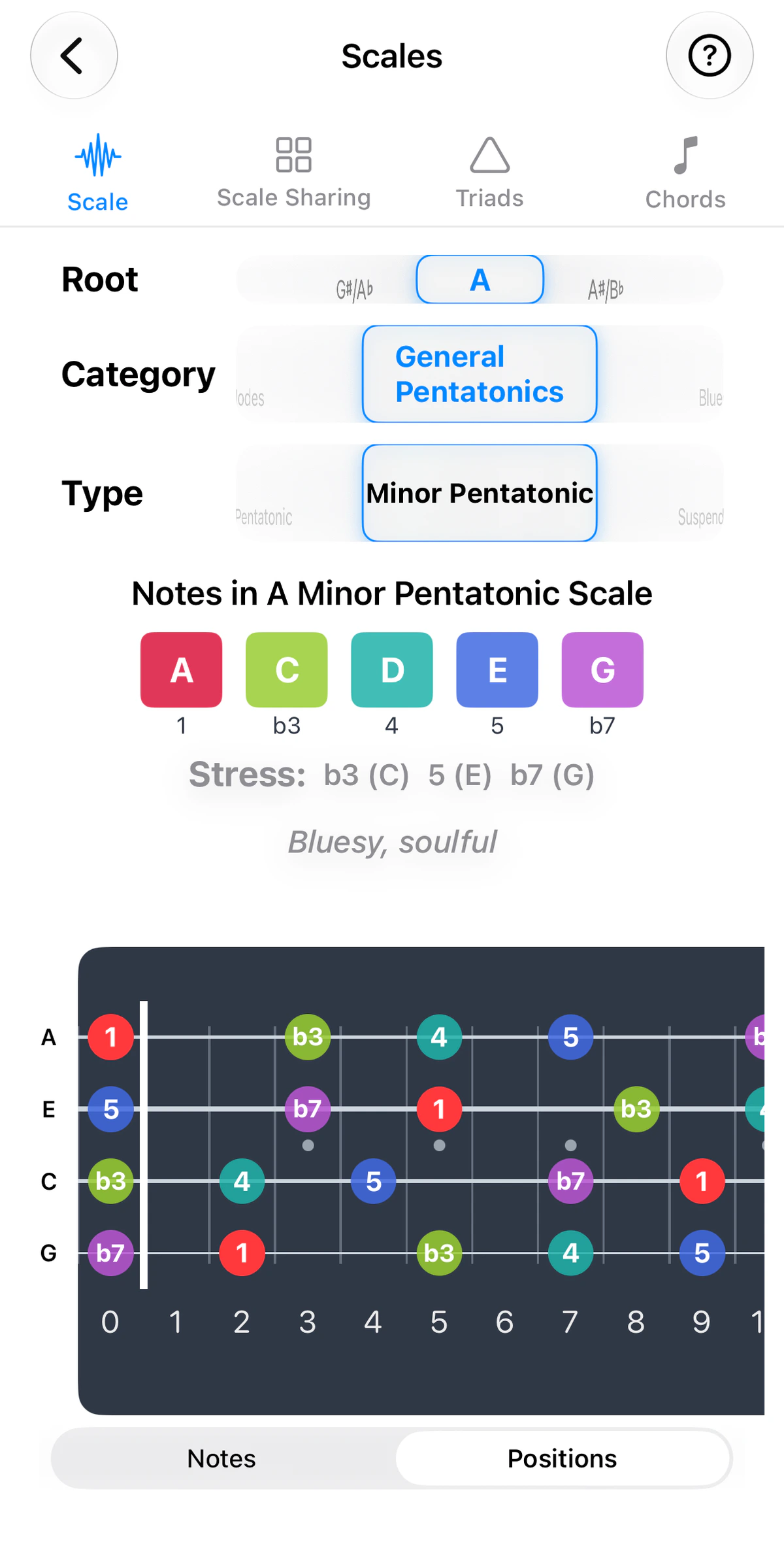
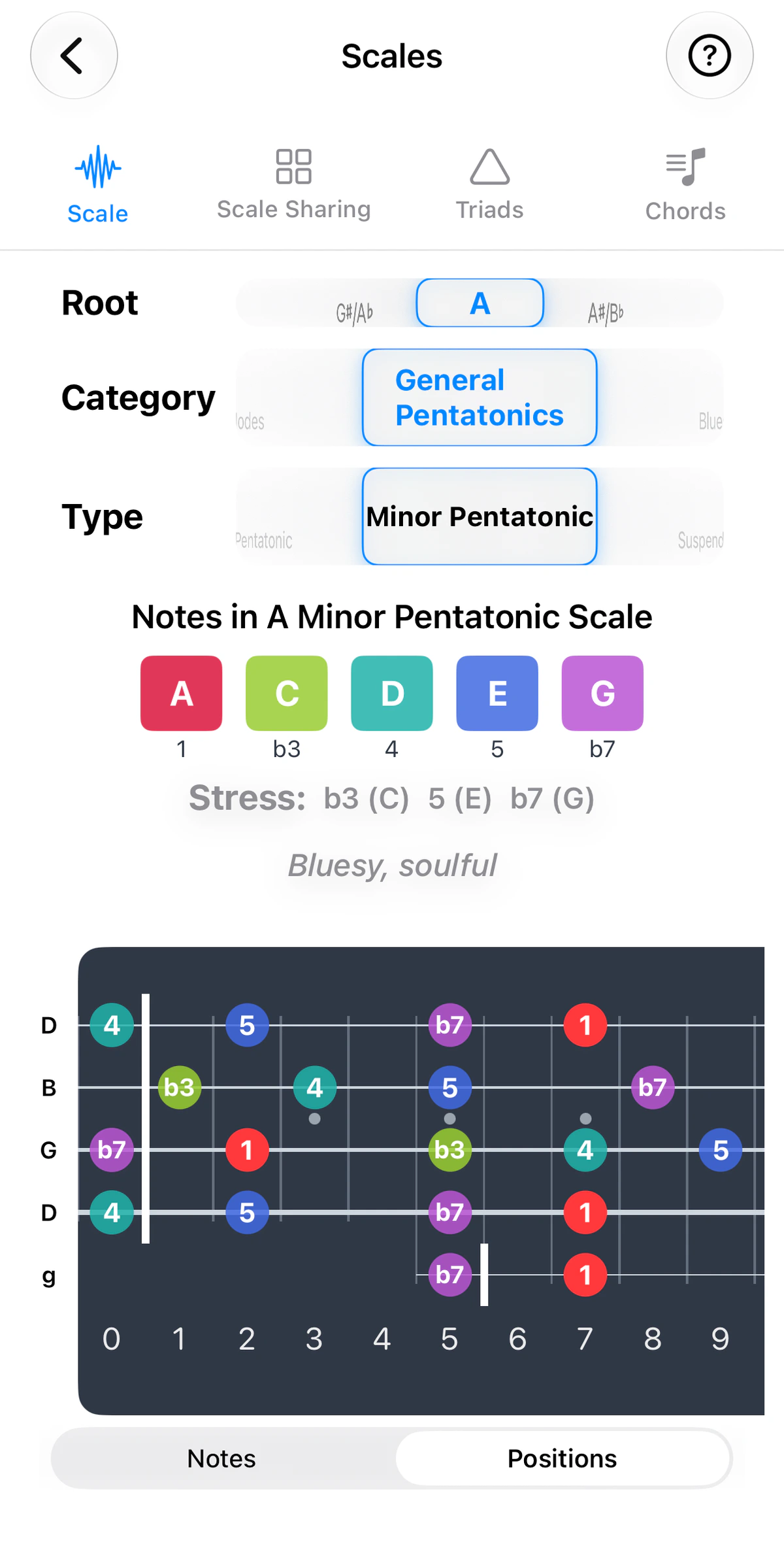
Under the fretboard, a Notes / Positions toggle changes what the dots say. Notes shows note names (A, C, D…). Positions shows each note’s scale degree (1, ♭3, 4, 5, ♭7…) instead.
Degrees describe the shape of a scale rather than the key it’s in. A minor pentatonic has the same pattern in every key, so you can learn it once and move it anywhere. Positions view lets you look at that pattern without the note names getting in the way.
Practice idea: switch to Positions, learn one shape until you can see where the 1, ♭3, 4, 5 and ♭7 sit, then change the Root and play the same shape in a new key.
Diatonic chords
For scales that have them, a Diatonic Chords toggle appears below the scale’s notes. It shows the chords built from the scale and is available for Major/Minor, the modes, and the Harmonic and Melodic families. It isn’t shown for other scales, such as the pentatonics. This is the fastest way to answer “what chords go with this key?” The chord boxes can be collapsed when you don’t need them.
Sharing tab
The Sharing tab layers up to four scales on one fretboard. Add scales and see each scale’s note positions across the fretboard, colour-coded per scale. Where two or more scales share a fret, the dot is split into pie slices. The 1st, 3rd and 5th are also highlighted to allow you to focus on these during improvisation.
Triads tab
The Triads tab lets you build a progression and see each chord’s triad tones across the fretboard, colour-coded per chord. Where two or more chords share a fret, the dot is split into pie slices. Tick string-set checkboxes to focus on one set of strings.
Chords tab
The Chords tab lets you type any chord name – even unusual ones – to map its notes across the fretboard, with the root ringed. Compare it with up to three other chords; shared frets appear as pie-slice dots.