Theory
Chord Sharing
Type any chord name to map its notes across the fretboard with the root ringed, and compare it with up to three other chords.
- Guitar
- Ukulele
- Banjo
- Bass



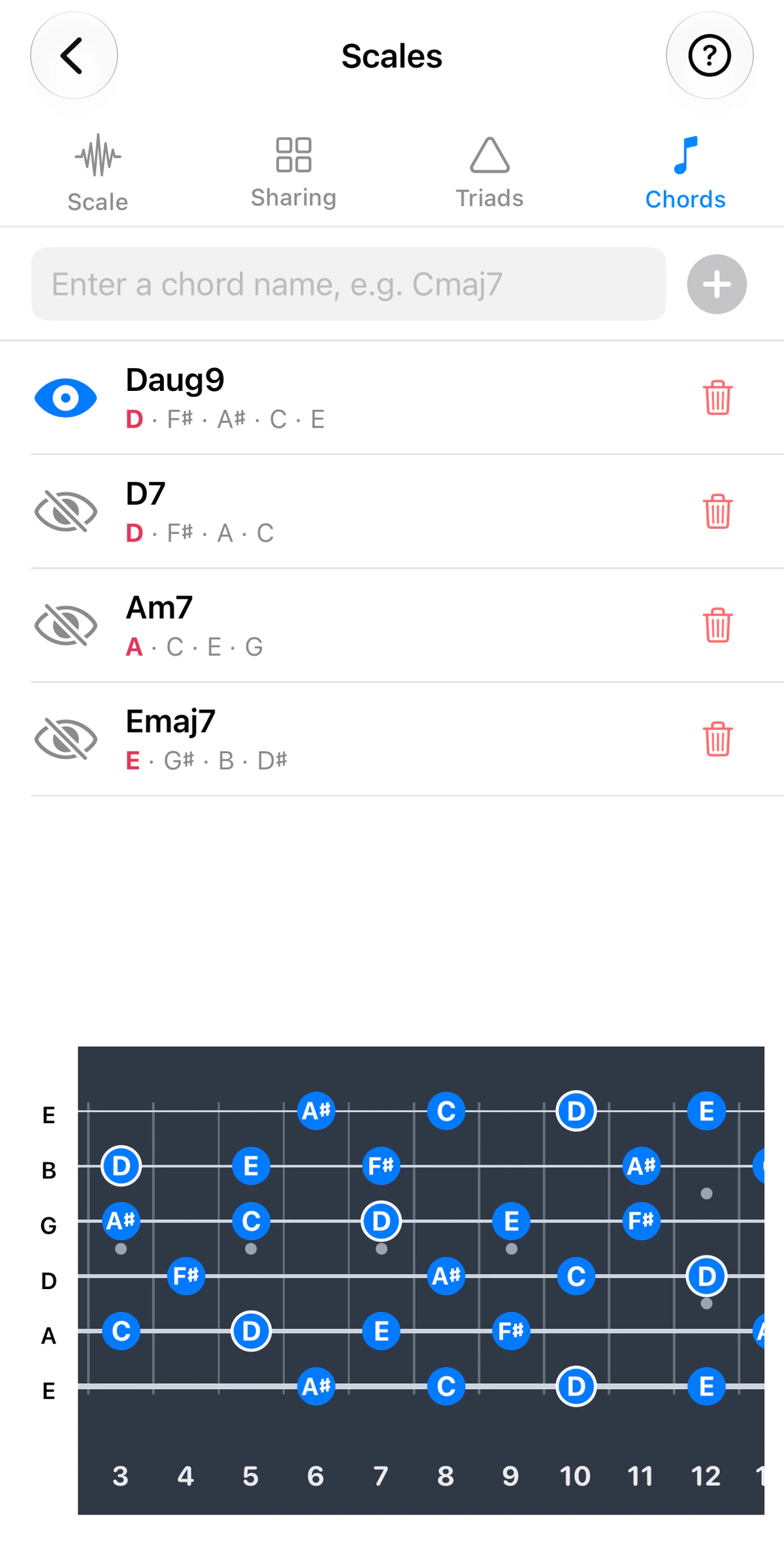
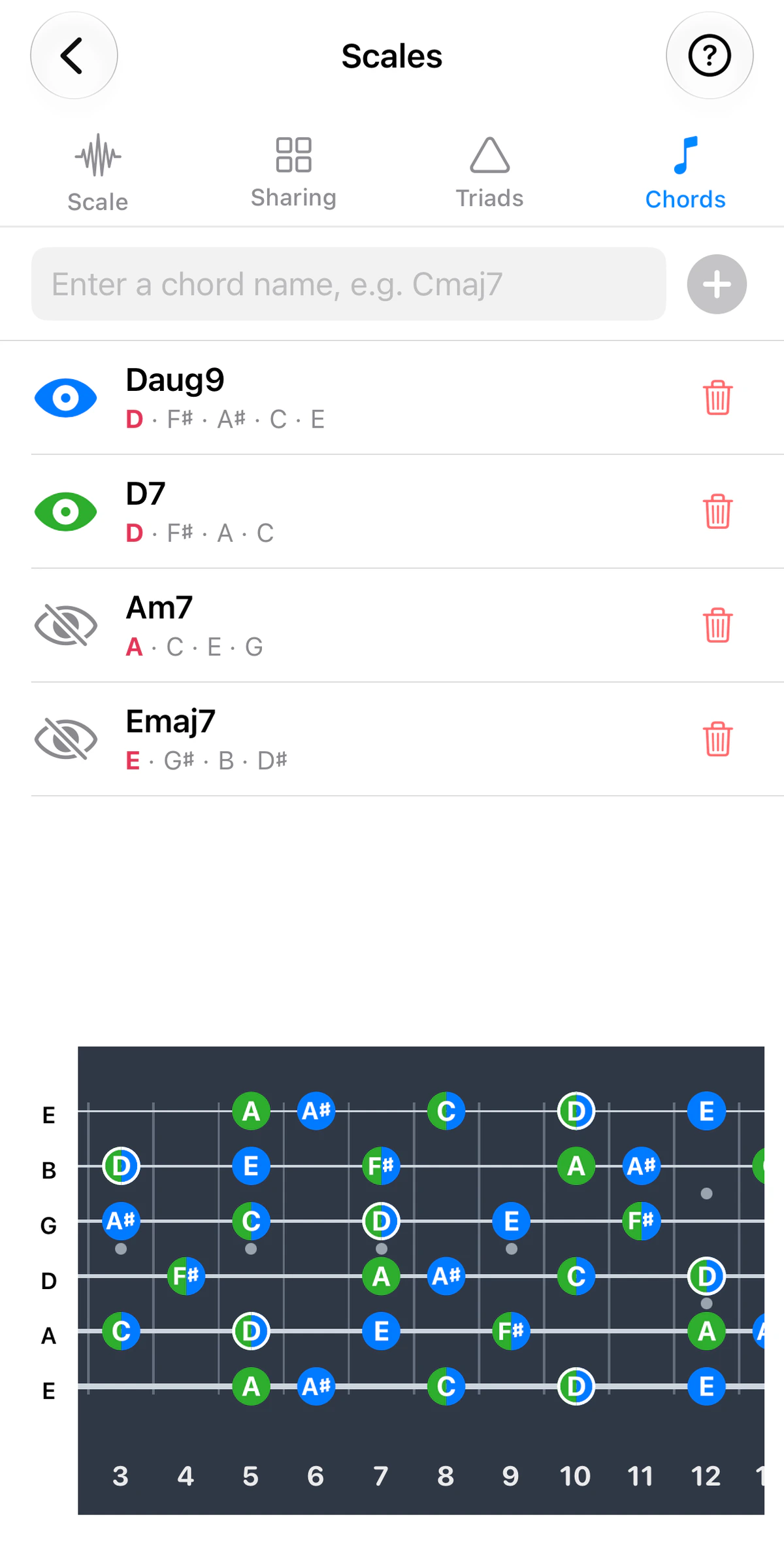
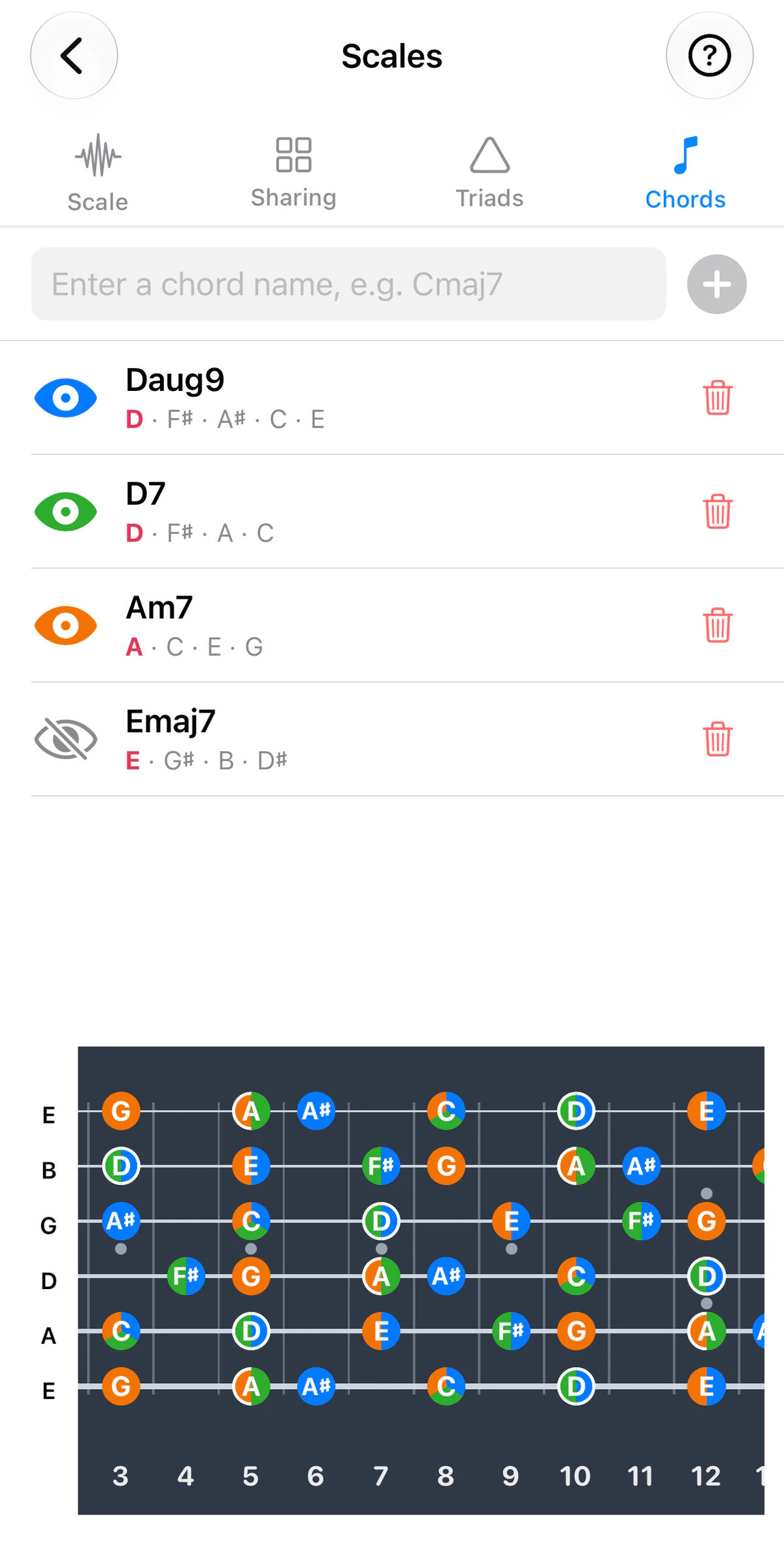
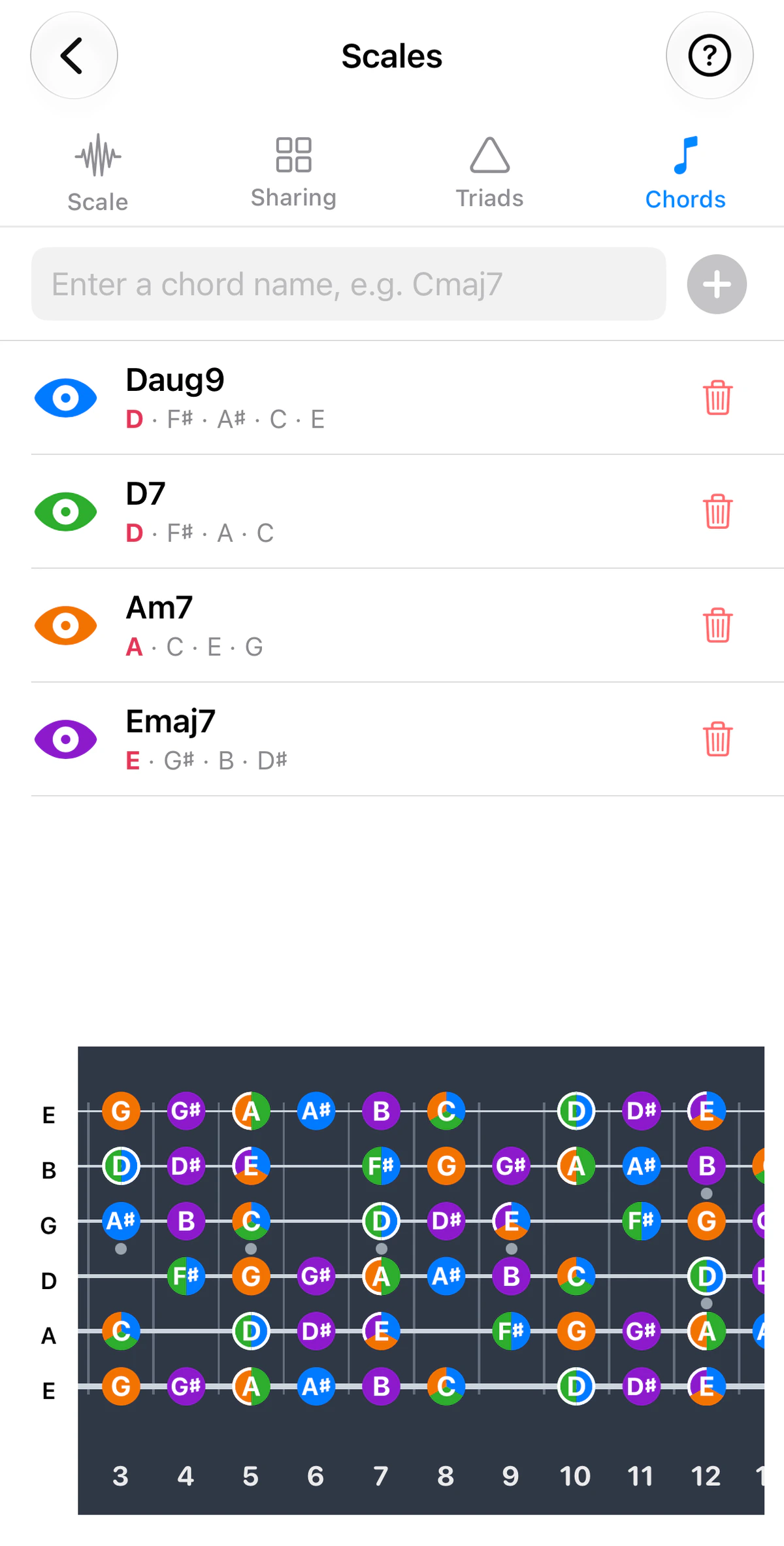
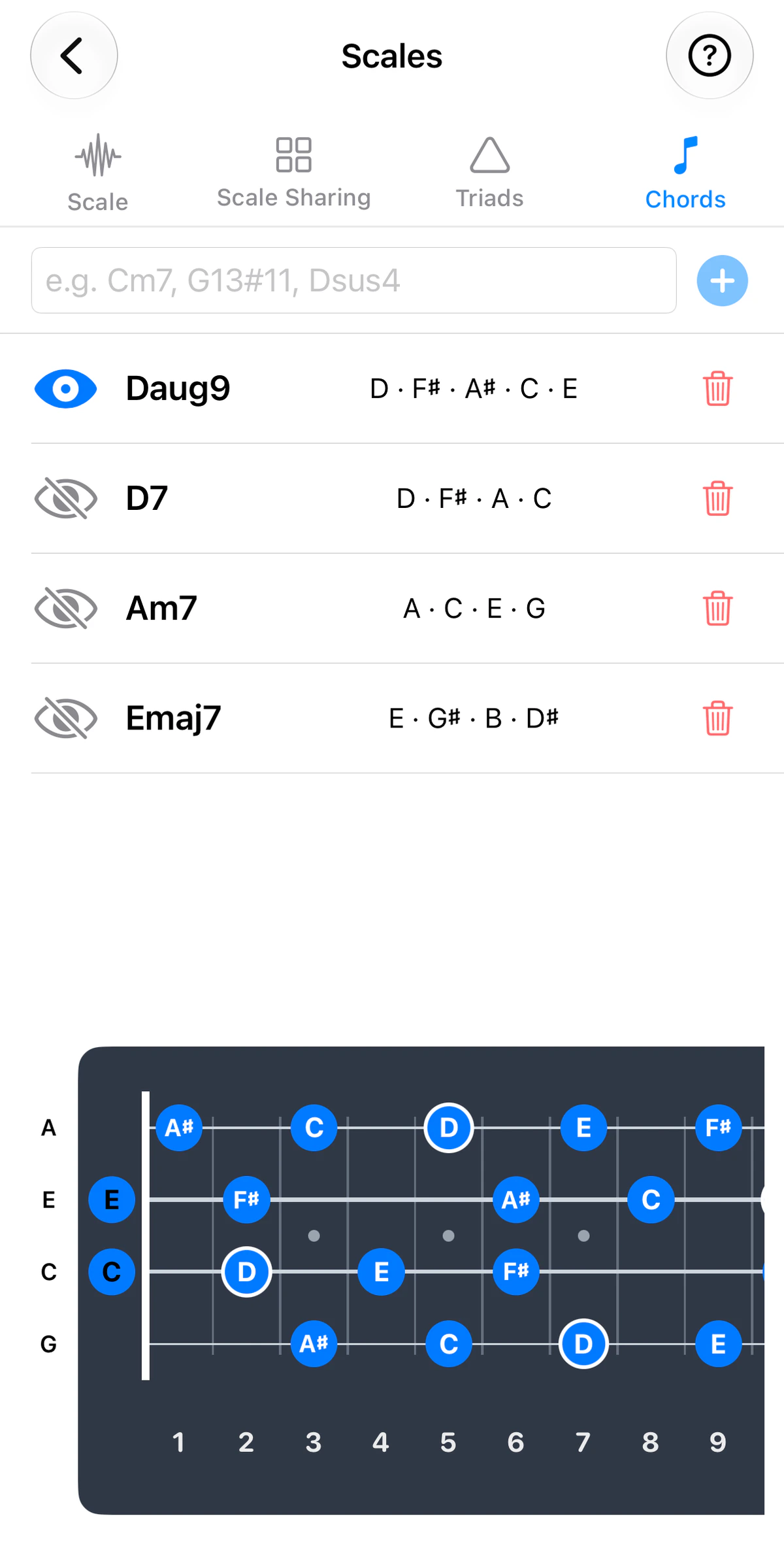
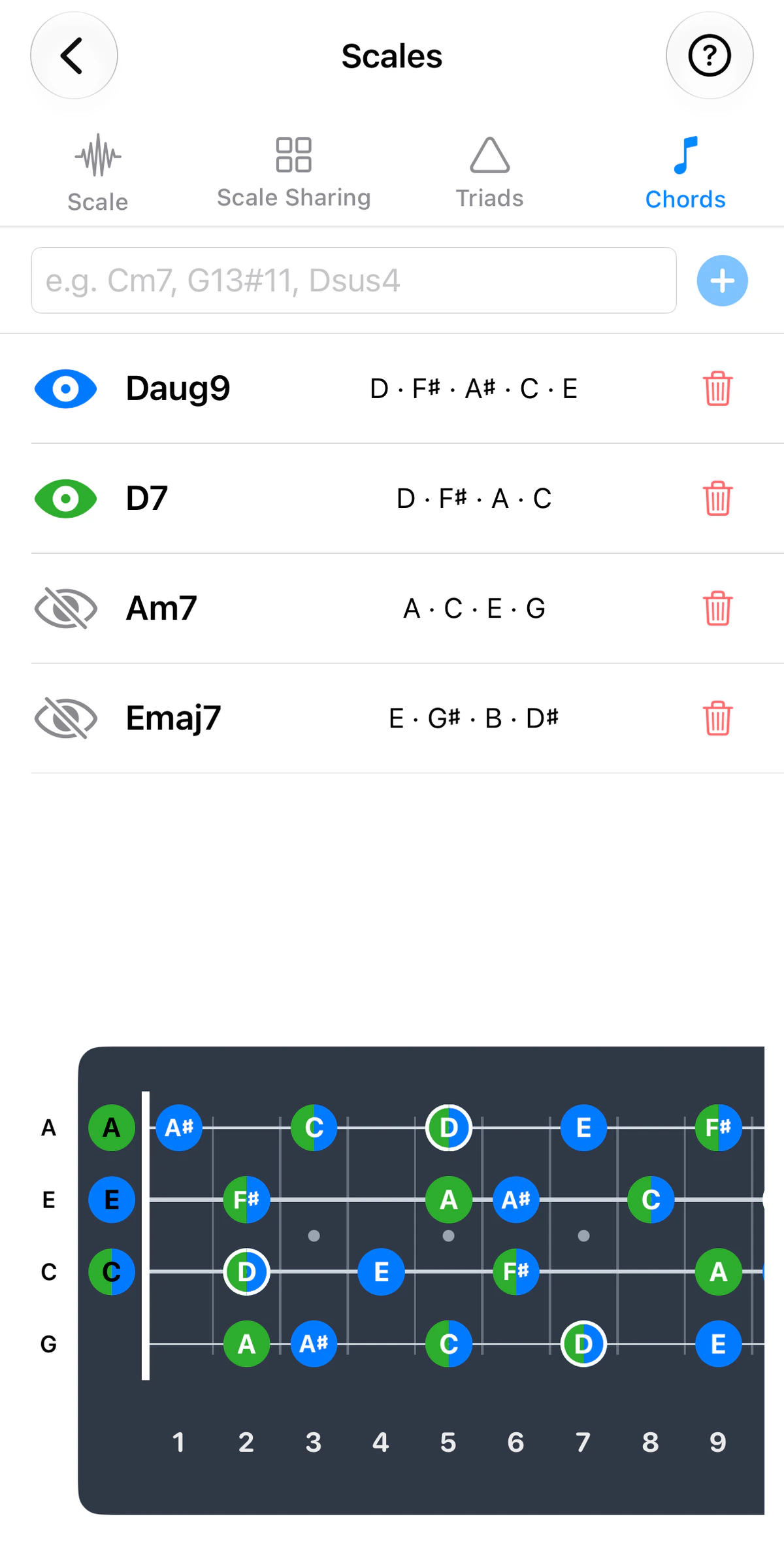
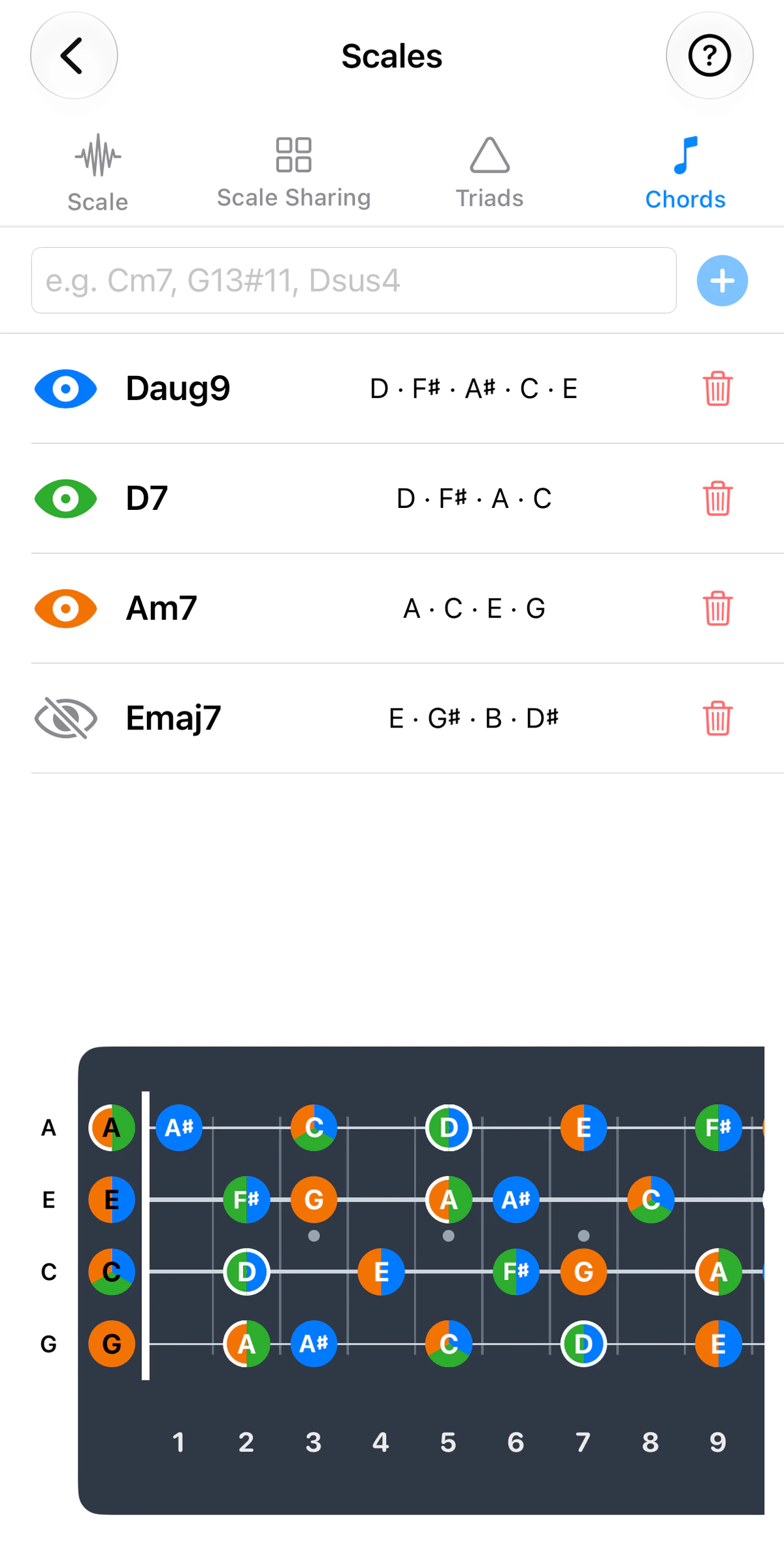
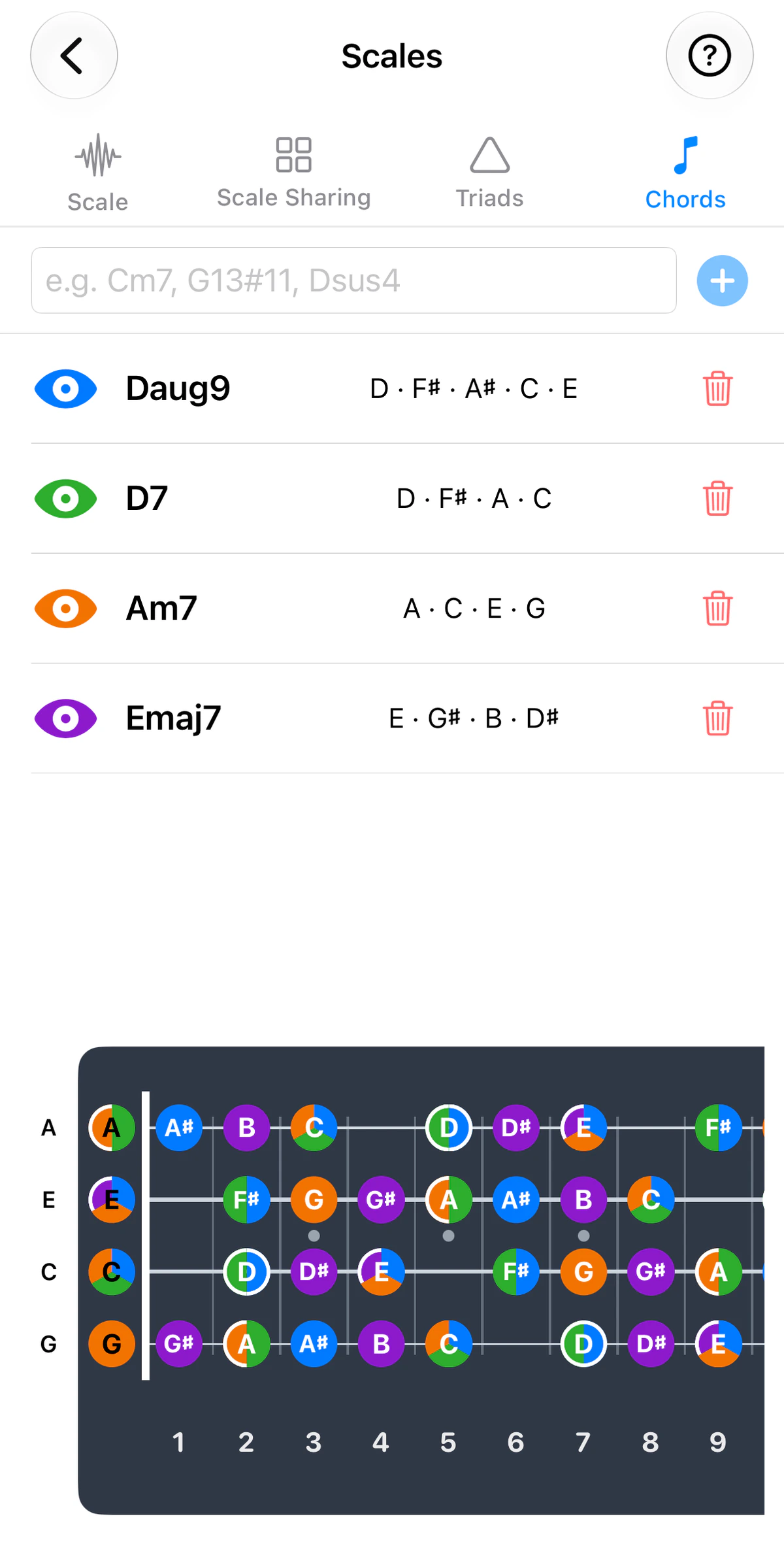
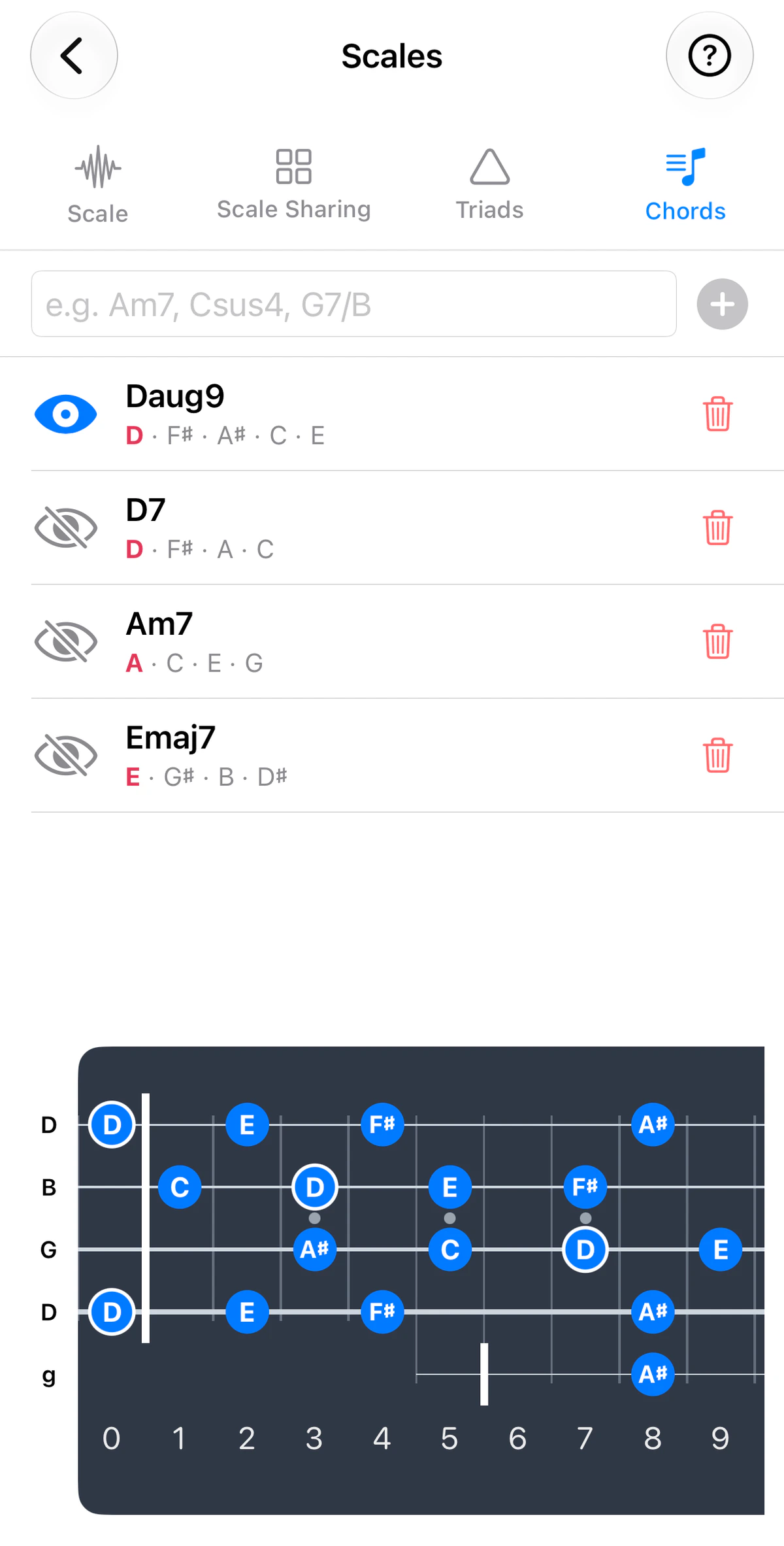
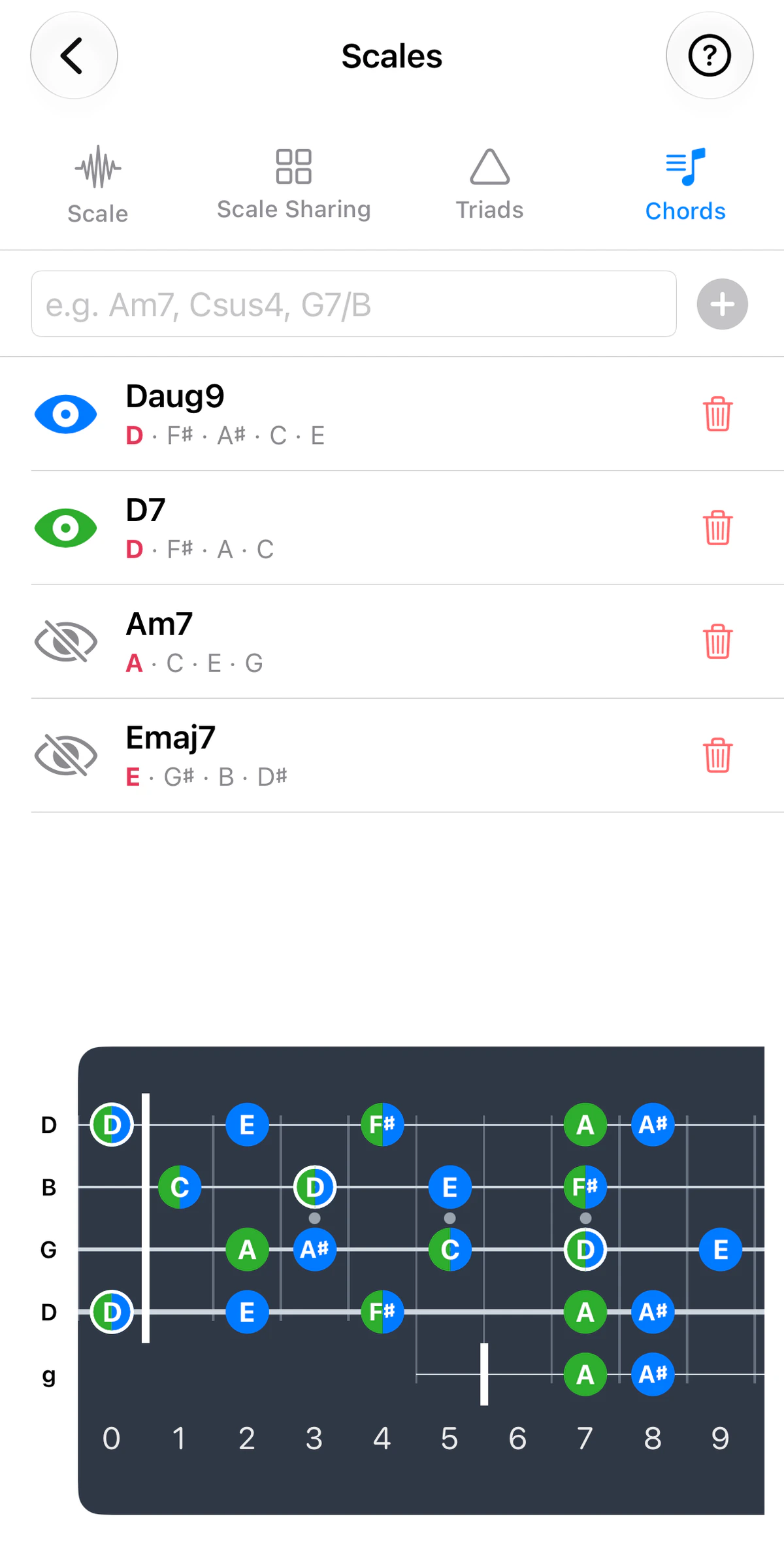
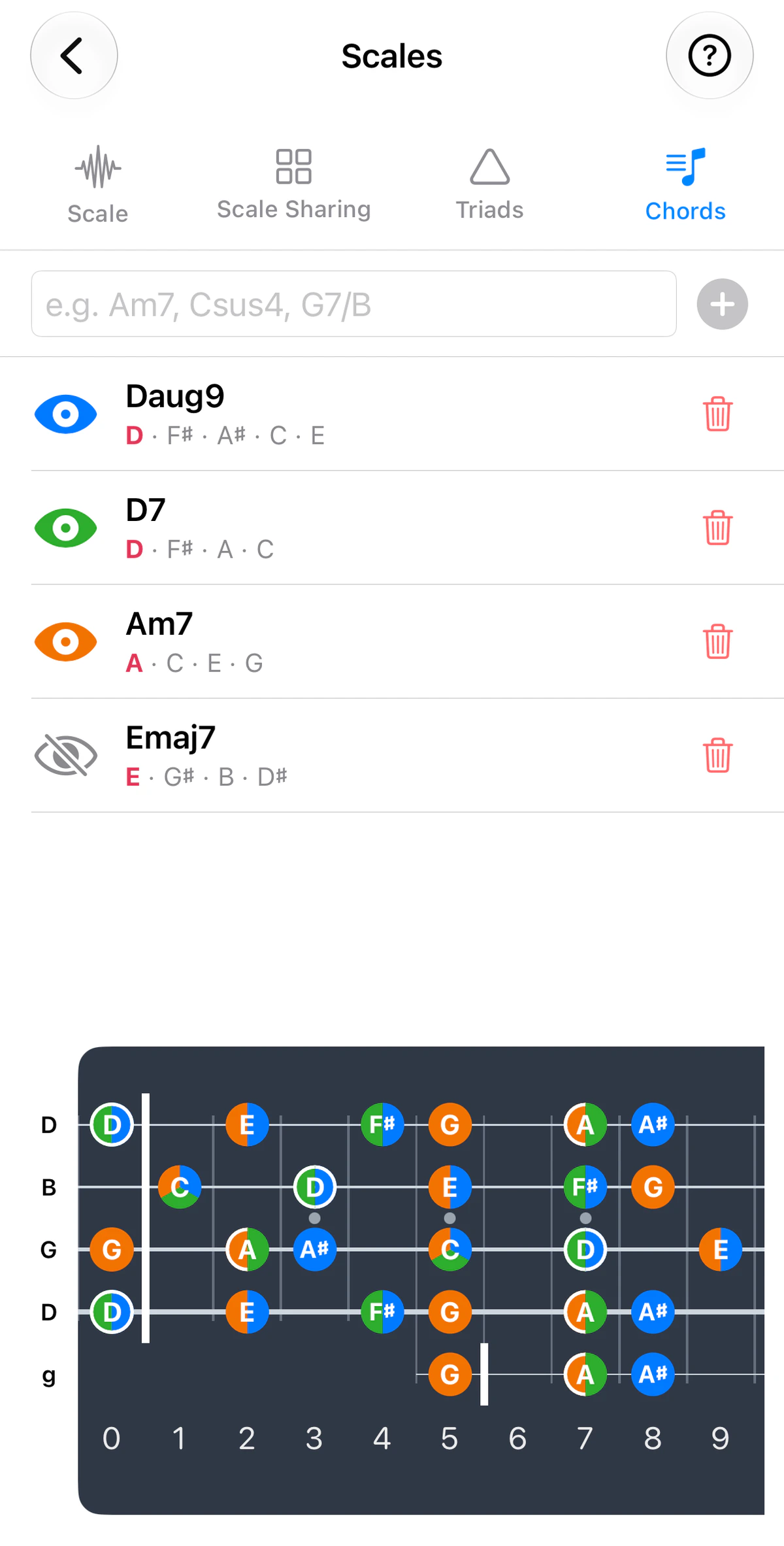
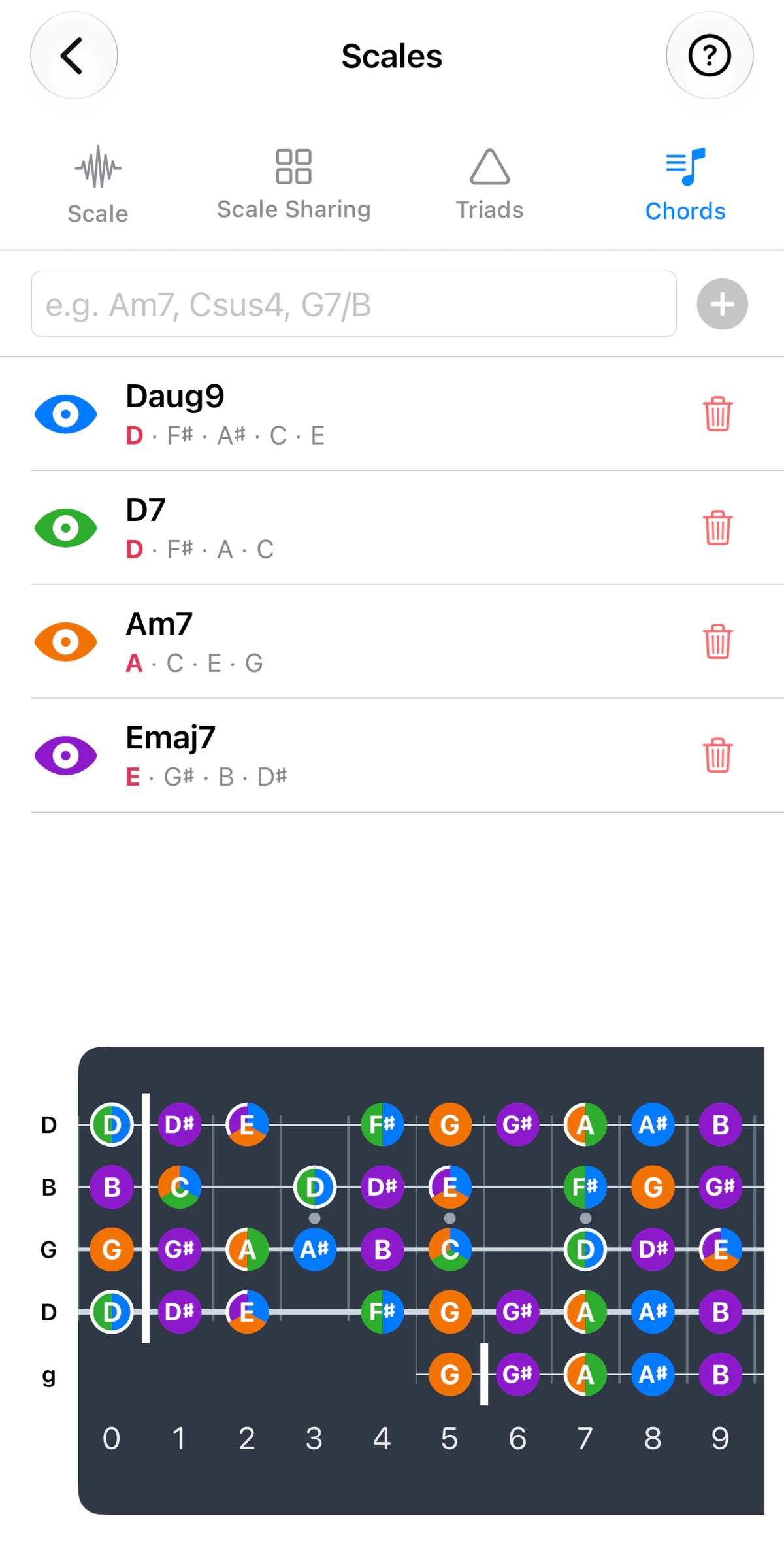
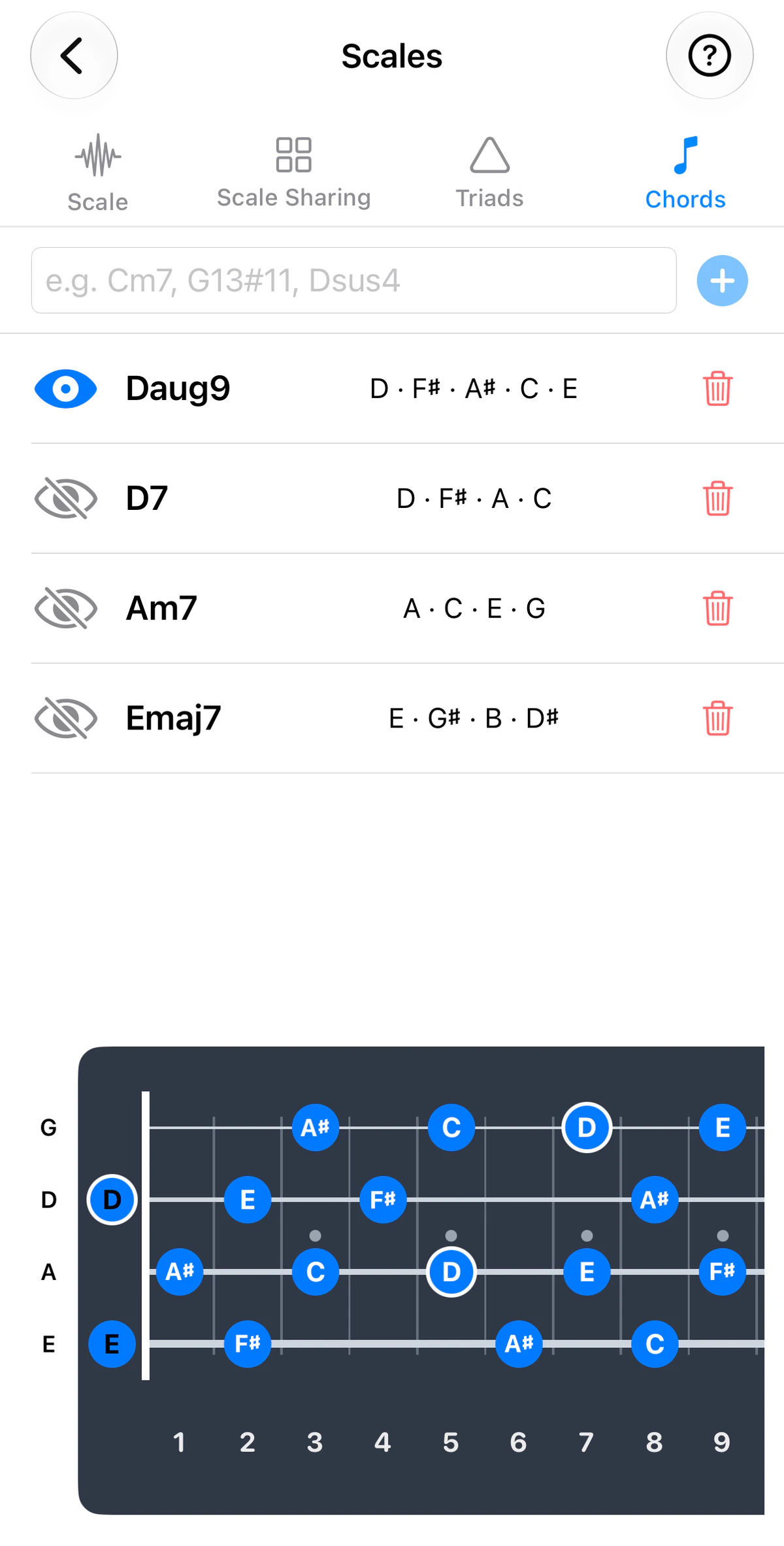
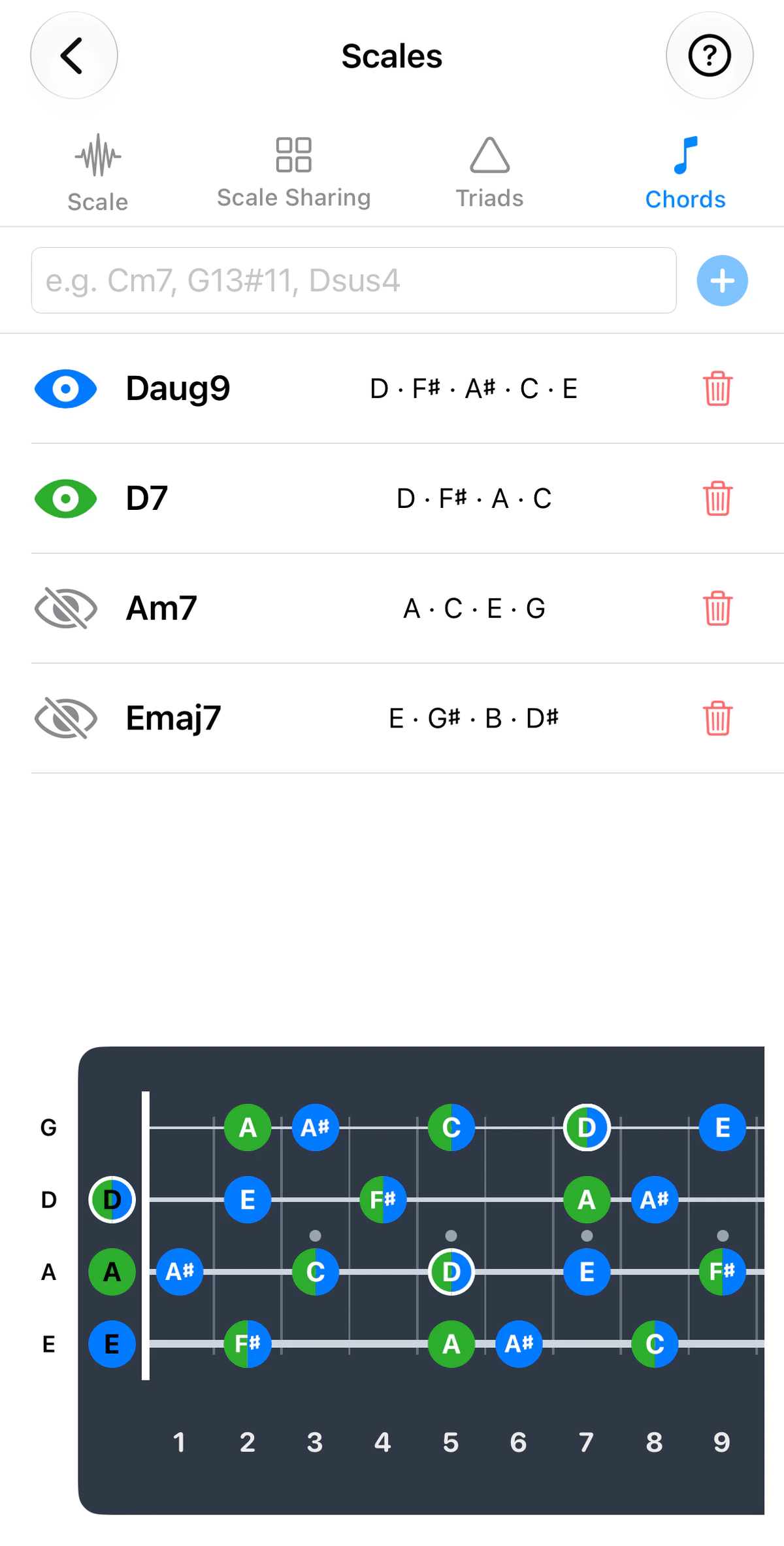
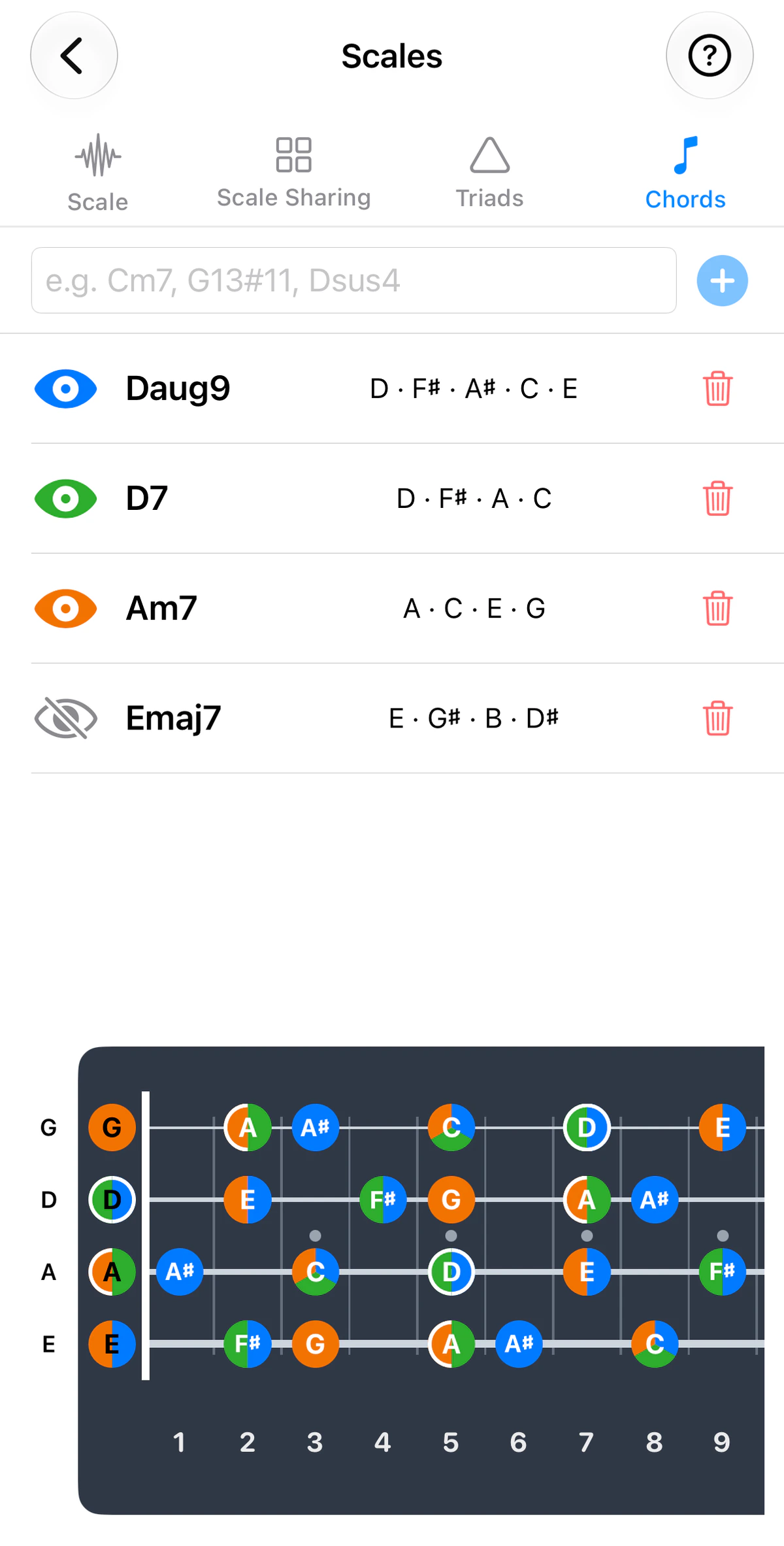
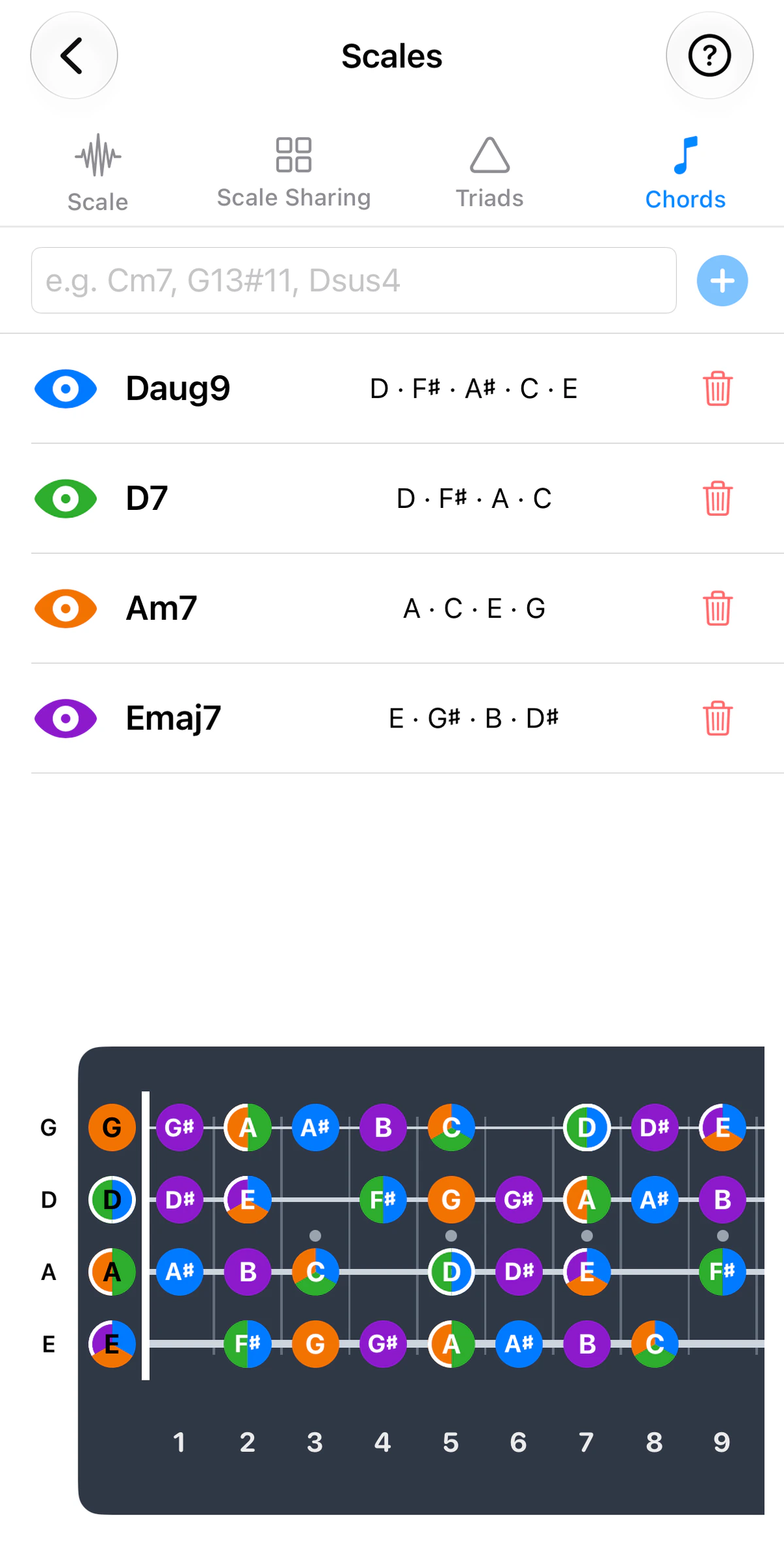
Chord Sharing is the Chords tab of Scales. It shows where a chord’s notes sit across the whole fretboard, and where several chords overlap.
Use the instrument tabs above the screenshots to see it on guitar, ukulele, banjo or bass; the strings and tuning follow the instrument.
How it works
Type any chord name – even unusual ones such as Daug9 – into the box at the top and add it. GTK lists the chord’s notes and maps them across the fretboard, with the root ringed.
View up to four chords. Each gets its own colour – blue, green, orange or purple – and they’re drawn on one fretboard. Where chords share a fret, the dot is split into pie slices, one per chord. Dots that belong to only one chord stay solid.
- Tap the eye to show or hide a chord; tap the trash to remove it.
Reading the fretboard
- Pie-slice dots are notes two or more chords have in common. Notes shared with a neighbouring chord are your anchors when you change chord.
- Solid dots are the notes only that chord has. They’re what changes when you move from one chord to the next.
- Ringed dots are roots, so you can always see where each chord is “home”.
Ideas to try
- Find the common notes – add two chords that follow each other in a song and look for the pie-slice dots. Staying on a shared note, or moving to a nearby one, keeps your playing connected across the change.
- See what actually changes – with a progression on screen, the solid dots show the notes that appear only in the new chord. Aim for those when you want the change to be heard.
- Aim for the roots – when you want your line to land on the chord, target its ringed root.
- Try the unusual chords – add a chord you don’t know yet, such as an augmented or extended one, and see how its notes relate to the chords around it.
Looking for a shape you can play, or the name of one you’re holding? Use Chord Master or the Chord Library.