Theory
Circle of Fifths
Tap any key to see its modes, diatonic chords, Roman numerals and key signature.
- Guitar
- Ukulele
- Banjo
- Bass



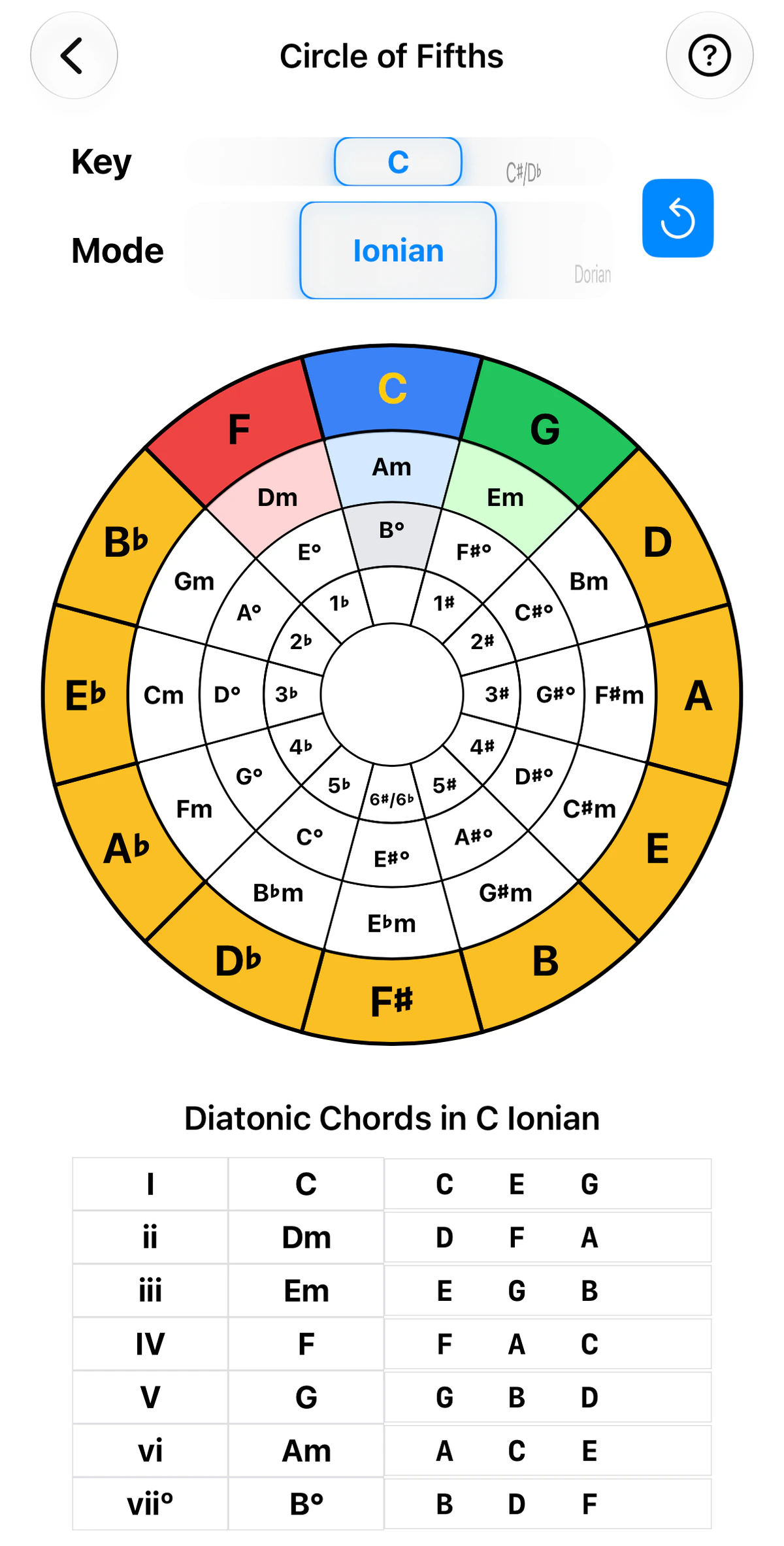
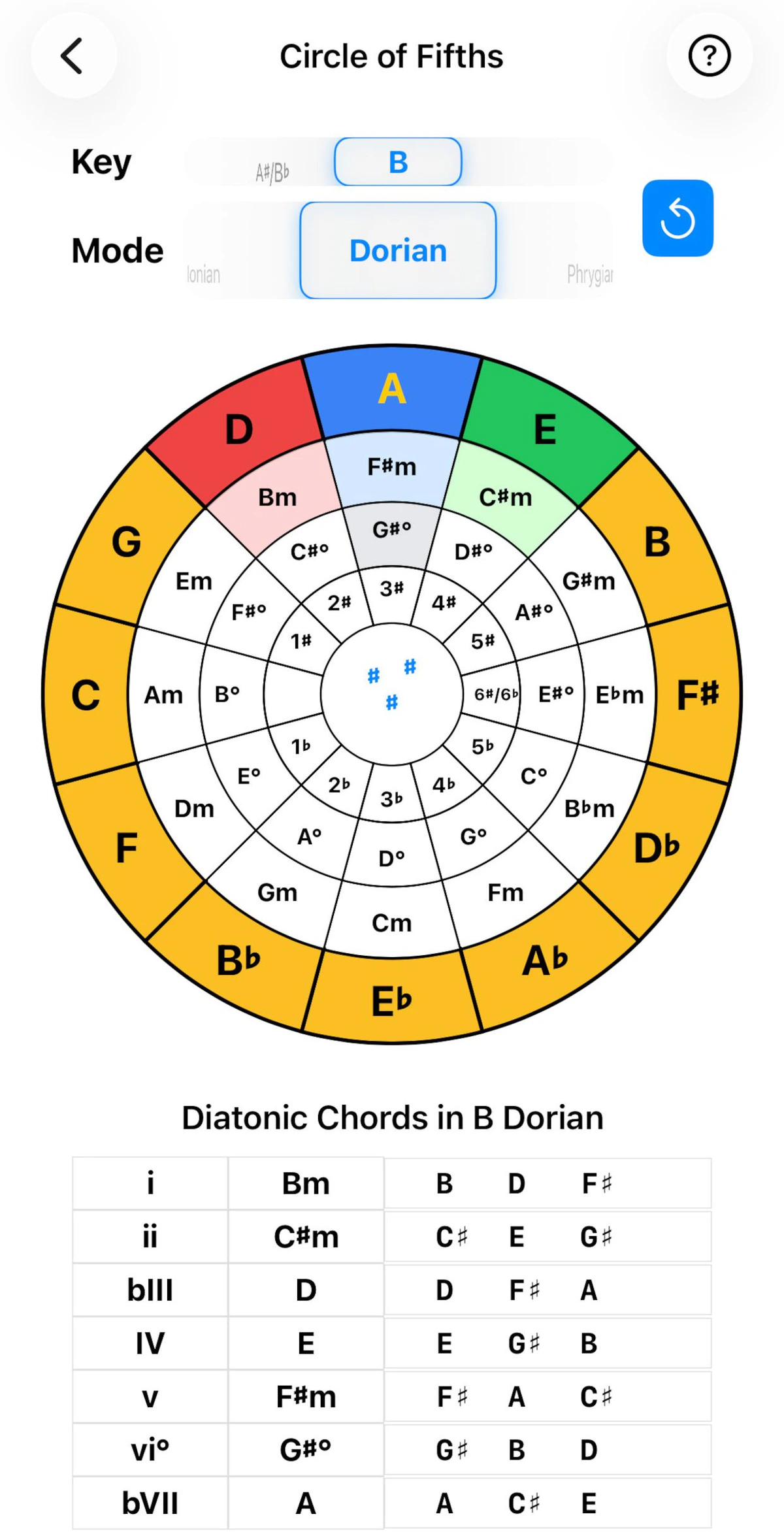
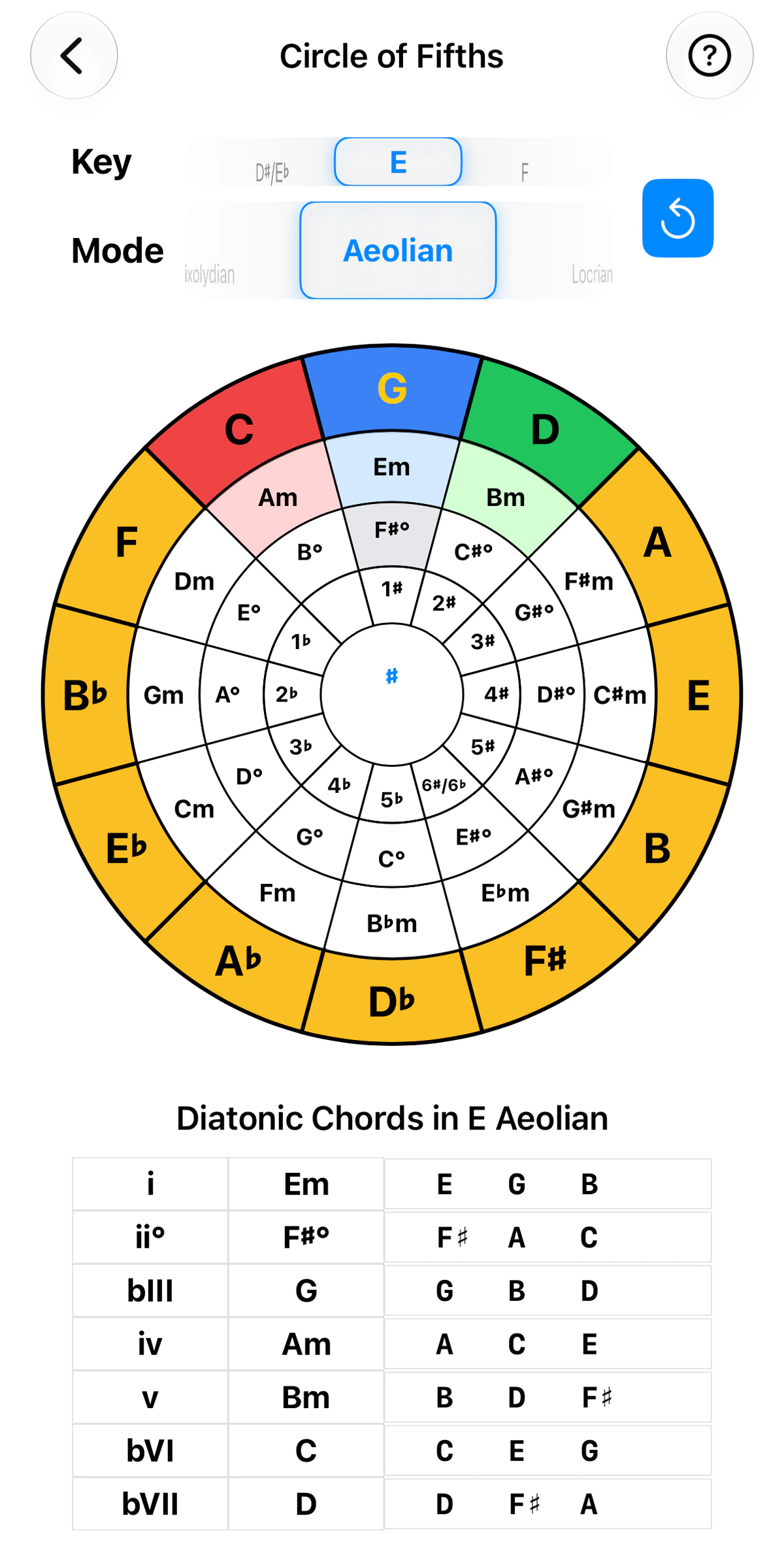
The circle of fifths arranges all twelve keys so that neighbours share all but one note. It’s the map for key signatures, relative minors and common chord progressions.
It is a pure theory tool, with no fretboard, so it looks and works the same on every GTK instrument.
Tap a key
Tap any key on the wheel and it rotates so that key sits at the top as the root. The key signature in the centre and the Diatonic Chords table below both update to match.
Example: tap D. The wheel turns to put D at the top, two sharps appear in the centre, and the diatonic chords run D, Em, F♯m and so on.
For most uses, that is all you need.
Reading the wheel
The wheel is made of rings:
- Outer ring: the twelve major keys.
- Next ring in: the relative minor of each key, which shares the same notes.
- Next ring in: the diminished chord of each key, built on its seventh note.
- Inner ring: the key signature, as a number of sharps (♯) or flats (♭).
The middle of the wheel shows the sharps or flats of the current selection. It is empty for C, which has none.
The wheel highlights the chords of the key you have chosen:
- Blue is the tonic, at the top of the wheel.
- Red, to its left, is the chord a fifth below (IV in a major key).
- Green, to its right, is the chord a fifth above (V in a major key).
- The lighter shades inside are their relative minors, and the grey segment is the diminished chord.
Diatonic chords
Below the wheel, Diatonic Chords lists the seven chords of the chosen key and mode. Each row shows its Roman numeral, the chord name and the three notes it contains. Capital numerals are major chords and lower case are minor; a ° marks a diminished chord and a ♭ in front (♭III, ♭VII) marks a chord built on a lowered scale step.
Key and Mode
The Key and Mode pickers above the wheel are for when you want to think about a sequence in a different way, for example from a Mixolydian point of view. The blue button beside them resets the wheel.
A mode uses the notes of a major key, so the wheel turns to show that major key at the top. In the screenshots:
- C Ionian is C major, so C is at the top and the centre is empty.
- B Dorian uses the notes of A major, so A is at the top and three sharps show.
- E Aeolian (natural minor) uses the notes of G major, so G is at the top and one sharp shows.
The Roman numerals change with the mode: B Dorian gives i, ii, ♭III, IV, v, vi° and ♭VII, while C Ionian gives I, ii, iii, IV, V, vi and vii°.
Tips
- Moving clockwise adds a sharp; anticlockwise adds a flat.
- Every major key sits beside its relative minor, which shares the same notes.
- Neighbouring keys are closely related, so they are good choices for a key change.
- The I, IV and V chords of any key are the key itself and its two neighbours.